
Movavi Video Editor
Movavi Video Editor: A desktop video editor where intros are restylable Blocks inside full video templates, plus one-click AI tools and drag-and-drop effects. Ranked #1 of 31 in Video Intro Maker Software (9.5/10); pricing: Free plan; best for customizable templates with ready-made intro Blocks.
At a glance
- Editor score9.5 / 10
- PricingFree plan
- Best forCustomizable templates with ready-made intro Blocks
- Free planYes
- Paid from$19.95/mo
Where it wins
- AI background removal, motion tracking, and automatic subtitles
- Timeline editing, chroma key, and stabilization
- 4K editing and export with screen recording and media conversion
Where it doesn't
- The free version adds a Trial watermark to exported videos
- Free exports can be capped at 60 seconds of video or half the audio length
- Paid plans are limited to Windows and macOS desktop editing
Our verdict on Movavi Video Editor
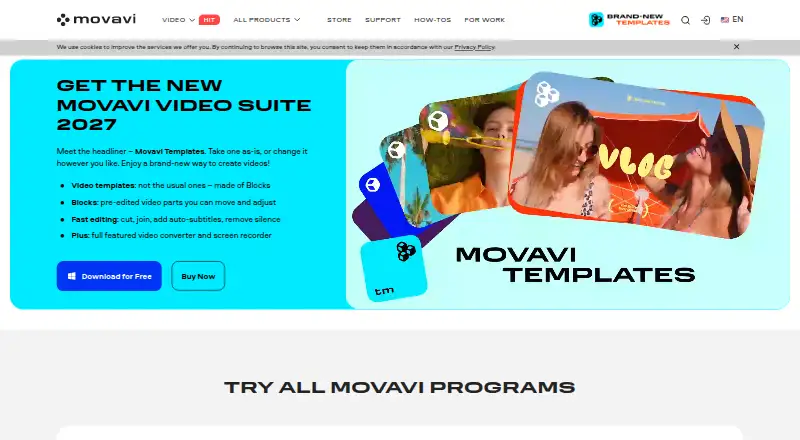
Movavi Video Editor is a desktop video-editing application for Windows and macOS. It is aimed at beginner and intermediate creators making social videos, family movies, educational projects, and business content. The core workspace covers cutting, trimming, splitting, joining, transitions, filters, titles, stickers, overlays, picture-in-picture, and timeline markers. It also includes chroma key background replacement, video stabilization, 4K video processing, screen recording, and media-file conversion.
Movavi's US store sells Video Editor as a 1-month subscription at $19.95. Video Editor Plus, which adds three effects packs, lists at $155.95 for one year or $333.95 for lifetime access to the current version without updates; both currently show 55% off, at $69.95 and $149.95, and the one-year offer is marked valid until November 8, 2026. The store also offers a 7-day Movavi Effects trial with each plan, which renews at $49.95 a month unless cancelled. The free version adds a Trial watermark to exported videos and can limit exports to 60 seconds of video or half the audio length. A 14-day money-back guarantee applies, and regional and promotional pricing can vary.
Its strongest differentiator is the combination of familiar timeline tools with AI-assisted editing. AI background removal, AI motion tracking, and automatic subtitles address common editing tasks without narrowing the software to one video format. Chroma key, stabilization, 4K export, and picture-in-picture add useful control for projects that go beyond basic cuts. Movavi Video Editor fits creators who want a focused desktop editor with AI support and multiple licensing choices. Creators who need watermark-free exports without paying, or an editor centered on broader platform access, should choose another product.
Movavi Video Editor pricing
Movavi Video Editor fact sheet
| Free plan | Yes |
|---|---|
| Paid from | $19.95/mo |
| Max export resolution | Not verified |
| Transparent export | Not verified |
| Custom logo upload | Yes |
| Brand kit | Not verified |
| Intro duration limit | Not verified |
| Free-plan watermark | Yes |
| Pricing | Free plan |
| Website | movavi.com |
Alternatives to Movavi Video Editor
- VideoboltA broad template library with flexible exports for branded intros and motion graphics.9.4
- Intro MakerA focused web tool for one-off logo and text intros with 720p to 4K60 downloads.9.2
- MakeWebVideoA focused option for logo animations and branded videos with pay-per-video pricing.9.0



See all Movavi Video Editor alternatives →
Used Movavi Video Editor? Be the first to review it
The editor score above is our own research. What this page doesn't have yet is a reader's view — what you used Movavi Video Editor for, what worked and what didn't. No stars are seeded and no review is paid for; an editor reads every one before it appears.
Write a reviewTwo minutes · verified accounts only · read by an editor before it appears
Featured on iTechGuides

Movavi Video Editor is listed in our Video Intro Maker Software directory. Add the badge to your site — it links back to this page.
<a href="https://www.itechguides.com/products/movavi-video-editor/"><img src="https://www.itechguides.com/best/badge/movavi-video-editor.svg" alt="Featured on iTechGuides" width="230" height="46"></a>
Reviewed by iTechGuides Editors · Editorial team · Updated Nov 2026
Advertiser disclosure: iTechGuides is reader-supported. Vendors can pay for top positions in our rankings and for a place on other products' pages, and we may earn a commission when you click some links. Bought places stand at the number bought; this page and our disclosure say so. Paying vendors may get a fuller, more detailed review from our editors, and that review can change their score. How we rank.
Last updated · How we research and update