MoluCAD
MoluCAD: A focused, free Windows tool for 3D molecules, reaction animations, and MM2 minimization. Ranked #27 of 33 in Chemistry Simulation Software by our editors (6.0/10); pricing: Free plan; best for free Windows molecular modeling.
At a glance
- Editor score6.0 / 10
- PricingFree plan
- Best forFree Windows molecular modeling
- Free planYes
- Paid fromFree
- Founded1994 · Williamsburg, Virginia, United States
- Facts checked20 Sep 2026
Where it wins
- Free download with no paid plan structure
- Supports 3D modeling, visualization, and reaction animation
- Reads and exports several chemistry and media file formats
Where it doesn't
- Runs only on Windows
- Does not provide virtual lab or equation tools
- Desktop delivery may not fit browser-based workflows
Our verdict on MoluCAD
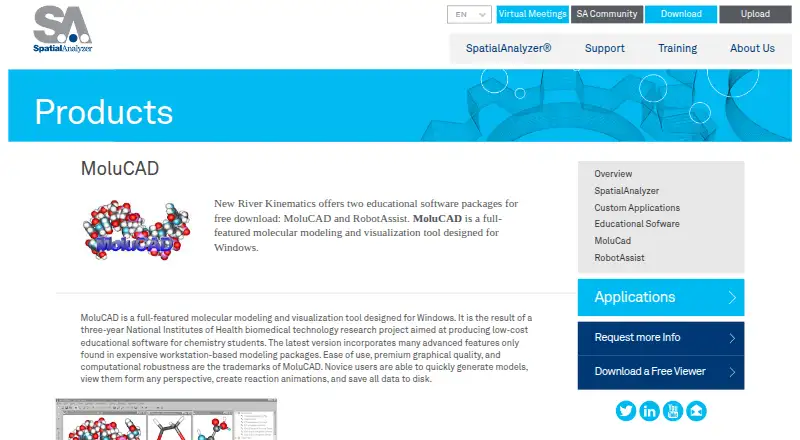
MoluCAD is a Windows desktop application for constructing, viewing, and modifying three-dimensional molecular structures. New River Kinematics offers it as a free download for chemistry students. Its scope suits learners and educators who need a focused molecular modeling workspace rather than a broader virtual laboratory. The application includes an interactive periodic table, HTML-based help, 170+ sample structures and animations, and tools for viewing molecules from any perspective. Founded in 1994, it has a long-standing place as a dedicated chemistry modeling product.
The pricing model is straightforward: MoluCAD is free to download, with no paid plan structure described. That makes it approachable for students and classrooms that need core molecular visualization without selecting among subscription tiers. The feature set centers on practical modeling tasks, including building structures, opening and modifying samples, creating reaction animations, and applying built-in MM2 energy minimization. Users can also export BMP, JPEG, and AVI files, which supports sharing still images and animations outside the application.
File compatibility is one of MoluCAD’s more useful strengths for a desktop-focused tool. It supports PDB, ENT, MOL, and MM3 input and output, giving chemistry users several established molecular file options. Its narrow Windows delivery is also its clearest constraint: it is not positioned for cross-platform or browser-based work. The product should suit chemistry students who want free, focused molecular modeling and visualization on Windows. Those seeking virtual lab activities, equation tools, or a platform beyond Windows should choose a different chemistry application.
Your product? Our editors can test MoluCAD in depth and publish a review, labelled as paid · from $149/mo →
MoluCAD pricing
MoluCAD fact sheet
| Free plan | Yes |
|---|---|
| Paid from | Free |
| Virtual labs | Not verified |
| Molecular modeling | Yes |
| Reaction simulation | Not verified |
| Equation tools | Not verified |
| Delivery | Desktop |
| Student account limit | Not verified |
| Content languages | Not verified |
| Deployment | Desktop |
| Platforms | Windows |
| Support | Email, Phone |
| Built for | Solo, Small business (editorial estimate) |
| Pricing | Free plan |
| Website | kinematics.com |
| Facts checked | 20 Sep 2026 |
Alternatives to MoluCAD
- McGraw Hill Virtual LabsA web-based virtual lab suite with strong McGraw Hill and LMS delivery.9.2
- Virtual ChemLabA broad desktop virtual lab for chemistry investigations, assignments, and theory-based practice.9.0
- PhET Interactive SimulationsA free, broad simulation library for classroom science and mathematics instruction.8.9

See all MoluCAD alternatives →
Used MoluCAD? Be the first to review it
The editor score above is our own research. What this page doesn't have yet is a reader's view — what you used MoluCAD for, what worked and what didn't. No stars are seeded and no review is paid for; an editor reads every one before it appears.
Write a reviewTwo minutes · verified accounts only · read by an editor before it appears
Featured on iTechGuides

MoluCAD is listed in our Chemistry Simulation Software directory. Add the badge to your site — it links back to this page.
<a href="https://www.itechguides.com/products/molucad/"><img src="https://www.itechguides.com/best/badge/molucad.svg" alt="Featured on iTechGuides" width="230" height="46"></a>
Reviewed by iTechGuides Editors · Editorial team · Updated Oct 2026
Advertiser disclosure: iTechGuides is reader-supported. Vendors can pay for top positions in our rankings and for a place on other products' pages, and we may earn a commission when you click some links. Bought places stand at the number bought; this page and our disclosure say so. Paying vendors may get a fuller, more detailed review from our editors, and that review can change their score. How we rank.
Last updated · How we research and update