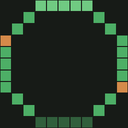
MinecraftCircle Tools review
A free web suite for detailed Minecraft shape plans, tracking, sharing, and varied exports.
Reviewed by iTechGuides Editors · Editorial team · Updated Oct 2026
MinecraftCircle Tools is a free, browser-based suite for planning Minecraft block geometry. It is aimed at builders who need more than a simple shape outline, including players planning circles, ovals, spheres, domes, stars, or pixel-art layouts. Configurable dimensions, thickness, fill, orientation, row plans, and coordinate output help translate a design into an actionable construction plan without requiring a paid tier.
Its standout strength is the level of inspection available for volumetric builds. Sphere generation supports hollow or filled modes, while dome and other volumetric workflows provide horizontal or layer-by-layer views. Builders can review layer counts, inspect individual layers, estimate material stacks, and track construction progress. Shareable URLs preserve generator settings for reproducing or passing along a design, and the range of PNG, Litematic, CSV, TXT, and Markdown exports suits both visual references and structured build workflows.
The product is strongest when a Minecraft project needs precise geometry and a practical plan from browser-based tools. Its shape coverage extends beyond circles into several useful forms, with local browser-based pixel-art image processing adding a separate 2D planning path. However, it remains focused on Minecraft block geometry rather than broad 3D modeling or a native application experience. Choose MinecraftCircle Tools for free, detailed build planning, layer review, material estimation, progress tracking, and export flexibility. Builders seeking a general-purpose modeling environment or a non-web workflow should look for a different type of tool.
MinecraftCircle Tools pros and cons
- Where it wins
- Supports circles, ovals, spheres, domes, stars, and pixel art
- Provides layer inspection, material counts, and build-progress tracking
- Exports PNG, Litematic, CSV, TXT, and Markdown files
- Where it doesn't
- Runs as a web tool rather than a native desktop or mobile app
- Focuses on Minecraft geometry instead of general-purpose 3D modeling
- Pixel-art processing is limited to local browser-based workflows
MinecraftCircle Tools fact sheet, pricing and score →
Advertiser disclosure: iTechGuides is reader-supported. Vendors can pay for top positions in our rankings and for a place on other products' pages, and we may earn a commission when you click some links. Bought places stand at the number bought; this page and our disclosure say so. Paying vendors may get a fuller, more detailed review from our editors, and that review can change their score. How we rank.
Last updated · How we research and update