meshio
meshio: A focused open-source converter for engineering and scientific mesh workflows. Ranked #25 of 31 in 3D File Converter Software by our editors (6.8/10); pricing: Open source; best for python and CLI mesh workflows.
At a glance
- Editor score6.8 / 10
- PricingOpen source
- Best forPython and CLI mesh workflows
- Paid fromFree
- Format scopeMesh
- Facts checked22 Sep 2026
Where it wins
- Python APIs support both mesh reading and writing.
- Command-line tools handle conversion, compression and format changes.
- Supports XDMF time series and ParaView integration.
Where it doesn't
- Focused on mesh formats rather than broad CAD conversion.
- The workflow centers on Python APIs and command-line tools.
- ParaView is the listed ecosystem integration.
Our verdict on meshio
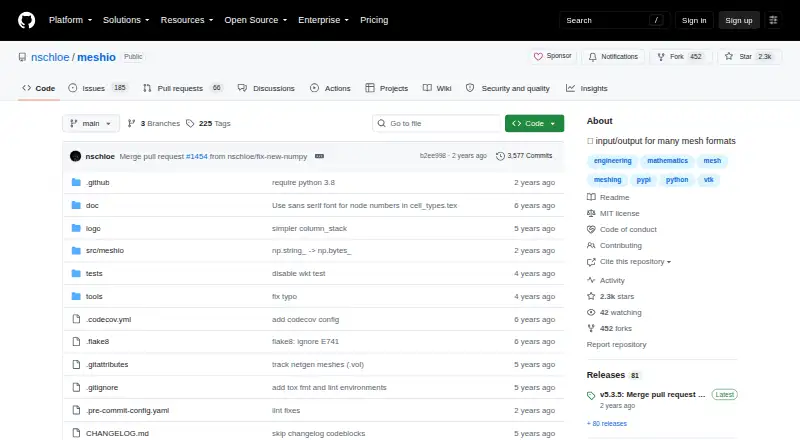
meshio is an open-source Python library and command-line tool for reading, writing, and converting unstructured mesh files. It is designed for engineering and scientific workflows that work with formats such as Gmsh, VTK, VTU, XDMF, STL, OBJ, PLY, Abaqus, CGNS, Exodus, and Nastran. Users can access its functionality through Python read and write APIs or command-line commands, and it runs on Windows, macOS, and Linux. The product is a strong fit for developers, researchers, and technical teams that need programmable or scriptable mesh conversion rather than a general-purpose CAD utility.
Its main strength is the combination of format breadth within the mesh category and multiple ways to operate. meshio supports conversion between many mesh file formats, compression and decompression, and transformations between ASCII and binary mesh representations. XDMF time-series reading and writing adds support for workflows involving changing simulation or scientific data over time. These capabilities make it suitable for repeatable conversion pipelines where file handling needs to be part of Python code or command-line automation.
The ecosystem fit is focused but clear. ParaView plugin support connects meshio with ParaView, while the core interfaces remain the Python APIs and command-line utility. That focus is useful when the workflow is centered on unstructured meshes and scientific visualization, but it is less suitable for users looking for broad CAD conversion across non-mesh design formats. Choose meshio for open-source, code-driven mesh conversion on Windows, macOS, or Linux; consider another category tool if you need a wider CAD file scope or a primarily graphical conversion experience.
Your product? Our editors can test meshio in depth and publish a review, labelled as paid · from $149/mo →
meshio pricing
meshio fact sheet
| Free plan | Not verified |
|---|---|
| Paid from | Free |
| Format scope | Mesh |
| Animation conversion | Not verified |
| Batch conversion | Not verified |
| API access | Yes |
| Maximum file size | Not verified |
| Supported platforms | Windows, macOS, Linux |
| Deployment | Self-hosted |
| Platforms | Windows, macOS, Linux |
| Support | Community |
| Built for | Solo, Small business, Mid-market, Enterprise (editorial estimate) |
| Integrations | 1 integrations: ParaView |
| Pricing | Open source |
| Website | github.com |
| Facts checked | 22 Sep 2026 |
meshio integrations
meshio lists 1 integrations on its own site.
- ParaView
Alternatives to meshio
- 3D_EvolutionA professional CAD conversion suite for complex engineering workflows and enterprise validation.9.4
- 3D InterOpA broad engineering SDK for integrating high-volume CAD and BIM translation.9.3
- HOOPS ExchangeA broad CAD/BIM conversion SDK for engineering software teams.9.2



Used meshio? Be the first to review it
The editor score above is our own research. What this page doesn't have yet is a reader's view — what you used meshio for, what worked and what didn't. No stars are seeded and no review is paid for; an editor reads every one before it appears.
Write a reviewTwo minutes · verified accounts only · read by an editor before it appears
Featured on iTechGuides

meshio is listed in our 3D File Converter Software directory. Add the badge to your site — it links back to this page.
<a href="https://www.itechguides.com/products/meshio/"><img src="https://www.itechguides.com/best/badge/meshio.svg" alt="Featured on iTechGuides" width="230" height="46"></a>
Reviewed by iTechGuides Editors · Editorial team · Updated Oct 2026
Advertiser disclosure: iTechGuides is reader-supported. Vendors can pay for top positions in our rankings and for a place on other products' pages, and we may earn a commission when you click some links. Bought places stand at the number bought; this page and our disclosure say so. Paying vendors may get a fuller, more detailed review from our editors, and that review can change their score. How we rank.
Last updated · How we research and update