MediaGrabber
MediaGrabber: A focused, free stream downloader with broad format detection and FFmpeg conversion. Ranked #64 of 135 in Video Downloaders by our editors (3.0/10); pricing: Free plan; best for browser users capturing modern web video streams.
At a glance
- Editor score3.0 / 10
- PricingFree plan
- Best forBrowser users capturing modern web video streams
- Free planYes
- Paid fromFree
- Maximum video quality4k
- Facts checked22 Sep 2026
Where it wins
- Handles HLS, DASH, direct, MSE, and YouTube streams
- Selects available quality variants up to 4K
- Detects subtitles and audio tracks when supplied by the stream
Where it doesn't
- Playlist and batch downloading are outside its stream-focused scope
- The documented Windows installer is limited to Windows x64
- macOS and Linux are described for source builds
Our verdict on MediaGrabber
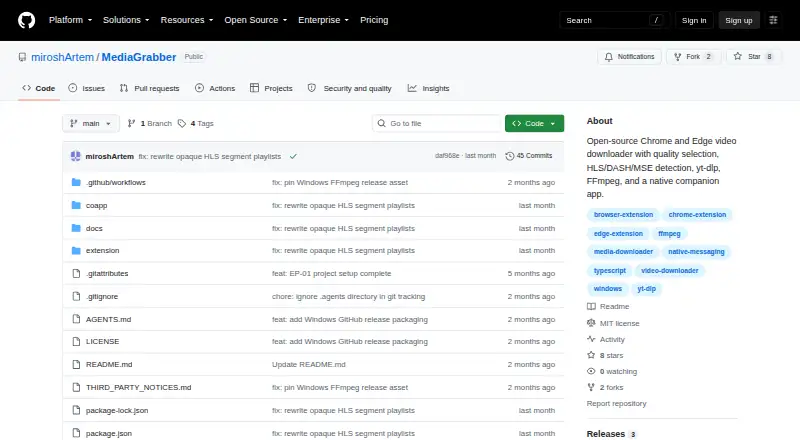
MediaGrabber is an open-source Chrome and Edge extension for capturing online video streams from supported sources. It detects HLS, DASH, direct MP4/WebM, MSE-blobbed video, and YouTube streams through yt-dlp, then presents available quality choices in the browser popup. It is aimed at browser users who want a focused downloader for modern web video rather than a broad media-management application. Supported environments include Chrome, Edge, Windows, macOS, and Linux.
Its strongest fit is the combination of stream detection and conversion tools. MediaGrabber can select manifest variants up to 4K, expose subtitle and audio-track entries when the stream supplies them, and show download progress in the browser popup. The native messaging companion app connects the extension with FFmpeg for HLS and DASH conversion, while yt-dlp handles YouTube downloads and ffprobe is included in the integration set. Optional desktop notifications add a small convenience for downloads that continue beyond the popup.
MediaGrabber is free and open source, with distribution through GitHub Releases rather than the Chrome Web Store. The documented production installer is for Windows x64; macOS and Linux are described for source builds, which makes the installation path more technical on those platforms. Its focused scope is also a boundary: playlist and batch downloading are not part of the documented feature set. Choose MediaGrabber for stream-level browser downloads, quality selection, subtitle handling, and FFmpeg conversion. Choose an alternative if you need playlist management or batch-oriented workflows.
Your product? Our editors can test MediaGrabber in depth and publish a review, labelled as paid · from $149/mo →
MediaGrabber pricing
MediaGrabber fact sheet
| Free plan | Yes |
|---|---|
| Paid from | Free |
| Maximum video quality | 4k |
| Supported sources | HLS (.m3u8), DASH (.mpd), direct MP4/WebM, MSE-blobbed video, YouTube |
| Output formats | MP4 |
| Playlist downloads | Not verified |
| Subtitle downloads | Yes |
| Batch downloads | Not verified |
| Device platforms | Chrome, Edge, Windows, macOS, Linux |
| Deployment | Desktop, Browser extension |
| Platforms | Windows, macOS, Linux, Chrome extension |
| Built for | Solo, Small business (editorial estimate) |
| Integrations | 3 integrations: yt-dlp, FFmpeg, ffprobe |
| Pricing | Free plan |
| Website | github.com |
| Facts checked | 22 Sep 2026 |
MediaGrabber integrations
MediaGrabber lists 3 integrations on its own site.
- yt-dlp
- FFmpeg
- ffprobe
Alternatives to MediaGrabber
- yt-dlpMaximum control for users comfortable with command-line downloading and automation.9.4
- EaseUS Video DownloaderA broad Windows and macOS downloader with playlists, livestreams, subtitles, and 8K support.9.2
- 4K Video Downloader+A broad desktop downloader with a free starter plan and a $60 Pro option.9.0


See all MediaGrabber alternatives →
Used MediaGrabber? Be the first to review it
The editor score above is our own research. What this page doesn't have yet is a reader's view — what you used MediaGrabber for, what worked and what didn't. No stars are seeded and no review is paid for; an editor reads every one before it appears.
Write a reviewTwo minutes · verified accounts only · read by an editor before it appears
Featured on iTechGuides

MediaGrabber is listed in our Video Downloaders directory. Add the badge to your site — it links back to this page.
<a href="https://www.itechguides.com/products/mediagrabber/"><img src="https://www.itechguides.com/best/badge/mediagrabber.svg" alt="Featured on iTechGuides" width="230" height="46"></a>
Reviewed by iTechGuides Editors · Editorial team · Updated Oct 2026
Advertiser disclosure: iTechGuides is reader-supported. Vendors can pay for top positions in our rankings and for a place on other products' pages, and we may earn a commission when you click some links. Bought places stand at the number bought; this page and our disclosure say so. Paying vendors may get a fuller, more detailed review from our editors, and that review can change their score. How we rank.
Last updated · How we research and update