
Material 3 Design Kit
Material 3 Design Kit: A free, Material 3-focused Figma kit for structured interface design. Ranked #12 of 26 in UI Kit Libraries by our editors (8.0/10); pricing: Free plan; best for teams adopting Material 3 in Figma.
At a glance
- Editor score8.0 / 10
- PricingFree plan
- Best forTeams adopting Material 3 in Figma
- Free planYes
- Paid fromFree
- Facts checked20 Sep 2026
Where it wins
- Reusable components, variants, styles, and variables
- Token-based theming with dynamic color visualization
- Responsive layouts with breakpoint-aware canonical screens
Where it doesn't
- Focused on Material 3 rather than multiple design systems
- Designed for Figma workflows and web interfaces
- Accessibility guidance is included but implementation coverage is narrower
Our verdict on Material 3 Design Kit
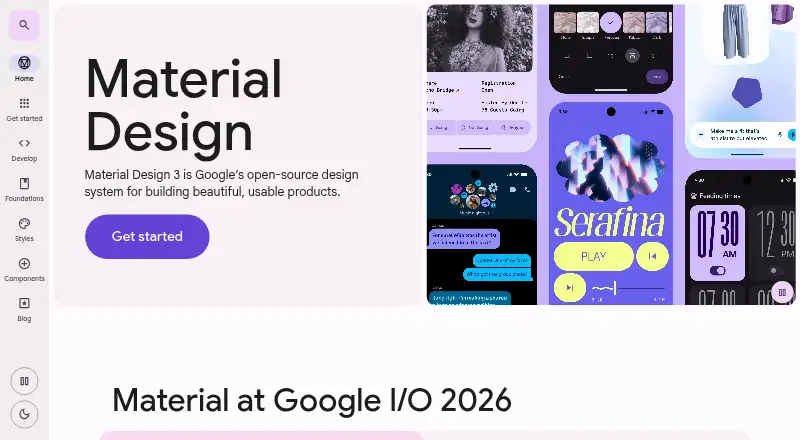
Material 3 Design Kit is Google’s Figma UI kit for designers and product teams creating mockups and prototypes aligned with Material 3. It combines reusable components, Figma styles and variables, example screens, layouts, component variants, and instance swapping in a design-system-ready format. The kit is distributed through Figma’s UI kit library and is intended for teams building web interfaces with Material 3 theming and layout patterns.
Pricing is straightforward: Material 3 Design Kit is free and available through Figma’s UI kit library on any plan. Its strongest value is the connection between reusable UI elements and theme creation. Token-based color theming, dynamic color visualization, pre-connected components, and Material Theme Builder integration give teams a structured route from design tokens to themed interface concepts. Material 3 Expressive components and styles also extend the kit beyond its core component set.
For teams adopting Material 3, the kit offers useful breadth across components, screens, color systems, and breakpoint layouts without adding a paid tier. Canonical layouts and responsive components support work across interface sizes, while accessibility guidance provides direction during design. Its focus is also its main boundary: teams working with another design system, or looking for a broader multi-system UI library, should choose a different kit. Material 3 Design Kit is the clearest fit for Figma-centered product teams that want Google’s Material 3 patterns organized for prototyping and theme development.
Your product? Our editors can test Material 3 Design Kit in depth and publish a review, labelled as paid · from $149/mo →
Material 3 Design Kit pricing
Material 3 Design Kit fact sheet
| Free plan | Yes |
|---|---|
| Paid from | Free |
| Component count | Not verified |
| Primary asset format | Figma |
| Design-system ready | Yes |
| Responsive components | Yes |
| Accessibility guidance | Yes |
| License scope | Not verified |
| Deployment | Cloud |
| Platforms | Web |
| Support | Docs |
| Built for | Solo, Small business, Mid-market, Enterprise (editorial estimate) |
| Integrations | 2 integrations: Figma, Material Theme Builder |
| Pricing | Free plan |
| Website | m3.material.io |
| Facts checked | 20 Sep 2026 |
Material 3 Design Kit integrations
Material 3 Design Kit lists 2 integrations on its own site.
- Figma
- Material Theme Builder
Alternatives to Material 3 Design Kit
- MUIA broad React UI ecosystem with free foundations and paid advanced components.9.4
- Carbon Design SystemA broad, accessible UI system with coded components, design kits, tokens, and framework options.9.2
- Adobe SpectrumA broad, open-source foundation for consistent web, desktop, and mobile interfaces.9.0



See all Material 3 Design Kit alternatives →
Used Material 3 Design Kit? Be the first to review it
The editor score above is our own research. What this page doesn't have yet is a reader's view — what you used Material 3 Design Kit for, what worked and what didn't. No stars are seeded and no review is paid for; an editor reads every one before it appears.
Write a reviewTwo minutes · verified accounts only · read by an editor before it appears
Featured on iTechGuides

Material 3 Design Kit is listed in our UI Kit Libraries directory. Add the badge to your site — it links back to this page.
<a href="https://www.itechguides.com/products/material-3-design-kit/"><img src="https://www.itechguides.com/best/badge/material-3-design-kit.svg" alt="Featured on iTechGuides" width="230" height="46"></a>
Reviewed by iTechGuides Editors · Editorial team · Updated Oct 2026
Advertiser disclosure: iTechGuides is reader-supported. Vendors can pay for top positions in our rankings and for a place on other products' pages, and we may earn a commission when you click some links. Bought places stand at the number bought; this page and our disclosure say so. Paying vendors may get a fuller, more detailed review from our editors, and that review can change their score. How we rank.
Last updated · How we research and update