
Mass Watermark
Mass Watermark: A focused desktop tool for batch watermarking, image preparation, and photo-service uploads. Ranked #19 of 33 in Photo Watermarking Software by our editors (7.3/10); pricing: Paid; best for desktop users publishing to photo services.
At a glance
- Editor score7.3 / 10
- PricingPaid
- Best forDesktop users publishing to photo services
- Free planNo
- Paid from$30/device one-time
- Facts checked20 Sep 2026
Where it wins
- Processes hundreds of photos in batches with text or logo watermarks
- Supports tiled overlays, templates, QR codes, and watermark design
- Resizes, optimizes, adds metadata, and uploads to Google Photos and Flickr
Where it doesn't
- No free plan; access starts with a $30 one-time purchase
- Windows and Macintosh licenses are sold separately
- Designed for Windows and macOS rather than browser-based workflows
Our verdict on Mass Watermark
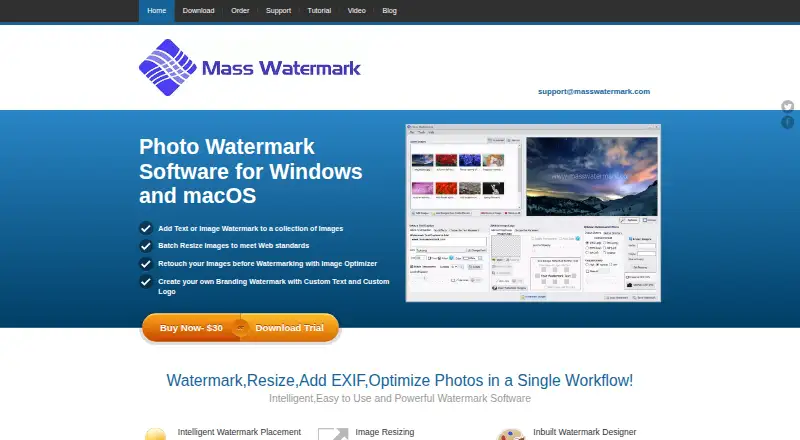
Mass Watermark is desktop photo-processing software for photographers, bloggers, designers, and businesses that need to apply watermarks across multiple images. It supports batch watermarking of hundreds of photos, text and image/logo marks, tiled or full overlays, reusable templates, and QR code watermarks. Alongside watermarking, it includes resizing, cropping, rotation, EXIF metadata addition, and image optimization adjustments. The product runs on Windows and macOS, with separate versions for each platform.
Pricing is straightforward: the Windows Version costs $30 as a one-time payment, while the Macintosh Version also costs $30 one time. Each plan provides single-machine or single-Mac use, a lifetime license, free minor upgrades, and free technical support. The published plans do not combine both operating systems under one license, so users working across Windows and macOS need to select the applicable version for each device. A free trial is also advertised, with trial terms presented separately from the paid license details.
Mass Watermark fits workflows that combine watermarking with basic image preparation and publishing. Its watermark designer and reusable templates support repeatable branding, while tiled overlays can cover an image more extensively than a single corner mark. Direct uploads are available for Google Photos and Flickr, and the listed integrations also include Picasa. Choose it if you want a one-time desktop purchase for batch processing and photo-service publishing. It is less suitable for teams seeking a shared web workspace, a single license spanning Windows and macOS, or a free plan.
Questions about Mass Watermark
What does Mass Watermark run on? Windows and macOS. It runs as a desktop app.
What does Mass Watermark integrate with? 3 integrations: Google Photos, Flickr and Picasa.
Does Mass Watermark offer a money-back guarantee? Yes: 30 days.
Who is Mass Watermark built for? Solo users and small businesses (our editorial estimate).
Your product? Our editors can test Mass Watermark in depth and publish a review, labelled as paid · from $149/mo →
Mass Watermark pricing
All 2 Mass Watermark plans and prices →
Mass Watermark fact sheet
| Free plan | No |
|---|---|
| Paid from | $30/device one-time |
| Batch watermarking | Yes |
| Maximum batch size | Not verified |
| Logo marks | Yes |
| Signature marks | Not verified |
| Watermark presets | Yes |
| Supported platforms | Windows, macOS |
| API access | Not verified |
| Money-back guarantee | 30 days |
| Deployment | Desktop |
| Platforms | Windows, macOS |
| Support | Email, Live chat, Docs |
| Built for | Solo, Small business (editorial estimate) |
| Integrations | 3 integrations: Google Photos, Flickr, Picasa |
| Pricing | Paid (source) |
| Website | masswatermark.com |
| Facts checked | 20 Sep 2026 |
Mass Watermark integrations
Mass Watermark lists 3 integrations on its own site.
- Google Photos
- Flickr
- Picasa
Alternatives to Mass Watermark
- WatermarklyA capable choice for very large cross-platform batches, with a useful free plan.9.4
- eZy WatermarkA feature-rich freemium watermarking tool for mobile creators and businesses.9.2
- iWatermarkA broad watermarking toolkit for users who need batch processing and advanced mark types.9.0



See all Mass Watermark alternatives →
Used Mass Watermark? Be the first to review it
The editor score above is our own research. What this page doesn't have yet is a reader's view — what you used Mass Watermark for, what worked and what didn't. No stars are seeded and no review is paid for; an editor reads every one before it appears.
Write a reviewTwo minutes · verified accounts only · read by an editor before it appears
Featured on iTechGuides

Mass Watermark is listed in our Photo Watermarking Software directory. Add the badge to your site — it links back to this page.
<a href="https://www.itechguides.com/products/mass-watermark/"><img src="https://www.itechguides.com/best/badge/mass-watermark.svg" alt="Featured on iTechGuides" width="230" height="46"></a>
Reviewed by iTechGuides Editors · Editorial team · Updated Nov 2026
Advertiser disclosure: iTechGuides is reader-supported. Vendors can pay for top positions in our rankings and for a place on other products' pages, and we may earn a commission when you click some links. Bought places stand at the number bought; this page and our disclosure say so. Paying vendors may get a fuller, more detailed review from our editors, and that review can change their score. How we rank.
Last updated · How we research and update