MasoLabel
MasoLabel: A low-cost Windows label tool for Excel-driven batches, with limits on entry plans. Ranked #23 of 32 in Label Design Software by our editors (6.9/10); pricing: Free plan; best for low-cost Excel-based batch labels.
At a glance
- Editor score6.9 / 10
- PricingFree plan
- Best forLow-cost Excel-based batch labels
- Free planYes
- Barcode supportYes
- Facts checked20 Sep 2026
Where it wins
- Imports Excel data for batch and variable label printing
- Generates barcodes, QR codes, and incrementing serial numbers
- Supports cloud-saved templates and collaborative editing
Where it doesn't
- Windows-only desktop coverage
- Starter and Basic plans exclude PDF and image export
- Paid pricing can vary by region or product version
Our verdict on MasoLabel
MasoLabel is Windows label-design and printing software for creating barcode and QR-code labels. It suits businesses that need to turn Excel data into batches of variable labels, including labels with serial numbers, prefixes, suffixes, dates, tables, lines, and icons. It supports Windows 7, 10, 11, and Windows Server editions, with compatibility across various Windows-compatible printer brands. Its focus is practical batch production rather than broad cross-platform access.
The freemium structure gives buyers a way to start with the Starter plan, which supports one user, up to 100 labels per day, and up to three templates. Basic raises the allowance to 1,000 labels per day and up to 20 templates while retaining one user, but both entry plans exclude PDF and image export. Pro Single-user removes the daily label and template limits and adds PDF and image export. Pro Multi-user keeps those allowances and supports up to three simultaneous users. Published pricing can vary by region or product version, so teams should check the applicable offering before choosing a tier.
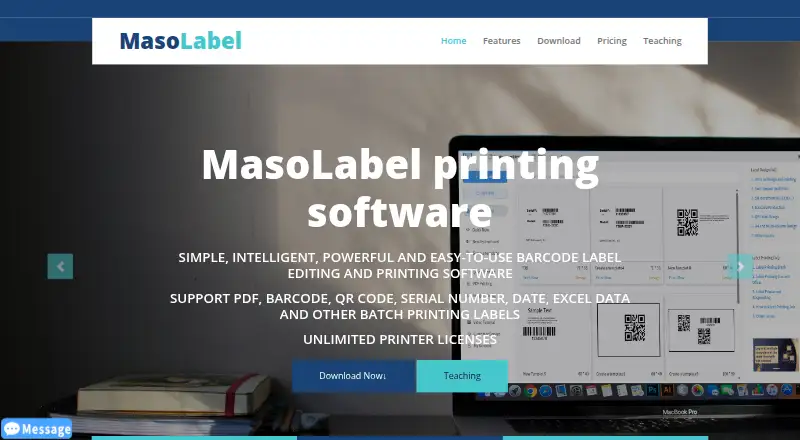
Excel import is the clearest strength: spreadsheet fields can be bound to label elements for variable printing, while serial-number generation supports incrementing sequences. PDF import, batch image printing, cloud-saved templates, and collaborative template editing extend the workflow beyond simple barcode creation. The main trade-off is platform scope: MasoLabel is a Windows desktop product, and the lower tiers restrict output formats and volume. Choose it for Excel-based production on Windows, especially when barcode, QR-code, or serial-number batches are central. Look elsewhere if cross-platform coverage or unrestricted PDF and image export at entry level matters more.
Your product? Our editors can test MasoLabel in depth and publish a review, labelled as paid · from $149/mo →
MasoLabel pricing
All 4 MasoLabel plans and prices →
MasoLabel fact sheet
| Free plan | Yes |
|---|---|
| Paid from | Not verified |
| Barcode support | Yes |
| Shipping labels | Not verified |
| Compliance labels | Not verified |
| Variable data printing | Yes |
| Print automation | Yes |
| Supported printers | Various printer brands; Windows-compatible printers |
| Deployment model | Desktop |
| Deployment | Desktop, Cloud |
| Platforms | Windows |
| Support | Email, Live chat |
| Built for | Solo, Small business (editorial estimate) |
| Pricing | Free plan (source) |
| Website | masolabel.com |
| Facts checked | 20 Sep 2026 |
Alternatives to MasoLabel
- EtikStudioA feature-rich choice for enterprise label automation, with pricing that requires sales contact.9.4
- BarTenderA broad labeling platform for organizations that need automation, control, and data-driven printing.9.2
- PrintSpiritA low-cost, integration-ready label platform with broad deployment options.9.0

See all MasoLabel alternatives →
Used MasoLabel? Be the first to review it
The editor score above is our own research. What this page doesn't have yet is a reader's view — what you used MasoLabel for, what worked and what didn't. No stars are seeded and no review is paid for; an editor reads every one before it appears.
Write a reviewTwo minutes · verified accounts only · read by an editor before it appears
Featured on iTechGuides

MasoLabel is listed in our Label Design Software directory. Add the badge to your site — it links back to this page.
<a href="https://www.itechguides.com/products/masolabel/"><img src="https://www.itechguides.com/best/badge/masolabel.svg" alt="Featured on iTechGuides" width="230" height="46"></a>
Reviewed by iTechGuides Editors · Editorial team · Updated Oct 2026
Advertiser disclosure: iTechGuides is reader-supported. Vendors can pay for top positions in our rankings and for a place on other products' pages, and we may earn a commission when you click some links. Bought places stand at the number bought; this page and our disclosure say so. Paying vendors may get a fuller, more detailed review from our editors, and that review can change their score. How we rank.
Last updated · How we research and update