
MailMate
MailMate: A focused Mac email client for advanced IMAP workflows and keyboard control. Ranked #45 of 142 in Email Clients by our editors (5.1/10); pricing: Free plan · 14-day trial; best for mac users wanting keyboard-first IMAP email.
At a glance
- Editor score5.1 / 10
- PricingFree plan · 14-day trial
- Best forMac users wanting keyboard-first IMAP email
- Free planYes
- Paid from$40/yr
- App coverageDesktop
- Founded2010 · Copenhagen, Denmark
- Facts checked21 Sep 2026
Where it wins
- Universal mailboxes combine multiple IMAP accounts
- Advanced search, smart mailboxes, tagging, and rules
- OpenPGP, S/MIME, offline storage, and Send Later
Where it doesn't
- Available only as a macOS desktop application
- Does not include calendar tools
- No AI features, with paid development pricing for businesses
Our verdict on MailMate
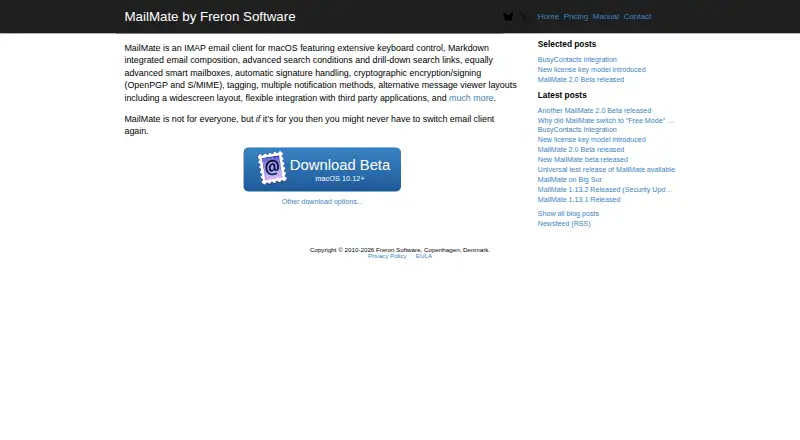
MailMate is a macOS IMAP email client for people who want detailed control over multiple accounts, message organization, and keyboard-driven workflows. It supports universal mailboxes across IMAP accounts, advanced search, smart mailboxes, Markdown composition, automatic signatures, tagging, rules, and offline mailbox and message storage. Its “Send Later” feature adds scheduled sending, while OpenPGP and S/MIME support covers signing and encryption. The product is aimed at Mac users who prefer a focused desktop mail application rather than a broader communications suite.
Pricing is structured around free, trial, and paid modes. MailMate offers a 14-day free trial, and Free Mode retains all features. The published paid options show $10 every 3 months or $40 per year under the MailMate Development plan. The plan provides a license key for Paid Mode and supports ongoing maintenance and development. Businesses relying on MailMate are required to use Paid Mode, making the paid requirement particularly relevant for organizational adoption. Individuals can begin with Free Mode, while the quarterly and annual options provide different payment schedules for continued development support.
MailMate’s strongest fit is a keyboard-first Mac workflow where search, rules, universal mailboxes, encryption, and offline access matter more than integrated calendar functionality or AI assistance. Integrations with BusyContacts, BusyCal, and AppleScript extend its fit within an Apple-oriented setup, but the application remains desktop-only and macOS-only. Choose MailMate if you want deep IMAP organization and control in a dedicated Mac client. Choose an alternative if you need calendar tools, AI features, broader platform coverage, or a free option suited to business reliance.
Your product? Our editors can test MailMate in depth and publish a review, labelled as paid · from $149/mo →
MailMate pricing
All 2 MailMate plans and prices →
MailMate fact sheet
| Free plan | Yes |
|---|---|
| Paid from | $40/yr |
| App coverage | Desktop |
| Account limit | Not verified |
| Unified inbox | Yes |
| Offline access | Yes |
| Scheduled sending | Yes |
| Calendar tools | Not verified |
| Free trial | 14 days |
| Deployment | Desktop |
| Platforms | macOS |
| Support | Email, Docs |
| Built for | Solo, Small business (editorial estimate) |
| Integrations | 3 integrations: task managers, calendar managers, external text editors |
| Pricing | Free plan · 14-day trial (source) |
| Website | freron.com |
| Facts checked | 21 Sep 2026 |
MailMate integrations
MailMate lists 3 integrations on its own site.
- task managers
- calendar managers
- external text editors
Alternatives to MailMate
- Mozilla ThunderbirdA capable free client for multi-account email, offline access, and desktop productivity tools.9.4
- Zoho MailA flexible hosted email service with free access, migration tools, and Zoho collaboration options.9.2
- Apple MailA capable Apple-focused email client with unified inboxes, scheduling, privacy controls, and AI assistance.9.1



See all MailMate alternatives →
Also Ranked In
MailMate is ranked in 2 of our directories.
Used MailMate? Be the first to review it
The editor score above is our own research. What this page doesn't have yet is a reader's view — what you used MailMate for, what worked and what didn't. No stars are seeded and no review is paid for; an editor reads every one before it appears.
Write a reviewTwo minutes · verified accounts only · read by an editor before it appears
Featured on iTechGuides

MailMate is listed in our Email Clients directory. Add the badge to your site — it links back to this page.
<a href="https://www.itechguides.com/products/mailmate/"><img src="https://www.itechguides.com/best/badge/mailmate.svg" alt="Featured on iTechGuides" width="230" height="46"></a>
Reviewed by iTechGuides Editors · Editorial team · Updated Oct 2026
Advertiser disclosure: iTechGuides is reader-supported. Vendors can pay for top positions in our rankings and for a place on other products' pages, and we may earn a commission when you click some links. Bought places stand at the number bought; this page and our disclosure say so. Paying vendors may get a fuller, more detailed review from our editors, and that review can change their score. How we rank.
Last updated · How we research and update