
Mailbird
Mailbird: A feature-rich desktop inbox for users managing multiple accounts and connected apps. Ranked #57 of 142 in Email Clients by our editors (4.1/10); pricing: Free plan; best for desktop users wanting many integrations.
At a glance
- Editor score4.1 / 10
- PricingFree plan
- Best forDesktop users wanting many integrations
- Free planYes
- Paid from$5.75/user/mo
- App coverageDesktop
- Facts checked21 Sep 2026
Where it wins
- Unified inbox across multiple connected email accounts
- Scheduled sending, templates, search, and email tracking
- Integrations with calendars, productivity apps, and custom apps
Where it doesn't
- Free plan supports only one email account
- Available on Windows and macOS desktop platforms
- No offline access
Our verdict on Mailbird
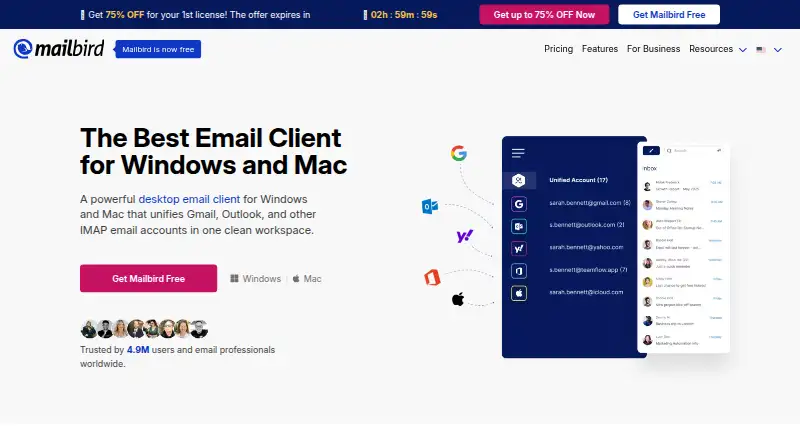
Mailbird is a desktop email client for Windows and macOS, designed for people who manage several email accounts and want related productivity tools in one application. It supports Gmail, Outlook, Yahoo Mail, iCloud, Microsoft Exchange, and other IMAP or SMTP services. A unified inbox brings connected accounts together, while advanced search helps users find messages across them. The feature set also includes email open tracking, scheduled sending with Send Later, templates and snippets, sender blocking, and unsubscribe tools.
Its freemium structure gives users a way to start with the Free plan, which supports one email account and includes Knowledge Base support. The Premium Yearly Plan and Premium Pay Once add unlimited accounts, unlimited email tracking, email templates, custom apps, sender blocking, and filters or rules. That makes the paid tiers more relevant for users who need multiple inboxes or more control over recurring email work. The two Premium plans offer the same listed feature highlights, with the main distinction being the payment arrangement.
Mailbird also fits workflows that extend beyond email. Its native calendar supports Google Calendar and Exchange, and integrations include Asana, Dropbox, Slack, Trello, and WhatsApp. This breadth is useful for desktop users who want email, calendars, and productivity services accessible from one client. The trade-offs are equally clear: the free tier is limited to one account, coverage is confined to Windows and macOS, and offline access is not available. Choose Mailbird if unified desktop email, scheduled sending, and app connections matter more than offline use or broader platform coverage; consider an alternative if those limitations are central to your workflow.
Your product? Our editors can test Mailbird in depth and publish a review, labelled as paid · from $149/mo →
Mailbird pricing
All 4 Mailbird plans and prices →
Mailbird fact sheet
| Free plan | Yes |
|---|---|
| Paid from | $5.75/user/mo |
| App coverage | Desktop |
| Account limit | 1 accounts |
| Unified inbox | Yes |
| Offline access | No |
| Scheduled sending | Yes |
| Calendar tools | Yes |
| Money-back guarantee | 14 days |
| Deployment | Desktop |
| Platforms | Windows, macOS |
| Support | Email, Tickets, Docs |
| Built for | Small business, Mid-market (editorial estimate) |
| Integrations | 30+ integrations: Instagram, Slack, Dropbox, Google Calendar, Asana |
| Pricing | Free plan (source) |
| Website | getmailbird.com |
| Facts checked | 21 Sep 2026 |
Mailbird integrations
Mailbird lists 30+ integrations on its own site — the 5 named here are the ones its pages call out.
- Slack
- Dropbox
- Google Calendar
- Asana
Alternatives to Mailbird
- Mozilla ThunderbirdA capable free client for multi-account email, offline access, and desktop productivity tools.9.4
- Zoho MailA flexible hosted email service with free access, migration tools, and Zoho collaboration options.9.2
- Apple MailA capable Apple-focused email client with unified inboxes, scheduling, privacy controls, and AI assistance.9.1



See all Mailbird alternatives →
Also Ranked In
Mailbird is ranked in 2 of our directories.
Used Mailbird? Be the first to review it
The editor score above is our own research. What this page doesn't have yet is a reader's view — what you used Mailbird for, what worked and what didn't. No stars are seeded and no review is paid for; an editor reads every one before it appears.
Write a reviewTwo minutes · verified accounts only · read by an editor before it appears
Featured on iTechGuides

Mailbird is listed in our Email Clients directory. Add the badge to your site — it links back to this page.
<a href="https://www.itechguides.com/products/mailbird/"><img src="https://www.itechguides.com/best/badge/mailbird.svg" alt="Featured on iTechGuides" width="230" height="46"></a>
Reviewed by iTechGuides Editors · Editorial team · Updated Oct 2026
Advertiser disclosure: iTechGuides is reader-supported. Vendors can pay for top positions in our rankings and for a place on other products' pages, and we may earn a commission when you click some links. Bought places stand at the number bought; this page and our disclosure say so. Paying vendors may get a fuller, more detailed review from our editors, and that review can change their score. How we rank.
Last updated · How we research and update