
Mail Studio
Mail Studio: A desktop email editor for designers who want visual tools alongside code-level control. Ranked #34 of 63 in Email Design Software by our editors (5.4/10); pricing: Free plan; best for desktop designers wanting advanced CSS control.
At a glance
- Editor score5.4 / 10
- PricingFree plan
- Best forDesktop designers wanting advanced CSS control
- Free planYes
- Paid from$9.99/mo
- Editor typeDrag-and-drop
- Facts checked23 Sep 2026
Where it wins
- Edit visually or work with CSS, media queries, and SASS.
- Export designs as HTML, CSS, or image files.
- Preview on real devices and connect to three email platforms.
Where it doesn't
- The free edition is limited to non-commercial evaluation.
- Cloud saving, previews, and team component sharing need internet access.
- Team components are reserved for the $29.99-per-month Team plan.
Our verdict on Mail Studio
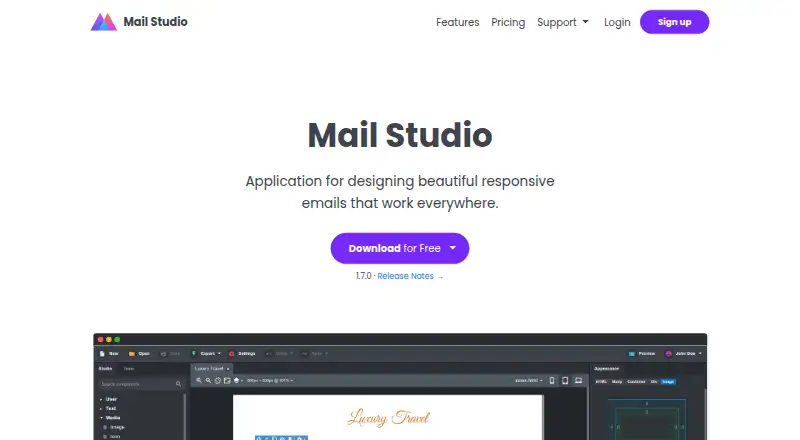
Mail Studio is a desktop application for designing responsive marketing and transactional emails. It suits solo designers and small teams who want drag-and-drop editing without giving up access to HTML, CSS, and SASS. The component library supports custom components, while responsive templates, custom fonts, and Google Fonts integration give designers several ways to shape a message. It runs on Windows, macOS, and Linux, and supports offline work for core design tasks.
Its code controls are a notable distinction: the CSS editor supports variables and media queries, and SASS is available alongside HTML editing. Designs can be exported as HTML, CSS, and image files. The product also offers email previews on real devices and by email, though previews require an internet connection. For sending workflows, Mail Studio connects with MailChimp, Campaign Monitor, and Sendgrid, with automatic upload on save. These connections make it useful for designing and handing off email creative, but the listed ecosystem is focused on those three services.
Pricing is straightforward by plan. Free is for non-commercial evaluation. Pro costs $9.99 per month and adds commercial use, previews, cloud save, custom templates, and ESP sync. Team costs $29.99 per month and includes those Pro features plus team components. Cloud saving and team component sharing require an internet connection; someone seeking an offline-only workflow should account for that. Mail Studio is a good fit for desktop designers who value code-level styling and export options, while buyers who need a broad range of ESP integrations or a free commercial tier should consider other options.
Your product? Our editors can test Mail Studio in depth and publish a review, labelled as paid · from $149/mo →
Mail Studio pricing
All 3 Mail Studio plans and prices →
Mail Studio fact sheet
| Free plan | Yes |
|---|---|
| Paid from | $9.99/mo |
| Editor type | Drag-and-drop |
| Reusable content blocks | Yes |
| HTML export | Yes |
| Custom code editing | Yes |
| Custom fonts | Yes |
| Included editor seats | 1 |
| Deployment | Desktop |
| Platforms | Windows, macOS, Linux |
| Support | Email, Docs |
| Built for | Solo, Small business (editorial estimate) |
| Integrations | 3 integrations: MailChimp, Campaign Monitor, Sendgrid |
| Pricing | Free plan (source) |
| Website | mailstudio.app |
| Facts checked | 23 Sep 2026 |
Mail Studio integrations
Mail Studio lists 3 integrations on its own site.
- MailChimp
- Campaign Monitor
- Sendgrid
Alternatives to Mail Studio
- StripoA flexible email design workspace with broad ESP exports and collaborative editing.8.9
- Beefree (now RGE Studio)A flexible web-based design layer for email teams that need reusable workflows and HTML control.8.8
- StensulA governed email production platform for enterprise teams managing complex campaign workflows.8.7



See all Mail Studio alternatives →
Used Mail Studio? Be the first to review it
The editor score above is our own research. What this page doesn't have yet is a reader's view — what you used Mail Studio for, what worked and what didn't. No stars are seeded and no review is paid for; an editor reads every one before it appears.
Write a reviewTwo minutes · verified accounts only · read by an editor before it appears
Featured on iTechGuides

Mail Studio is listed in our Email Design Software directory. Add the badge to your site — it links back to this page.
<a href="https://www.itechguides.com/products/mail-studio/"><img src="https://www.itechguides.com/best/badge/mail-studio.svg" alt="Featured on iTechGuides" width="230" height="46"></a>
Reviewed by iTechGuides Editors · Editorial team · Updated Oct 2026
Advertiser disclosure: iTechGuides is reader-supported. Vendors can pay for top positions in our rankings and for a place on other products' pages, and we may earn a commission when you click some links. Bought places stand at the number bought; this page and our disclosure say so. Paying vendors may get a fuller, more detailed review from our editors, and that review can change their score. How we rank.
Last updated · How we research and update