Magenta Studio
Magenta Studio: A free MIDI idea-generation suite for Ableton Live and desktop workflows. Ranked #36 of 40 in Audio Plugins by our editors (5.0/10); pricing: Free plan; best for ableton users generating and reshaping MIDI patterns.
At a glance
- Editor score5.0 / 10
- PricingFree plan
- Best forAbleton users generating and reshaping MIDI patterns
- Free planYes
- Paid fromFree
- License modelFree
- Facts checked23 Sep 2026
Where it wins
- Continue extends a drum beat or melody by up to 32 measures.
- Generate creates four-bar MIDI phrases without input files.
- Standalone apps read and write MIDI files on macOS and Windows.
Where it doesn't
- Focused on MIDI creation and transformation, not audio processing.
- Ableton integration is the only named integration.
- Support is community-based.
Our verdict on Magenta Studio
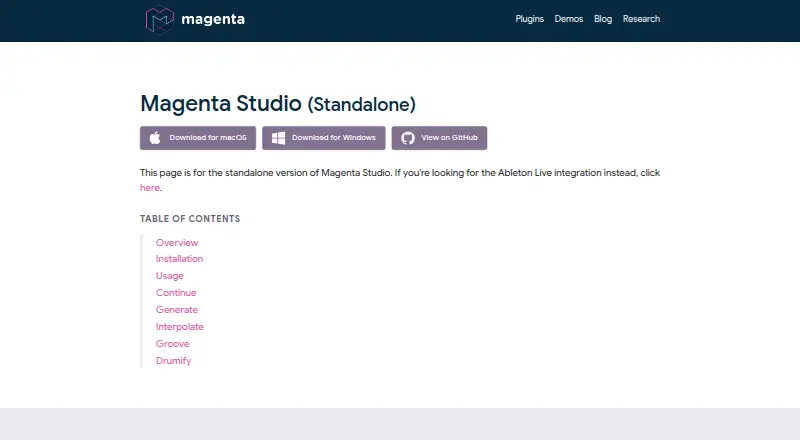
Magenta Studio is a free suite of five machine-learning tools for creating and transforming MIDI. It is aimed at musicians who want to generate phrases, extend existing material, or reshape drum patterns, particularly Ableton Live users. Its five tools—Continue, Groove, Generate, Drumify and Interpolate—cover a set of related MIDI tasks rather than audio effects processing. The project’s code is available under the Apache 2.0 license, and the standalone applications are offered for macOS and Windows.
The tools provide distinct ways to work from either an idea or an existing pattern. Generate creates four-bar MIDI phrases without an input file, while Continue extends an input melody or drum beat by up to 32 measures. Interpolate blends two melodies or drum beats into as many as 16 files. For drum work, Groove adjusts timing and velocity, and Drumify generates a groove based on the rhythm of an input sequence. A temperature slider controls variation in generated output. Ableton Live integration suits users who want these tools within that environment; standalone versions instead work with files on the computer’s file system.
The main trade-off is scope: Magenta Studio creates or alters musical material rather than processing audio with plugins. That makes it a more natural fit for MIDI composition workflows than for buyers seeking conventional audio effects. The suite is free, with no paid tier to evaluate, and community support is the stated support channel. Choose it if MIDI generation, continuation, interpolation, or drum groove work is central to your workflow and its desktop or Ableton options fit. Look elsewhere if you need audio processing plugins or a broader set of integrations and support channels.
Your product? Our editors can test Magenta Studio in depth and publish a review, labelled as paid · from $149/mo →
Magenta Studio pricing
Magenta Studio fact sheet
| Free plan | Yes |
|---|---|
| Paid from | Free |
| Plugin formats | Not verified |
| Effect types | MIDI generation, continuation, interpolation, drum humanization, drum groove generation |
| License model | Free |
| External sidechain | Not verified |
| Oversampling | Not verified |
| Surround support | Not verified |
| Product scope | Suite |
| Deployment | Desktop |
| Platforms | Windows, macOS |
| Support | Community |
| Built for | Solo, Small business (editorial estimate) |
| Integrations | 1 integrations: Ableton Live |
| Pricing | Free plan |
| Website | magenta.withgoogle.com |
| Facts checked | 23 Sep 2026 |
Magenta Studio integrations
Magenta Studio lists 1 integrations on its own site.
- Ableton Live
Alternatives to Magenta Studio
- UAD Plug-InsA flexible plugin suite with native and hardware-DSP options, plus free and paid access.9.4
- Waves UltimateA broad, regularly updated plugin suite for production, mixing, mastering and sound design.9.2
- iZotope OzoneAI-assisted mastering with reference tools and tiered, one-time editions.9.1



See all Magenta Studio alternatives →
Used Magenta Studio? Be the first to review it
The editor score above is our own research. What this page doesn't have yet is a reader's view — what you used Magenta Studio for, what worked and what didn't. No stars are seeded and no review is paid for; an editor reads every one before it appears.
Write a reviewTwo minutes · verified accounts only · read by an editor before it appears
Featured on iTechGuides

Magenta Studio is listed in our Audio Plugins directory. Add the badge to your site — it links back to this page.
<a href="https://www.itechguides.com/products/magenta-studio/"><img src="https://www.itechguides.com/best/badge/magenta-studio.svg" alt="Featured on iTechGuides" width="230" height="46"></a>
Reviewed by iTechGuides Editors · Editorial team · Updated Oct 2026
Advertiser disclosure: iTechGuides is reader-supported. Vendors can pay for top positions in our rankings and for a place on other products' pages, and we may earn a commission when you click some links. Bought places stand at the number bought; this page and our disclosure say so. Paying vendors may get a fuller, more detailed review from our editors, and that review can change their score. How we rank.
Last updated · How we research and update