
MacVim
MacVim: A free, open-source graphical Vim for Mac users who want native macOS integration. Ranked #42 of 82 in Text Editors by our editors (5.1/10); pricing: Open source; best for mac users who prefer a graphical Vim.
At a glance
- Editor score5.1 / 10
- PricingOpen source
- Best forMac users who prefer a graphical Vim
- Paid fromFree
- Facts checked22 Sep 2026
Where it wins
- Native macOS interface with tabs, menus, dialogs, and full-screen modes
- Vim plugins, scripting, macros, block editing, and syntax support
- macOS services, dictionary lookup, Homebrew, and Writing Tools integration
Where it doesn't
- Available only on macOS
- Its workflow remains centered on Vim commands, plugins, and scripting
- Platform integrations focus on Apple's macOS ecosystem
Our verdict on MacVim
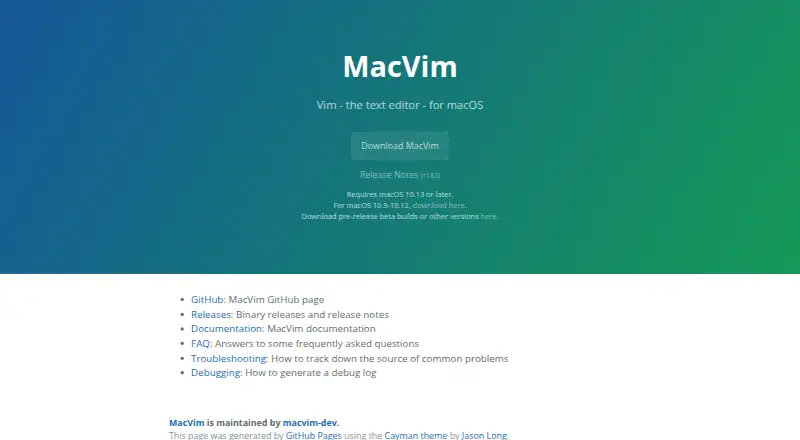
MacVim is an open-source macOS version of Vim with a native graphical interface. It is designed for Mac users who want Vim’s editing model alongside menus, dialogs, toolbars, scroll bars, GUI tabs, and macOS-specific controls. The interface supports Command-key shortcut mappings, trackpad gestures, Touch Bar controls, font ligatures, and text rendering, making it a fit for users who want graphical access without leaving the Vim ecosystem.
Its strongest area is editing depth within that Vim model. MacVim supports Vim plugins and scripting, rectangular block selection and editing, recorded and replayed macros, syntax highlighting, and filetype plugins. These features give experienced Vim users access to programmable workflows, repeatable edits, and structured text manipulation. Native and non-native full-screen modes, customizable tab colors, and macOS system services add flexibility around the editor itself. Integration with macOS dictionary lookup, Homebrew, and Apple Intelligence Writing Tools further connects the editor to the platform.
MacVim’s main trade-off is focus: it is a macOS-only editor built around Vim conventions rather than a broadly cross-platform or editor-agnostic workflow. Users already comfortable with Vim plugins, scripting, macros, and block editing should find its feature set closely aligned with that approach. Users who need Windows or Linux support, or who prefer a text editor organized around a different interaction model, should consider an alternative. For Mac users specifically, MacVim combines open-source distribution with native interface and system integration features.
Your product? Our editors can test MacVim in depth and publish a review, labelled as paid · from $149/mo →
MacVim pricing
MacVim fact sheet
| Free plan | Not verified |
|---|---|
| Paid from | Free |
| Supported platforms | macOS |
| Multi-cursor editing | Not verified |
| Macro recording | Yes |
| Column editing | Yes |
| Large-file handling | Not verified |
| Extension support | Yes |
| Deployment | Desktop |
| Platforms | macOS |
| Support | Community, Docs |
| Built for | Solo, Small business, Mid-market, Enterprise (editorial estimate) |
| Integrations | 4 integrations: macOS system services, Dictionary lookup, Apple Intelligence Writing Tools, Homebrew |
| Pricing | Open source |
| Website | macvim.org |
| Facts checked | 22 Sep 2026 |
MacVim integrations
MacVim lists 4 integrations on its own site.
- macOS system services
- Dictionary lookup
- Apple Intelligence Writing Tools
- Homebrew
Alternatives to MacVim
- Visual Studio CodeA free, open-source editor with broad development features across desktop and web.9.4
- NeovimA free, open-source editor for keyboard-driven workflows and deep customization.9.3
- GNU EmacsA mature, highly customizable editor for users who value breadth and control.9.2


Used MacVim? Be the first to review it
The editor score above is our own research. What this page doesn't have yet is a reader's view — what you used MacVim for, what worked and what didn't. No stars are seeded and no review is paid for; an editor reads every one before it appears.
Write a reviewTwo minutes · verified accounts only · read by an editor before it appears
Featured on iTechGuides

MacVim is listed in our Text Editors directory. Add the badge to your site — it links back to this page.
<a href="https://www.itechguides.com/products/macvim/"><img src="https://www.itechguides.com/best/badge/macvim.svg" alt="Featured on iTechGuides" width="230" height="46"></a>
Reviewed by iTechGuides Editors · Editorial team · Updated Oct 2026
Advertiser disclosure: iTechGuides is reader-supported. Vendors can pay for top positions in our rankings and for a place on other products' pages, and we may earn a commission when you click some links. Bought places stand at the number bought; this page and our disclosure say so. Paying vendors may get a fuller, more detailed review from our editors, and that review can change their score. How we rank.
Last updated · How we research and update