Loocie Design
Loocie Design: A focused, free browser workflow for turning motif sheets into PNG pattern tiles. Ranked #24 of 24 in Pattern Design Software by our editors (4.3/10); pricing: Free plan; best for free motif-sheet pattern assembly.
At a glance
- Editor score4.3 / 10
- PricingFree plan
- Best forFree motif-sheet pattern assembly
- Free planYes
- Paid fromFree
- Seamless repeatYes
- Facts checked20 Sep 2026
Where it wins
- Extracts and cleans motifs from image sheets
- Supports layers, five repeat layouts, and color adjustments
- Includes full-screen previews, seam checking, and PNG export
Where it doesn't
- Studio is currently in beta
- Export is limited to PNG tiles
- No vector editing tools are included
Our verdict on Loocie Design
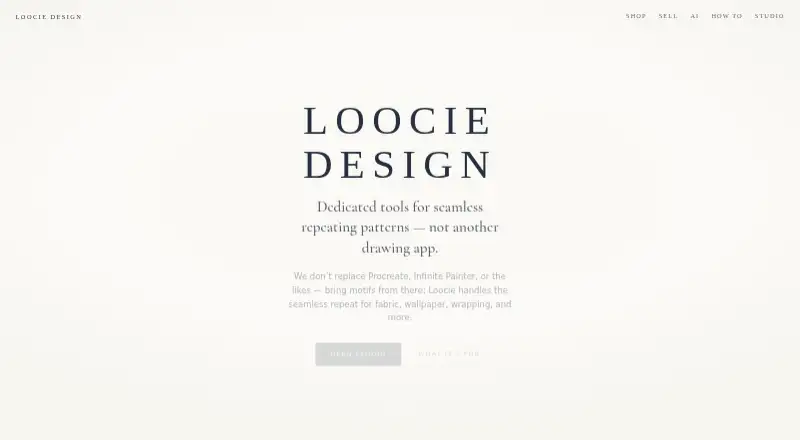
Loocie Design is a browser-based pattern workflow for turning imported motif sheets into repeating tiles. It is aimed at designers working on fabric, wallpaper, wrapping, stationery, home textiles, and print-on-demand projects. The Studio can detect motifs automatically, remove backgrounds, trim sprites, arrange elements on layers, apply pattern backgrounds, adjust color, preview repeats, inspect seams, and export PNG tiles. It is positioned as a companion to drawing applications rather than a replacement for them, making it more suitable for assembly and repeat creation than for original vector illustration.
The current Studio beta is free, and the published plan is named Studio beta. Its feature set covers the main stages of a motif-based workflow: extraction, cleanup, tile building, repeat preview, and print-ready PNG export. Repeat layouts include Brick, Half-drop, Grid, Diamond, and Scatter. Color tools include Tint, Recolour, and Greyscale adjustments, while background options include gingham, stripes, dots, grids, and diamonds. Designers can also save projects in the .loocie format. A small charge may apply after full release, so the current free access is best understood in the context of the beta.
Loocie Design fits users who already have artwork and need a focused browser workspace for arranging motifs into repeat patterns. It works on desktop, tablet, and phone through a web browser, which supports flexible access across those devices. The product is less suitable for people who need vector editing, AI-assisted features, or broad export-format coverage: its listed export is PNG, and it does not replace a drawing application for creating or extensively editing source artwork. Choose it for motif extraction, repeat experimentation, colorway adjustments, and seam inspection; choose another tool when vector production or a wider export workflow is central.
Your product? Our editors can test Loocie Design in depth and publish a review, labelled as paid · from $149/mo →
Loocie Design pricing
All 1 Loocie Design plans and prices →
Loocie Design fact sheet
| Free plan | Yes |
|---|---|
| Paid from | Free |
| Seamless repeat | Yes |
| Colorway tools | Yes |
| Vector editing | No |
| Repeat types | Brick, Half-drop, Grid, Diamond, Scatter |
| Supported platforms | Web browser; works on desktop, tablet, and phone |
| Export formats | PNG |
| Deployment | Cloud |
| Platforms | Web |
| Support | Email, Docs |
| Built for | Solo, Small business (editorial estimate) |
| Pricing | Free plan (source) |
| Website | loociedesign.com |
| Facts checked | 20 Sep 2026 |
Alternatives to Loocie Design
- KXStitchA free Linux desktop app for creating, editing, and printing cross-stitch patterns.7.9
- MediaChance Pattern StudioA focused editor for tileable textures, layered artwork, and material maps.7.9
- AVA CAD/CAMA deep Mac-only toolkit for textile design, colour management and print production.6.9

See all Loocie Design alternatives →
Used Loocie Design? Be the first to review it
The editor score above is our own research. What this page doesn't have yet is a reader's view — what you used Loocie Design for, what worked and what didn't. No stars are seeded and no review is paid for; an editor reads every one before it appears.
Write a reviewTwo minutes · verified accounts only · read by an editor before it appears
Featured on iTechGuides

Loocie Design is listed in our Pattern Design Software directory. Add the badge to your site — it links back to this page.
<a href="https://www.itechguides.com/products/loocie-design/"><img src="https://www.itechguides.com/best/badge/loocie-design.svg" alt="Featured on iTechGuides" width="230" height="46"></a>
Reviewed by iTechGuides Editors · Editorial team · Updated Oct 2026
Advertiser disclosure: iTechGuides is reader-supported. Vendors can pay for top positions in our rankings and for a place on other products' pages, and we may earn a commission when you click some links. Bought places stand at the number bought; this page and our disclosure say so. Paying vendors may get a fuller, more detailed review from our editors, and that review can change their score. How we rank.
Last updated · How we research and update