
Locofy
Locofy: A broad design-to-code workflow with strong tool coverage and limited pricing transparency. Ranked #11 of 25 in Developer Handoff Software by our editors (8.1/10); pricing: 7-day trial; best for teams converting multiple design tools into code.
At a glance
- Editor score8.1 / 10
- Pricing7-day trial
- Best forTeams converting multiple design tools into code
- Free planNo
- Developer inspect viewYes
- Facts checked20 Sep 2026
Where it wins
- Supports Figma, Penpot, and Adobe XD design inputs
- Combines inspection, responsive previews, configuration, and code export
- Connects with GitHub, deployment tools, IDEs, and AI coding tools
Where it doesn't
- No permanent free plan; the 7-day trial converts to Hobby
- Pricing details are limited beyond the paid model and trial
- Enterprise-only collaboration, GitHub, self-hosting, and SAML SSO
Our verdict on Locofy
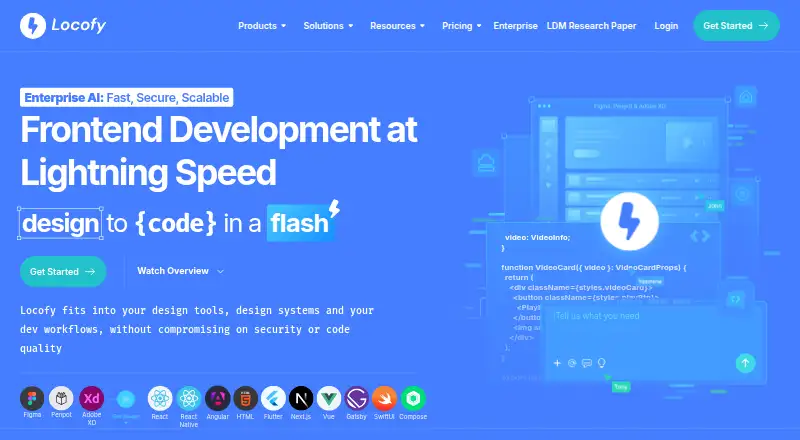
Locofy converts designs from Figma, Penpot, and Adobe XD into frontend code for web and mobile applications. It is aimed at designers, developers, and enterprise teams that need a shared path from design files to implementation. The workflow includes responsive previews and prototypes, separate design and developer modes, asset handoff, and configuration for components, props, layouts, and interactions. Supported technologies include React, Next.js, Angular, Vue, Gatsby, React Native, Flutter, SwiftUI, and Jetpack Compose.
Pricing is structured around a 7-day Free trial that includes Hobby features and 2,000 LDMtokens before automatically converting to Hobby. Hobby adds developer-friendly code export and MCP for AI-assisted copilots for individual use. Pro provides 4,000 LDMtokens, code export, MCP, and a secured SaaS platform. Enterprise adds unlimited teams and collaboration, unlimited frames per project, GitHub integration, a self-hosted or on-premise option, and SAML SSO authentication. This makes the plan differences meaningful, but buyers should clarify the commercial terms before choosing a tier.
Its strongest fit is for teams working across multiple design tools or combining design-to-code with AI-assisted development. Agent Mode supports AI-assisted code refinement, while MCP workflows connect with tools including VS Code, Cursor, Claude Code, Claude Desktop, Gemini CLI, GitHub Copilot, and Windsurf. GitHub synchronization, Netlify, Vercel, and Storybook integrations extend the workflow beyond export. Locofy is less suitable for buyers seeking a permanent free plan, a narrowly focused handoff utility, or fully defined public pricing before evaluation. Teams that need enterprise collaboration, self-hosting, or SAML SSO should focus on Enterprise.
Your product? Our editors can test Locofy in depth and publish a review, labelled as paid · from $149/mo →
Locofy pricing
All 4 Locofy plans and prices →
Locofy fact sheet
| Free plan | No |
|---|---|
| Paid from | Not verified |
| Developer inspect view | Yes |
| Design file support | Multiple |
| Design tokens | Not verified |
| Asset handoff | Yes |
| Code snippets | Yes |
| Version history | Not verified |
| Free trial | 7 days |
| Deployment | Cloud, Self-hosted |
| Platforms | Web |
| Compliance & security | SOC 2, ISO 27001, SSO/SAML |
| Support | Email, Community, Docs |
| Built for | Small business, Mid-market, Enterprise (editorial estimate) |
| Integrations | 15 integrations: Figma, Penpot, Adobe XD, GitHub, Netlify, Vercel … |
| Pricing | 7-day trial (source) |
| Website | locofy.ai |
| Facts checked | 20 Sep 2026 |
Locofy integrations
Locofy lists 15 integrations on its own site.
- Figma
- Penpot
- Adobe XD
- GitHub
- Netlify
- Vercel
- VS Code
- Cursor
- Claude Code
- Claude Desktop
- Gemini CLI
- GitHub Copilot
- Windsurf
- Storybook
- MCP
Alternatives to Locofy
- Figma Dev ModeA complete Figma-to-code handoff workspace with a capable free entry tier.9.4
- Zeplin FlowsA broad handoff workspace for teams that need mapped journeys and developer-ready details.9.2
- MockplusA low-cost handoff platform with design systems, prototypes, specs, and broad import support.9.0



Also Ranked In
Locofy is ranked in 3 of our directories.
Used Locofy? Be the first to review it
The editor score above is our own research. What this page doesn't have yet is a reader's view — what you used Locofy for, what worked and what didn't. No stars are seeded and no review is paid for; an editor reads every one before it appears.
Write a reviewTwo minutes · verified accounts only · read by an editor before it appears
Featured on iTechGuides

Locofy is listed in our Developer Handoff Software directory. Add the badge to your site — it links back to this page.
<a href="https://www.itechguides.com/products/locofy/"><img src="https://www.itechguides.com/best/badge/locofy.svg" alt="Featured on iTechGuides" width="230" height="46"></a>
Reviewed by iTechGuides Editors · Editorial team · Updated Oct 2026
Advertiser disclosure: iTechGuides is reader-supported. Vendors can pay for top positions in our rankings and for a place on other products' pages, and we may earn a commission when you click some links. Bought places stand at the number bought; this page and our disclosure say so. Paying vendors may get a fuller, more detailed review from our editors, and that review can change their score. How we rank.
Last updated · How we research and update