
Lockbin
Lockbin: A straightforward secure-link service with useful file, form, and retention controls. Ranked #16 of 29 in Email Encryption Software by our editors (7.6/10); pricing: Free plan; best for small teams needing simple secure links.
At a glance
- Editor score7.6 / 10
- PricingFree plan
- Best forSmall teams needing simple secure links
- Free planYes
- Paid from$10/mo
- Secure deliveryLink
- Facts checked20 Sep 2026
Where it wins
- AES-256 encryption covers messages and attachments
- Secure links, file drops, forms, and retention rules in one service
- Enterprise plan adds administration and compliance message copies
Where it doesn't
- Free plan allows one attachment up to 25 MB
- Listed as a web service rather than a native desktop app
- Native Gmail or Outlook add-ins are not documented
Our verdict on Lockbin
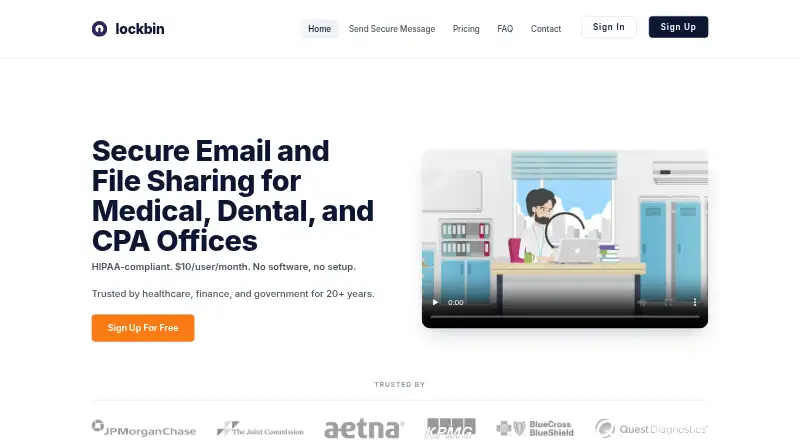
Lockbin is a browser-based service for sending encrypted messages and files through secure recipient links. It is aimed at organizations handling sensitive information, including medical, dental, accounting, finance, government, and other professional communications. Messages and attachments use AES-256 encryption, with options for password-protected delivery, password-free secure links, automatic deletion, and recipient delivery receipts. Its focus is practical secure sharing rather than a broad collaboration workspace.
The Free plan covers basic secure messaging, password-encrypted or password-free messages, AES-256 encryption, one attachment up to 25 MB, and automatic message deletion. Premium costs $10 per month and adds hosted file-drop links, secure web forms, message archives, up to 20 attachments per message, uploads up to 100 MB, and custom retention rules. Multi-User Enterprise costs $10 per user per month and adds unlimited users, account management, bulk user import, compliance message copies, a shared address book, and uploads up to 1 GB. These tiers make the product accessible for occasional secure messages while reserving administration and larger-file workflows for paid accounts.
Lockbin fits teams that want secure delivery through links without requiring a complex email-security deployment. Its web-based approach, Google Workspace and Microsoft 365 compatibility, forms, file drops, archives, and retention controls support several sensitive-information workflows. The main tradeoff is scope: the Free plan has a small attachment allowance, and the listed platform is web. Organizations seeking native Gmail or Outlook add-ins, broader collaboration features, or a more extensive platform ecosystem should compare alternatives. Teams that primarily need controlled, encrypted message and file sharing should find the plan structure easier to match to their workflow.
Questions about Lockbin
Does Lockbin have a free plan? Yes, there is a free plan; paid plans start at $10/mo (Premium).
How much does Lockbin cost? Lockbin lists 2 paid plans; the lowest is Premium at $10/mo.
What does Lockbin run on? Web. It runs in the cloud and as a browser extension.
What does Lockbin integrate with? 2 integrations: Google Workspace and Microsoft 365.
Does Lockbin offer a money-back guarantee? Yes: 30 days.
Who is Lockbin built for? Small businesses, mid-market companies and enterprises (our editorial estimate).
Your product? Our editors can test Lockbin in depth and publish a review, labelled as paid · from $149/mo →
Lockbin pricing
All 3 Lockbin plans and prices →
Lockbin fact sheet
| Free plan | Yes |
|---|---|
| Paid from | $10/mo |
| Secure delivery | Link |
| Recipient verification | Password |
| Message expiry | Yes |
| Attachment limit | 100 MB |
| Outlook integration | No |
| Gmail integration | No |
| Admin access controls | Yes |
| Money-back guarantee | 30 days |
| Deployment | Cloud, Browser extension |
| Platforms | Web |
| Support | Email, Phone |
| Built for | Small business, Mid-market, Enterprise (editorial estimate) |
| Integrations | 2 integrations: Google Workspace, Microsoft 365 |
| Pricing | Free plan (source) |
| Website | lockbin.com |
| Facts checked | 20 Sep 2026 |
Lockbin integrations
Lockbin lists 2 integrations on its own site.
- Google Workspace
- Microsoft 365
Alternatives to Lockbin
- FlowCryptA broad OpenPGP option for Gmail and mobile users, with enterprise controls for managed deployments.9.4
- c.EmailA free, open-source option for encrypted Gmail and Outlook email.9.2
- MailvelopeA browser-based OpenPGP option with broad webmail support and organization controls.9.0



See all Lockbin alternatives →
Used Lockbin? Be the first to review it
The editor score above is our own research. What this page doesn't have yet is a reader's view — what you used Lockbin for, what worked and what didn't. No stars are seeded and no review is paid for; an editor reads every one before it appears.
Write a reviewTwo minutes · verified accounts only · read by an editor before it appears
Featured on iTechGuides

Lockbin is listed in our Email Encryption Software directory. Add the badge to your site — it links back to this page.
<a href="https://www.itechguides.com/products/lockbin/"><img src="https://www.itechguides.com/best/badge/lockbin.svg" alt="Featured on iTechGuides" width="230" height="46"></a>
Reviewed by iTechGuides Editors · Editorial team · Updated Nov 2026
Advertiser disclosure: iTechGuides is reader-supported. Vendors can pay for top positions in our rankings and for a place on other products' pages, and we may earn a commission when you click some links. Bought places stand at the number bought; this page and our disclosure say so. Paying vendors may get a fuller, more detailed review from our editors, and that review can change their score. How we rank.
Last updated · How we research and update