
Lightcube
Lightcube: A feature-rich Windows pixel art editor with a high listed starting price. Ranked #47 of 70 in Pixel Art Software by our editors (5.5/10); pricing: Paid; best for windows tilemap editing where price is secondary.
At a glance
- Editor score5.5 / 10
- PricingPaid
- Best forWindows tilemap editing where price is secondary
- Free planNo
- Animation timelineYes
- Facts checked20 Sep 2026
Where it wins
- Frame animation includes grouping and onion skinning.
- Tilemap editing provides live tile updates.
- Exports sprite sheets, GIFs and MPEG-4 video.
Where it doesn't
- Available only for Windows desktop.
- No documented time-unlimited free plan.
- Listed starting price is 690, limiting its value appeal.
Our verdict on Lightcube
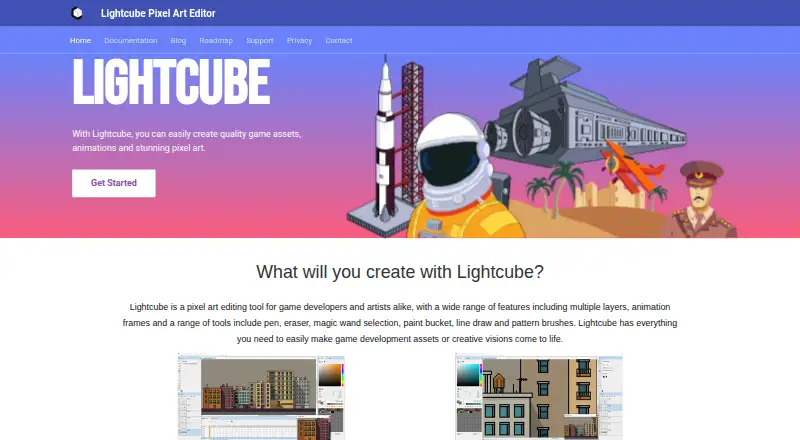
Lightcube is a Windows desktop pixel art editor for game developers and artists creating game assets, animations and illustrations. Its workspace combines drawing, selection, fill, gradient, shape and color-replacement tools with customizable brushes, grids, color ramps, layers and palette management. It supports Windows 7, 8, 10 and 11, and handles both still artwork and frame-based animation. A demo is available through its store listing, while the commercial edition uses a one-time purchase model.
Animation and tilemap work are the clearest reasons to consider Lightcube. The frame-based timeline supports frame grouping, and onion skinning helps compare adjacent animation frames during production. The tilemap editor provides live tile updates, while multiple layers add locking, opacity and blending controls. Palette workflows include imported palette files, and indexed color support fits pixel art projects that require controlled color sets. Export options cover PNG, BMP, GIF, JPEG and MPEG-4, with dedicated sprite-sheet export for game assets.
The main trade-off is cost relative to platform breadth. The listed starting price is 690, and there is no documented time-unlimited free plan, so Lightcube suits buyers who specifically need its animation and tilemap feature set rather than those comparing low-cost or broadly available tools. Its Windows-only distribution also narrows the fit for teams working across other desktop platforms. Choose Lightcube for Windows-based pixel art production where layered editing, palette control, tilemaps and animation exports justify the purchase; choose an alternative if cross-platform access or lower entry cost matters more.
Your product? Our editors can test Lightcube in depth and publish a review, labelled as paid · from $149/mo →
Lightcube pricing
All 1 Lightcube plans and prices →
Lightcube fact sheet
| Free plan | No |
|---|---|
| Paid from | Not verified |
| Animation timeline | Yes |
| Indexed color tools | Yes |
| Sprite-sheet export | Yes |
| Onion skinning | Yes |
| Tilemap tools | Yes |
| Supported platforms | Windows 7, 8, 10, 11 |
| Export formats | PNG, BMP, GIF, JPEG, MPEG-4 |
| Deployment | Desktop |
| Platforms | Windows |
| Support | Email, Docs |
| Built for | Solo, Small business (editorial estimate) |
| Pricing | Paid (source) |
| Website | lightcube.art |
| Facts checked | 20 Sep 2026 |
Alternatives to Lightcube
- PixeloramaA capable free pixel art editor with broad platform support and automation tools.9.4
- PixelWallA capable free pixel-art editor with broad platform support and $15 Pro exports.9.3
- Pix2DA capable free pixel art editor for artists working across web, desktop, and Android.9.1



See all Lightcube alternatives →
Used Lightcube? Be the first to review it
The editor score above is our own research. What this page doesn't have yet is a reader's view — what you used Lightcube for, what worked and what didn't. No stars are seeded and no review is paid for; an editor reads every one before it appears.
Write a reviewTwo minutes · verified accounts only · read by an editor before it appears
Featured on iTechGuides

Lightcube is listed in our Pixel Art Software directory. Add the badge to your site — it links back to this page.
<a href="https://www.itechguides.com/products/lightcube/"><img src="https://www.itechguides.com/best/badge/lightcube.svg" alt="Featured on iTechGuides" width="230" height="46"></a>
Reviewed by iTechGuides Editors · Editorial team · Updated Oct 2026
Advertiser disclosure: iTechGuides is reader-supported. Vendors can pay for top positions in our rankings and for a place on other products' pages, and we may earn a commission when you click some links. Bought places stand at the number bought; this page and our disclosure say so. Paying vendors may get a fuller, more detailed review from our editors, and that review can change their score. How we rank.
Last updated · How we research and update