
LICEcap
LICEcap: A focused, free desktop recorder for quick GIF captures with minimal editing. Ranked #11 of 33 in GIF Maker Software by our editors (8.2/10); pricing: Free plan; best for simple open-source desktop screen capture.
At a glance
- Editor score8.2 / 10
- PricingFree plan
- Best forSimple open-source desktop screen capture
- Free planYes
- Paid fromFree
- Supported platformsWindows, macOS
- Founded2004 · Rosendale, New York, United States
- Facts checked23 Sep 2026
Where it wins
- Records a selected desktop area directly to GIF
- Pauses, restarts, and moves the capture frame while recording
- Free, GPL-licensed, and includes source code with downloads
Where it doesn't
- Editing and import capabilities are minimal
- Official downloads cover Windows and macOS only
- Focused on capture rather than broader GIF creation workflows
Our verdict on LICEcap
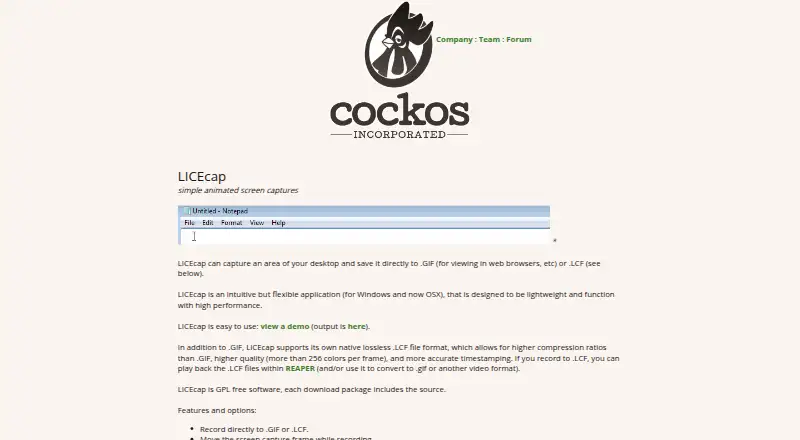
LICEcap is a lightweight desktop application for recording a selected area of the screen and saving the result as an animated GIF or native lossless LCF file. It suits users who need a straightforward way to document software behavior, create short demonstrations, or capture interface activity without paying for a license. Official downloads are available for Windows and macOS, while Linux is described as working through WINE. The product is narrow by design: it focuses on direct screen capture rather than a broad editing workspace.
Its capture controls are the main strength. Users can set a maximum recording frame rate, display elapsed time, record mouse-button presses, and move the capture frame while recording. Pausing and restarting are supported, and optional text messages can be inserted while paused. A basic title frame with optional text is also available. Transparent GIF output is documented for the macOS release, and the native LCF format provides a lossless option for captures that need to remain in LICEcap’s format.
Pricing is uncomplicated: the product is free and open source, GPL-licensed, and distributed with source code included in each download package. That makes it a practical choice for simple, repeatable desktop recording on supported platforms. The tradeoff is limited editing and import capability, so users looking for a fuller GIF-production workflow should choose a more expansive alternative. LICEcap is best for focused capture tasks, especially when pause controls, frame-rate settings, mouse-button recording, or an open-source license matter more than timeline editing or a wider integration ecosystem.
Your product? Our editors can test LICEcap in depth and publish a review, labelled as paid · from $149/mo →
LICEcap pricing
LICEcap fact sheet
| Free plan | Yes |
|---|---|
| Paid from | Free |
| Video import | No |
| Screen recording | Yes |
| Watermark-free export | Yes |
| Transparent GIF export | Yes |
| Maximum file size | Not verified |
| Maximum GIF duration | Not verified |
| Supported platforms | Windows, macOS |
| Deployment | Desktop |
| Platforms | Windows, macOS |
| Support | Community, Email |
| Built for | Solo, Small business (editorial estimate) |
| Integrations | 1 integrations: REAPER |
| Pricing | Free plan |
| Website | cockos.com |
| Facts checked | 23 Sep 2026 |
LICEcap integrations
LICEcap lists 1 integrations on its own site.
- REAPER
Alternatives to LICEcap
- EzgifA free, watermark-free browser toolkit covering GIF creation, editing, conversion, and optimization.9.4
- GGIFFA deep free browser editor for animated visuals, with no screen-recording workflow.9.2
- ImgPlayA versatile mobile GIF editor with broad media imports, exports, and sharing options.9.1

See all LICEcap alternatives →
Also Ranked In
LICEcap is ranked in 4 of our directories.
Used LICEcap? Be the first to review it
The editor score above is our own research. What this page doesn't have yet is a reader's view — what you used LICEcap for, what worked and what didn't. No stars are seeded and no review is paid for; an editor reads every one before it appears.
Write a reviewTwo minutes · verified accounts only · read by an editor before it appears
Featured on iTechGuides

LICEcap is listed in our GIF Maker Software directory. Add the badge to your site — it links back to this page.
<a href="https://www.itechguides.com/products/licecap/"><img src="https://www.itechguides.com/best/badge/licecap.svg" alt="Featured on iTechGuides" width="230" height="46"></a>
Reviewed by iTechGuides Editors · Editorial team · Updated Oct 2026
Advertiser disclosure: iTechGuides is reader-supported. Vendors can pay for top positions in our rankings and for a place on other products' pages, and we may earn a commission when you click some links. Bought places stand at the number bought; this page and our disclosure say so. Paying vendors may get a fuller, more detailed review from our editors, and that review can change their score. How we rank.
Last updated · How we research and update