
LibreCAD
LibreCAD: A capable free choice for 2D drafting, but not for BIM or 3D architectural workflows. Ranked #14 of 29 in Architectural Design Software by our editors (7.4/10); pricing: Free plan; best for free 2D drafting on Windows, macOS, and Linux.
At a glance
- Editor score7.4 / 10
- PricingFree plan
- Best forFree 2D drafting on Windows, macOS, and Linux
- Free planYes
- Paid fromFree
- BIM authoringNo
- Facts checked20 Sep 2026
Where it wins
- Free, open-source desktop application under the GPLv2 license
- Supports layers, blocks, dimensions, hatching, snapping, and annotations
- Imports and exports DXF and exports drawings to PDF, PNG, and SVG
Where it doesn't
- No BIM authoring or IFC support
- No parametric modeling, rendering, or construction documentation
- Partial DWG import support rather than full DWG compatibility
Our verdict on LibreCAD
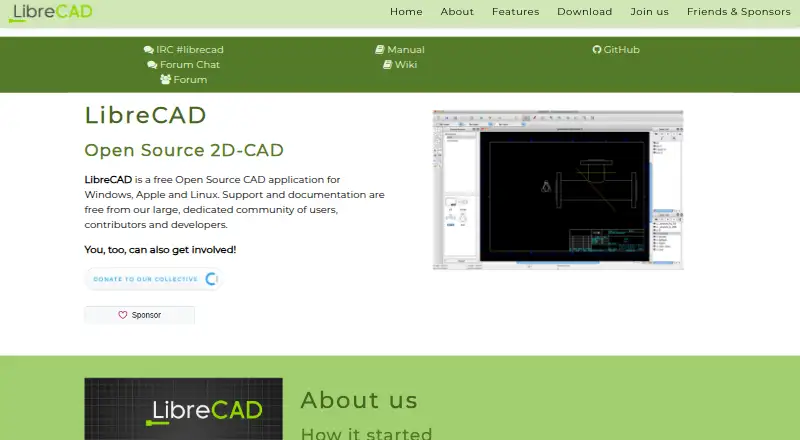
LibreCAD is a free, open-source 2D CAD application for desktop drafting on Windows, macOS, and Linux. It suits students, technical drafters, designers, and other users who need precise 2D geometry without an information-rich BIM workflow. Core drafting tools cover layers, blocks, dimensions, annotations, hatching, snapping, coordinate systems, printing, and common 2D geometry. Its multilingual interface and customizable toolbars also support different working preferences.
The software’s strongest fit is straightforward 2D file-based drafting. DXF import and export provide a central exchange format, while partial DWG import support can help with selected existing drawings. Drawings can also be exported to PDF, PNG, and SVG for sharing or presentation. Layer-based entity properties, standard-component libraries, and coordinate tools add useful structure for technical plans and diagrams. Because LibreCAD is open source and free, it suits users who want desktop CAD without a paid subscription or a commercial license.
The boundary is architectural workflow depth. LibreCAD does not provide BIM authoring, parametric modeling, construction documentation, rendering tools, or IFC support, and it has no AI features. That makes it a poor choice for coordinated building models, information-rich project documentation, 3D design, or rendered presentations. Choose LibreCAD when the requirement is accessible 2D drafting across multiple desktop platforms; choose a more specialized architectural application when the work depends on BIM, 3D modeling, rendering, or construction-document production.
Your product? Our editors can test LibreCAD in depth and publish a review, labelled as paid · from $149/mo →
LibreCAD pricing
LibreCAD fact sheet
| Free plan | Yes |
|---|---|
| Paid from | Free |
| Platform | Not verified |
| BIM authoring | No |
| Parametric modeling | No |
| Construction documents | No |
| Rendering tools | No |
| IFC support | No |
| Project limit | Not verified |
| Deployment | Desktop |
| Platforms | Windows, macOS, Linux |
| Support | Community, Docs |
| Built for | Solo, Small business (editorial estimate) |
| Pricing | Free plan |
| Website | librecad.org |
| Facts checked | 20 Sep 2026 |
Alternatives to LibreCAD
- Autodesk RevitA multidiscipline BIM platform with strong Autodesk coordination and automation support.9.4
- ArchicadA mature OpenBIM platform for architectural teams that need modeling, documentation, and teamwork.9.3
- AllplanA broad BIM suite for firms coordinating architecture, engineering, construction and cost workflows.9.1



See all LibreCAD alternatives →
Also Ranked In
LibreCAD is ranked in 4 of our directories.
Used LibreCAD? Be the first to review it
The editor score above is our own research. What this page doesn't have yet is a reader's view — what you used LibreCAD for, what worked and what didn't. No stars are seeded and no review is paid for; an editor reads every one before it appears.
Write a reviewTwo minutes · verified accounts only · read by an editor before it appears
Featured on iTechGuides

LibreCAD is listed in our Architectural Design Software directory. Add the badge to your site — it links back to this page.
<a href="https://www.itechguides.com/products/librecad/"><img src="https://www.itechguides.com/best/badge/librecad.svg" alt="Featured on iTechGuides" width="230" height="46"></a>
Reviewed by iTechGuides Editors · Editorial team · Updated Oct 2026
Advertiser disclosure: iTechGuides is reader-supported. Vendors can pay for top positions in our rankings and for a place on other products' pages, and we may earn a commission when you click some links. Bought places stand at the number bought; this page and our disclosure say so. Paying vendors may get a fuller, more detailed review from our editors, and that review can change their score. How we rank.
Last updated · How we research and update