
Lawo R3LAY
Lawo R3LAY: A broadcast-focused Windows suite for virtual radio mixing, routing, monitoring, and control. Ranked #20 of 28 in Audio Mixing Software by our editors (7.2/10); pricing: Paid; best for virtual radio mixing.
At a glance
- Editor score7.2 / 10
- PricingPaid
- Best forVirtual radio mixing
- Free planNo
- Facts checked20 Sep 2026
Where it wins
- VRX8 supports up to 24 audio inputs with AutoMix and AutoGain
- RAVENNA and AES67 routing with mix-minus/N-1 outputs
- VST hosting, metering, monitoring, and broadcast control integrations
Where it doesn't
- Windows-only deployment limits platform flexibility
- The product family consists of separately licensed applications
- No free plan is available
Our verdict on Lawo R3LAY
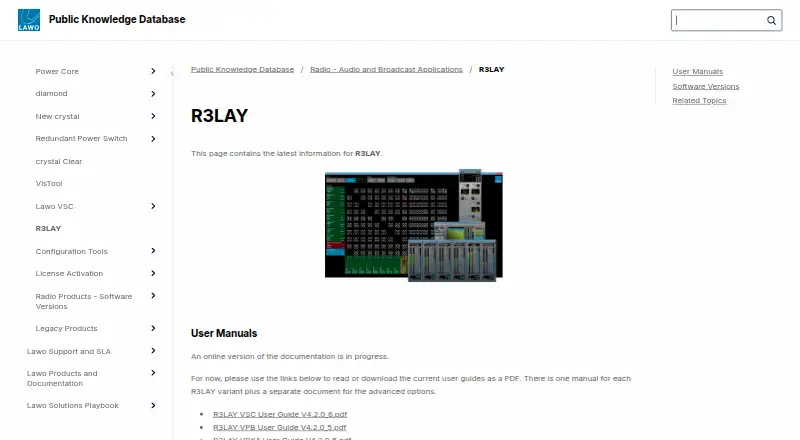
Lawo R3LAY is a Windows-based software family for professional radio and broadcast audio workflows. It is aimed at teams that need virtual mixing, network-audio routing, monitoring, processing, and broadcast control in a software-based environment. The family includes VRX virtual radio mixers, a Virtual Sound Card, a Virtual Patch Bay, and an AoIP Stream Monitor. VRX4 and VRX8 provide the mixing layer, while the other components extend connectivity and monitoring across RAVENNA and AES67 networks.
Its strongest fit is an AoIP-centered broadcast workflow. R3LAY supports RAVENNA and AES67 stream routing, virtual WDM and ASIO audio drivers, live monitoring of up to 16 AoIP streams, and integrations with Ember+ and Lawo HOME. VRX also provides mix-minus/N-1 outputs for contributors, loudness measurement, peak metering, and monitoring features. These capabilities make the product relevant where network audio, contributor feeds, and operational control matter more than general-purpose music production.
The standout feature set is in the VRX8 mixer, which supports up to 24 audio inputs, AutoMix for hands-free mixing, AutoGain for microphone calibration, and VST plug-in hosting. R3LAY applications can run locally or as background services, and the family is licensed by Lawo. That structure suits broadcast organizations selecting specific components for a defined workflow, but it is less suitable for users seeking a conventional DAW or a cross-platform audio application. Choose R3LAY for Windows-based radio operations built around AoIP and broadcast integration; choose an alternative if macOS support, a free tier, or a single all-in-one application is essential.
Your product? Our editors can test Lawo R3LAY in depth and publish a review, labelled as paid · from $149/mo →
Lawo R3LAY pricing
Lawo R3LAY fact sheet
| Free plan | No |
|---|---|
| Paid from | Not verified |
| Maximum tracks | Not verified |
| Surround mixing | Not verified |
| Stem separation | Not verified |
| Cloud collaboration | Not verified |
| Live audio input | Yes |
| Supported platforms | Windows 10, Windows 11, Windows Server 2019, Windows Server 2022 |
| Export formats | Not verified |
| Deployment | Desktop |
| Platforms | Windows |
| Support | Phone, Tickets, Docs |
| Built for | Mid-market, Enterprise (editorial estimate) |
| Integrations | 6 integrations: RAVENNA, AES67, Ember+, Lawo HOME, ASIO, WDM |
| Pricing | Paid |
| Website | docs.lawo.com |
| Facts checked | 20 Sep 2026 |
Lawo R3LAY integrations
Lawo R3LAY lists 6 integrations on its own site.
- RAVENNA
- AES67
- Ember+
- Lawo HOME
- ASIO
- WDM
Alternatives to Lawo R3LAY
- Fairlight LiveA capable free mixer for teams handling complex live, broadcast, and immersive audio.9.4
- Waves eMotion LV1A high-capacity live mixer for networked FOH, monitor, broadcast and recording workflows.9.2
- MixPadA flexible freemium mixer for recording, editing, and producing audio across desktop and mobile.8.9


See all Lawo R3LAY alternatives →
Used Lawo R3LAY? Be the first to review it
The editor score above is our own research. What this page doesn't have yet is a reader's view — what you used Lawo R3LAY for, what worked and what didn't. No stars are seeded and no review is paid for; an editor reads every one before it appears.
Write a reviewTwo minutes · verified accounts only · read by an editor before it appears
Featured on iTechGuides

Lawo R3LAY is listed in our Audio Mixing Software directory. Add the badge to your site — it links back to this page.
<a href="https://www.itechguides.com/products/lawo-r3lay/"><img src="https://www.itechguides.com/best/badge/lawo-r3lay.svg" alt="Featured on iTechGuides" width="230" height="46"></a>
Reviewed by iTechGuides Editors · Editorial team · Updated Oct 2026
Advertiser disclosure: iTechGuides is reader-supported. Vendors can pay for top positions in our rankings and for a place on other products' pages, and we may earn a commission when you click some links. Bought places stand at the number bought; this page and our disclosure say so. Paying vendors may get a fuller, more detailed review from our editors, and that review can change their score. How we rank.
Last updated · How we research and update