LaTeXiT
LaTeXiT: A focused, free equation tool for Mac users who need LaTeX output beyond a document editor. Ranked #20 of 31 in LaTeX Editors by our editors (6.3/10); pricing: Free plan; best for mac users composing equations.
At a glance
- Editor score6.3 / 10
- PricingFree plan
- Best forMac users composing equations
- Free planYes
- Paid fromFree
- Editor typeDesktop
- Facts checked21 Sep 2026
Where it wins
- Exports equations to PDF, image, MathML, and SVG
- Searchable history, personal libraries, palettes, and templates
- Drag-and-drop export with macOS Services, Automator, and LinkBack
Where it doesn't
- Runs on macOS only
- Requires an installed LaTeX engine
- Focused on equations rather than complete LaTeX documents
Our verdict on LaTeXiT
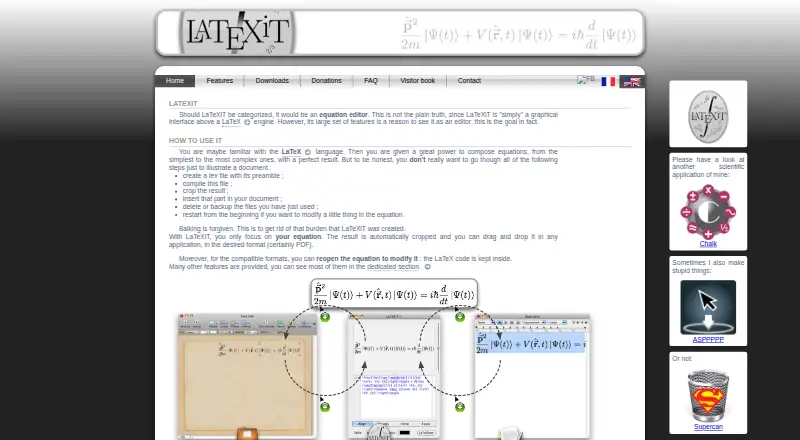
LaTeXiT is a macOS desktop editor focused on creating LaTeX equations rather than writing complete LaTeX documents. Users compose and compile equations, while automatic cropping prepares the result for use in presentations, documents, and other macOS applications. The workflow is designed for people who want LaTeX-quality mathematical expressions without placing each equation inside a full document editor. It is free and open source, with code released under the CeCILL license.
Its strongest area is equation output and reuse. LaTeXiT supports PDF, image, MathML, and SVG export, plus drag-and-drop transfer to other applications. Syntax coloring and LaTeX error analysis support composition, while searchable equation history and personal libraries make recurring expressions easier to find. Custom palettes, keyboard shortcuts, and document templates add control for users with established workflows. LinkBack support allows compatible equations to be reopened and updated, and macOS Services and Automator extend the application into system-level workflows.
The main trade-off is scope. LaTeXiT is available for macOS, with the category specification listing macOS 10.9+ support, and it depends on an installed LaTeX engine for compilation. It is therefore a strong fit for Mac users who primarily need equations that can move between applications in several output formats. Users seeking a complete LaTeX document editor, broader platform support, or a workflow that does not depend on a local LaTeX installation should choose a different tool. For equation-centric work on macOS, its focused feature set and open-source model make it a practical specialist option.
Your product? Our editors can test LaTeXiT in depth and publish a review, labelled as paid · from $149/mo →
LaTeXiT pricing
LaTeXiT fact sheet
| Free plan | Yes |
|---|---|
| Paid from | Free |
| Editor type | Desktop |
| Real-time collaboration | Not verified |
| Offline editing | Not verified |
| Visual editor | Not verified |
| Git integration | Not verified |
| Supported platforms | macOS 10.9+ |
| Deployment | Desktop |
| Platforms | macOS |
| Support | Email, Docs |
| Built for | Solo, Small business (editorial estimate) |
| Integrations | 3 integrations: macOS Services, Automator, LinkBack |
| Pricing | Free plan |
| Website | chachatelier.fr |
| Facts checked | 21 Sep 2026 |
LaTeXiT integrations
LaTeXiT lists 3 integrations on its own site.
- macOS Services
- Automator
- LinkBack
Alternatives to LaTeXiT
- OverleafA capable collaborative LaTeX workspace for teams that need editing, review, and citations together.9.3
- TeXstudioA capable free LaTeX desktop editor with strong document-production tools.9.1
- LyXA capable LaTeX-based editor for academic, mathematical, and technical documents.8.9

See all LaTeXiT alternatives →
Also Ranked In
LaTeXiT is ranked in 2 of our directories.
Used LaTeXiT? Be the first to review it
The editor score above is our own research. What this page doesn't have yet is a reader's view — what you used LaTeXiT for, what worked and what didn't. No stars are seeded and no review is paid for; an editor reads every one before it appears.
Write a reviewTwo minutes · verified accounts only · read by an editor before it appears
Featured on iTechGuides

LaTeXiT is listed in our LaTeX Editors directory. Add the badge to your site — it links back to this page.
<a href="https://www.itechguides.com/products/latexit/"><img src="https://www.itechguides.com/best/badge/latexit.svg" alt="Featured on iTechGuides" width="230" height="46"></a>
Reviewed by iTechGuides Editors · Editorial team · Updated Oct 2026
Advertiser disclosure: iTechGuides is reader-supported. Vendors can pay for top positions in our rankings and for a place on other products' pages, and we may earn a commission when you click some links. Bought places stand at the number bought; this page and our disclosure say so. Paying vendors may get a fuller, more detailed review from our editors, and that review can change their score. How we rank.
Last updated · How we research and update