KoolMoves
KoolMoves: A low-cost Windows tool for basic HTML5 animation and multimedia exports. Ranked #96 of 106 in Animation Software by our editors (3.0/10); pricing: Paid; best for low-cost basic HTML5 animation.
At a glance
- Editor score3.0 / 10
- PricingPaid
- Best forLow-cost basic HTML5 animation
- Free planNo
- Paid from$19.95 one-time
- Founded2000 · South Carolina, USA
- Facts checked20 Sep 2026
Where it wins
- One-time $19.95 price with no monthly charges
- HTML5 export plus animated GIF, SVG, PNG, SWF, and video formats
- Keyframes, morphing, motion paths, sprite sheets, and character bones
Where it doesn't
- Windows-only desktop software
- Narrower integration and ecosystem options
- Download-only delivery limits access to the purchased copy
Our verdict on KoolMoves
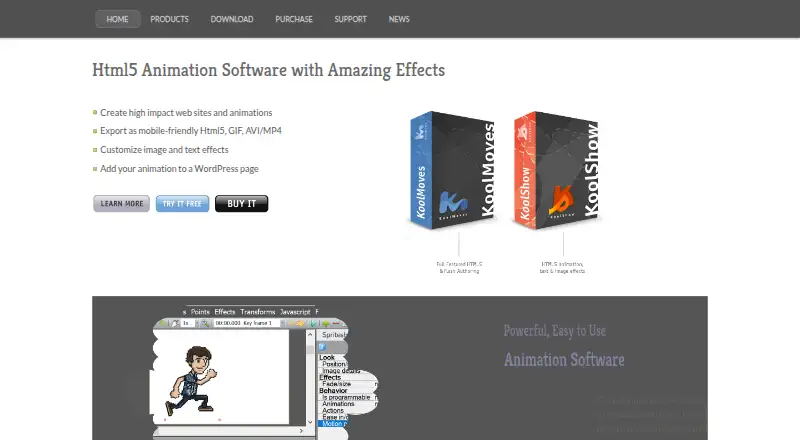
KoolMoves is a Windows desktop animation authoring tool for professionals, novices, and web designers creating interactive HTML5 content and multimedia. Its feature set covers web animations, games, banners, cartoons, slideshows, and other visual content. Drawing and shape manipulation tools support keyframe animation, shape morphing, text and image effects, linear and curved motion paths, sprite-sheet animation, and character animation bones. It is best suited to buyers who want basic two-dimensional animation without a recurring subscription.
Pricing is straightforward: the KoolMoves plan costs $19.95 USD as a one-time purchase. The published plan includes download-only delivery, ownership of the purchased copy, and no monthly charges. There are no separate tiers to compare, and the low upfront price makes the product a fit for individuals, web designers, and small projects that need HTML5 animation rather than a larger production suite. Buyers seeking multiple service levels, cloud access, or a broader platform choice should look elsewhere.
KoolMoves supports HTML5 export and can also produce animated GIF, AVI/MP4, SVG, transparent PNG, and SWF files. JavaScript and CreateJS scripting extend its interactive content capabilities, while SWF-to-HTML5 conversion and PhoneGap packaging support additional publishing workflows. Slideshow creation with transitions is also included. The main constraint is platform scope: the software runs on Windows only, and its integration and ecosystem options are narrower than those of broader animation applications. Choose KoolMoves for affordable desktop authoring, character bones, and web-focused exports; choose an alternative if cross-platform access or a wider connected workflow is central to the project.
Your product? Our editors can test KoolMoves in depth and publish a review, labelled as paid · from $149/mo →
KoolMoves pricing
All 1 KoolMoves plans and prices →
KoolMoves fact sheet
| Free plan | No |
|---|---|
| Paid from | $19.95 one-time |
| 2D animation tools | Yes |
| 3D modeling | Not verified |
| Character rigging | Yes |
| Motion graphics | Not verified |
| Cloud collaboration | Not verified |
| Supported platforms | Windows |
| Export formats | HTML5, animated GIF, AVI/MP4, SVG, PNG with transparent background, SWF |
| Deployment | Desktop |
| Platforms | Windows |
| Support | Email, Community, Docs |
| Built for | Solo, Small business (editorial estimate) |
| Pricing | Paid (source) |
| Website | koolmoves.com |
| Facts checked | 20 Sep 2026 |
Alternatives to KoolMoves
- Toon Boom HarmonyA focused 2D suite for hand-drawn, rigged, composited, and effects-driven animation.9.3
- BlenderA broad 3D suite for professional animation without software licensing costs.9.2
- Cinema 4DA broad desktop toolkit for motion design, 3D production, simulation, and rendering.9.1



See all KoolMoves alternatives →
Used KoolMoves? Be the first to review it
The editor score above is our own research. What this page doesn't have yet is a reader's view — what you used KoolMoves for, what worked and what didn't. No stars are seeded and no review is paid for; an editor reads every one before it appears.
Write a reviewTwo minutes · verified accounts only · read by an editor before it appears
Featured on iTechGuides

KoolMoves is listed in our Animation Software directory. Add the badge to your site — it links back to this page.
<a href="https://www.itechguides.com/products/koolmoves/"><img src="https://www.itechguides.com/best/badge/koolmoves.svg" alt="Featured on iTechGuides" width="230" height="46"></a>
Reviewed by iTechGuides Editors · Editorial team · Updated Oct 2026
Advertiser disclosure: iTechGuides is reader-supported. Vendors can pay for top positions in our rankings and for a place on other products' pages, and we may earn a commission when you click some links. Bought places stand at the number bought; this page and our disclosure say so. Paying vendors may get a fuller, more detailed review from our editors, and that review can change their score. How we rank.
Last updated · How we research and update