
JPEGmini
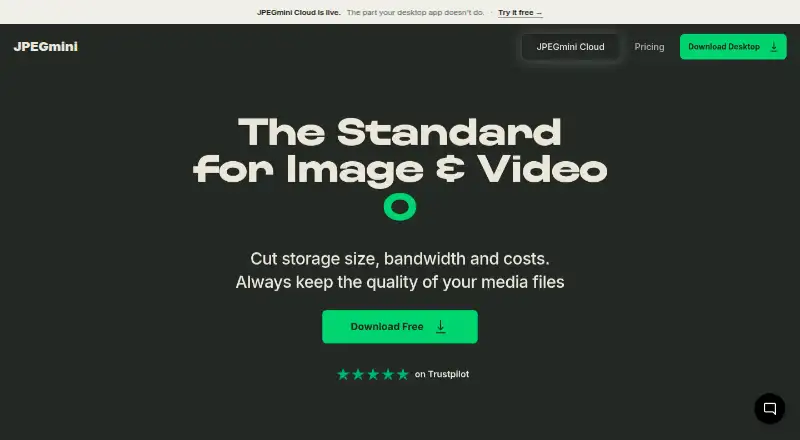
JPEGmini: A focused desktop compressor for JPEG and HEIC workflows, with creative-app plugins on higher tiers. Ranked #17 of 85 in Image Compression Software by our editors (7.7/10); pricing: Free plan · 7-day trial; best for photographers using creative-app plugins.
At a glance
- Editor score7.7 / 10
- PricingFree plan · 7-day trial
- Best forPhotographers using creative-app plugins
- Free planYes
- Paid from$59 one-time
- Facts checked22 Sep 2026
Where it wins
- Batch processing for JPEG and HEIC image workflows
- Plugins for Lightroom, Photoshop, and Capture One
- Watch folders and background processing on higher tiers
Where it doesn't
- Free plan is limited to 50 images per day after trial
- Core format support focuses on JPEG and HEIC images
- Plugins and automations require higher-priced plans
Our verdict on JPEGmini
JPEGmini is desktop software for photographers, studios, creative agencies, and other visual-content teams working with image and video files. It optimizes JPEG images, converts HEIC images to JPEG, supports batch processing, and can resize and export images. The software runs on Windows and macOS, making it suited to desktop-based creative workflows rather than teams looking for a browser service or developer platform.
Pricing is organized around a free edition and four paid one-time purchases. Free includes 50 images per day after the seven-day full-feature trial, JPEG-to-JPEG and HEIC-to-JPEG optimization, batch processing, and installation on one device. Pro costs $59 and adds unlimited images and videos, H264/H265 video compression, resizing and export, installation on three devices, and one year of free updates. Pro + Plugins costs $89 and adds Lightroom, Photoshop, and Capture One plugins. Pro + Automations costs $99 and adds watch folders, background processing, batch presets, and overnight gallery processing. The $129 Complete Bundle combines Pro, all plugins, all automations, priority email support, and one year of free updates.
The main distinction is workflow depth. Users can compress and resize batches directly, while creative professionals can optimize without exporting through the three listed plugins. Watch folders and background processing extend JPEGmini into repeatable production workflows, particularly for galleries and other recurring batches. Its focus remains narrower than a general-purpose media pipeline: image optimization centers on JPEG and HEIC, while video compression is included in paid editions. Photographers who work inside Lightroom, Photoshop, or Capture One should consider Pro + Plugins or the Complete Bundle. Users needing only occasional JPEG or HEIC compression may find the Free plan sufficient, while those requiring broader format coverage or a non-desktop workflow should look elsewhere.
Your product? Our editors can test JPEGmini in depth and publish a review, labelled as paid · from $149/mo →
JPEGmini pricing
All 5 JPEGmini plans and prices →
JPEGmini fact sheet
| Free plan | Yes |
|---|---|
| Paid from | $59 one-time |
| Compression modes | Not verified |
| Batch processing | Yes |
| API access | Not verified |
| Max upload size | Not verified |
| Image resizing | Yes |
| Supported formats | JPEG, HEIC |
| Metadata controls | Yes |
| Free trial | 7 days |
| Money-back guarantee | 30 days |
| Deployment | Desktop |
| Platforms | Windows, macOS |
| Compliance & security | GDPR |
| Support | Email, Docs |
| Built for | Solo, Small business, Mid-market (editorial estimate) |
| Integrations | 3 integrations: Adobe Lightroom, Adobe Photoshop, Capture One |
| Pricing | Free plan · 7-day trial (source) |
| Website | jpegmini.com |
| Facts checked | 22 Sep 2026 |
JPEGmini integrations
JPEGmini lists 3 integrations on its own site.
- Adobe Lightroom
- Adobe Photoshop
- Capture One
Alternatives to JPEGmini
- TinyPNGA flexible compressor for web workflows, batch processing, and automated image pipelines.9.3
- OptimoleA strong WordPress-focused optimizer for responsive images, modern formats, and CDN delivery.9.2
- ThumborA self-hosted image service with URL transformations, smart cropping, and format selection.9.1


See all JPEGmini alternatives →
Used JPEGmini? Be the first to review it
The editor score above is our own research. What this page doesn't have yet is a reader's view — what you used JPEGmini for, what worked and what didn't. No stars are seeded and no review is paid for; an editor reads every one before it appears.
Write a reviewTwo minutes · verified accounts only · read by an editor before it appears
Featured on iTechGuides

JPEGmini is listed in our Image Compression Software directory. Add the badge to your site — it links back to this page.
<a href="https://www.itechguides.com/products/jpegmini/"><img src="https://www.itechguides.com/best/badge/jpegmini.svg" alt="Featured on iTechGuides" width="230" height="46"></a>
Reviewed by iTechGuides Editors · Editorial team · Updated Oct 2026
Advertiser disclosure: iTechGuides is reader-supported. Vendors can pay for top positions in our rankings and for a place on other products' pages, and we may earn a commission when you click some links. Bought places stand at the number bought; this page and our disclosure say so. Paying vendors may get a fuller, more detailed review from our editors, and that review can change their score. How we rank.
Last updated · How we research and update