Jota Text Editor
Jota Text Editor: A focused, open-source Android editor for long text files and precise text changes. Ranked #73 of 82 in Text Editors by our editors (3.0/10); pricing: Free plan; best for android users editing text files on mobile.
At a glance
- Editor score3.0 / 10
- PricingFree plan
- Best forAndroid users editing text files on mobile
- Free planYes
- Paid fromFree
- Facts checked21 Sep 2026
Where it wins
- Handles text files up to 1 million characters
- Regex search and replacement with encoding conversion
- Auto-save, indentation, syntax highlighting, and sharing
Where it doesn't
- Available only on Android
- Advanced editing features are relatively limited
- Google Play listing and vendor description differ on ads
Our verdict on Jota Text Editor
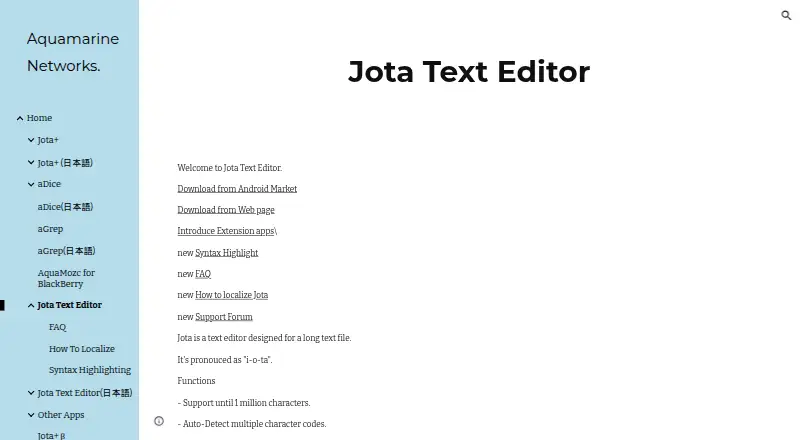
Jota Text Editor is a free, open-source Android application for editing long text files on mobile devices. It is aimed at users who need more control than a basic note-taking app provides, including support for files up to 1 million characters, line numbers, word counting, customizable syntax highlighting, and text sharing with external applications. The application is licensed under Apache License and is provided by Aquamarine Networks, Inc.
For text handling, Jota covers several practical needs in one focused editor. It can detect and convert character codes, detect and convert line breaks, and perform regular-expression search and replacement. Undo and redo support adds control during revisions, while auto-save and auto-indentation reduce routine editing work. These features make it a suitable choice for Android users working with longer text files, structured text, or files that require encoding and formatting adjustments. Its support for large text files is a notable strength within a mobile-focused editor.
The trade-off is scope. Jota Text Editor is available only on Android, and its feature set remains centered on text-file editing rather than a broad desktop-style development environment. Users seeking wider platform coverage or more advanced editing capabilities should consider an alternative. Buyers should also note that the Google Play listing was last updated in 2018. The listing says the app contains ads, while the vendor description says “NO-AD,” so the published descriptions present different information on that point. Choose Jota for a focused, free, open-source Android editor with regex tools and long-file support; look elsewhere if cross-platform access or a deeper advanced feature set is the priority.
Your product? Our editors can test Jota Text Editor in depth and publish a review, labelled as paid · from $149/mo →
Jota Text Editor pricing
Jota Text Editor fact sheet
| Free plan | Yes |
|---|---|
| Paid from | Free |
| Supported platforms | Android |
| Multi-cursor editing | Not verified |
| Macro recording | Not verified |
| Column editing | Not verified |
| Large-file handling | Yes |
| Extension support | Not verified |
| Deployment | Mobile |
| Platforms | Android |
| Support | |
| Built for | Solo, Small business (editorial estimate) |
| Pricing | Free plan |
| Website | sites.google.com |
| Facts checked | 21 Sep 2026 |
Alternatives to Jota Text Editor
- Visual Studio CodeA free, open-source editor with broad development features across desktop and web.9.4
- NeovimA free, open-source editor for keyboard-driven workflows and deep customization.9.3
- GNU EmacsA mature, highly customizable editor for users who value breadth and control.9.2


See all Jota Text Editor alternatives →
Used Jota Text Editor? Be the first to review it
The editor score above is our own research. What this page doesn't have yet is a reader's view — what you used Jota Text Editor for, what worked and what didn't. No stars are seeded and no review is paid for; an editor reads every one before it appears.
Write a reviewTwo minutes · verified accounts only · read by an editor before it appears
Featured on iTechGuides

Jota Text Editor is listed in our Text Editors directory. Add the badge to your site — it links back to this page.
<a href="https://www.itechguides.com/products/jota-text-editor/"><img src="https://www.itechguides.com/best/badge/jota-text-editor.svg" alt="Featured on iTechGuides" width="230" height="46"></a>
Reviewed by iTechGuides Editors · Editorial team · Updated Oct 2026
Advertiser disclosure: iTechGuides is reader-supported. Vendors can pay for top positions in our rankings and for a place on other products' pages, and we may earn a commission when you click some links. Bought places stand at the number bought; this page and our disclosure say so. Paying vendors may get a fuller, more detailed review from our editors, and that review can change their score. How we rank.
Last updated · How we research and update