
Jitter
Jitter: A collaborative web tool for motion graphics, Figma imports, and flexible exports. Ranked #52 of 106 in Animation Software by our editors (4.0/10); pricing: Free plan; best for collaborative web motion graphics.
At a glance
- Editor score4.0 / 10
- PricingFree plan
- Best forCollaborative web motion graphics
- Free planYes
- Facts checked24 Sep 2026
Where it wins
- Editable Figma imports with layers, artboards, and reusable components
- Real-time collaboration, comments, and shared workspaces
- Exports video, GIF, Lottie, ProRes, WebM, and image sequences
Where it doesn't
- Free limits include three workspace files and 720p, 30fps export
- Its focus is motion graphics rather than character or full-scene animation
- Higher-tier features are required for 4K, transparent, and frame-by-frame export
Our verdict on Jitter
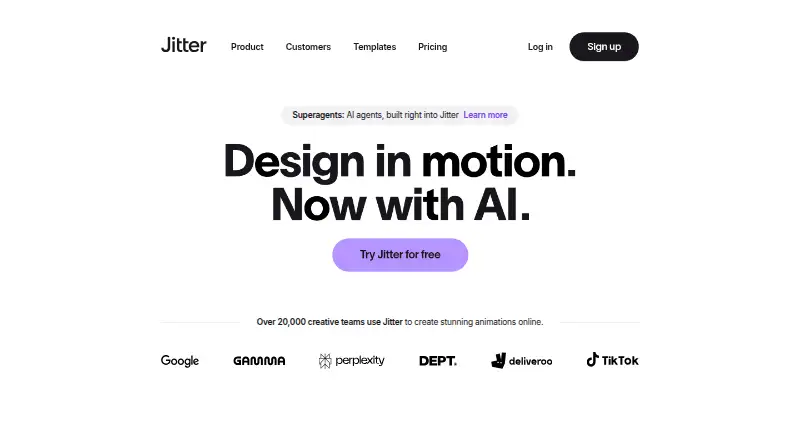
Jitter is a browser-based motion design tool for designers, creative teams, marketers, and product teams. Its timeline-based animation, custom effects, presets, text animation, Figma imports, reusable components, artboards, and shared workspaces support marketing assets, product animations, UI demonstrations, and brand content. It runs on the web and through a Chrome extension, making it suited to teams that want collaborative motion work without centering their workflow on character animation or full-scene production.
The Free plan provides unlimited drafts, three workspace files, video, GIF, and Lottie export, plus 720p, 30fps output and limited AI credits. Pro adds unlimited files and folders, 1080p, 60fps export, ProRes and WebM export, image-to-video, and standard AI credits. Max adds team libraries, transparent and frame-by-frame export, 4K, 120fps output, and twice Pro's AI credits. Ultra increases AI output to three times Max's credits, while Enterprise adds advanced security, custom SSO and SCIM, a dedicated account manager, pre-release features, and custom integrations and workflow support. Paid plans are billed annually per editor per month, and the Free plan is available separately from trial subscriptions.
Jitter's strongest fit is collaborative motion graphics: users can work across multiple artboards and scenes, animate text by letter, word, or line, create reusable animated components, comment in real time, share file links, and batch-export in multiple formats. Figma and Adobe Media Encoder integrations extend its platform fit, while AI effects, brainstorming, and image-to-video add another route to content creation. Choose Jitter for web-based team workflows, Figma-centered design handoffs, and product or marketing animation. Choose another category tool if character animation or full-scene animation is the primary requirement.
Your product? Our editors can test Jitter in depth and publish a review, labelled as paid · from $149/mo →
Jitter pricing
All 8 Jitter plans and prices →
Jitter fact sheet
| Free plan | Yes |
|---|---|
| Paid from | Not verified |
| 2D animation tools | Not verified |
| 3D modeling | Not verified |
| Character rigging | Not verified |
| Motion graphics | Yes |
| Cloud collaboration | Yes |
| Supported platforms | web |
| Export formats | MP4, MOV, WebM, GIF, Lottie, ProRes 4444 |
| Money-back guarantee | 72 days |
| Deployment | Cloud |
| Platforms | Web |
| Support | Live chat, Email, Docs, Community |
| Built for | Solo, Small business, Mid-market, Enterprise (editorial estimate) |
| Integrations | 1 integrations: Figma |
| Pricing | Free plan (source) |
| Website | jitter.video |
| Facts checked | 24 Sep 2026 |
Jitter integrations
Jitter lists 1 integrations on its own site.
- Figma
Alternatives to Jitter
- Toon Boom HarmonyA focused 2D suite for hand-drawn, rigged, composited, and effects-driven animation.9.3
- BlenderA broad 3D suite for professional animation without software licensing costs.9.2
- Cinema 4DA broad desktop toolkit for motion design, 3D production, simulation, and rendering.9.1



Also Ranked In
Jitter is ranked in 2 of our directories.
Used Jitter? Be the first to review it
The editor score above is our own research. What this page doesn't have yet is a reader's view — what you used Jitter for, what worked and what didn't. No stars are seeded and no review is paid for; an editor reads every one before it appears.
Write a reviewTwo minutes · verified accounts only · read by an editor before it appears
Featured on iTechGuides

Jitter is listed in our Animation Software directory. Add the badge to your site — it links back to this page.
<a href="https://www.itechguides.com/products/jitter/"><img src="https://www.itechguides.com/best/badge/jitter.svg" alt="Featured on iTechGuides" width="230" height="46"></a>
Reviewed by iTechGuides Editors · Editorial team · Updated Oct 2026
Advertiser disclosure: iTechGuides is reader-supported. Vendors can pay for top positions in our rankings and for a place on other products' pages, and we may earn a commission when you click some links. Bought places stand at the number bought; this page and our disclosure say so. Paying vendors may get a fuller, more detailed review from our editors, and that review can change their score. How we rank.
Last updated · How we research and update