
IronPDF
IronPDF: A broad commercial PDF toolkit for .NET teams that need conversion and document controls. Ranked #20 of 31 in PDF SDKs by our editors (7.1/10); pricing: 30-day trial; best for commercial .NET PDF and HTML conversion.
At a glance
- Editor score7.1 / 10
- Pricing30-day trial
- Best forCommercial .NET PDF and HTML conversion
- Free planNo
- Paid from$999 one-time
- Deployment modelHybrid
- Founded2015 · Chicago, Illinois, USA
- Facts checked20 Sep 2026
Where it wins
- Converts HTML, URLs, Office documents, images, and web content to PDF
- Covers forms, annotations, extraction, signing, security, and standards support
- Runs on Windows, Linux, and macOS with Docker, Azure, and AWS support
Where it doesn't
- No free plan for production use
- Entry pricing starts at $999 for the Lite license
- Lite limits coverage to 1 developer, location, and project
Our verdict on IronPDF
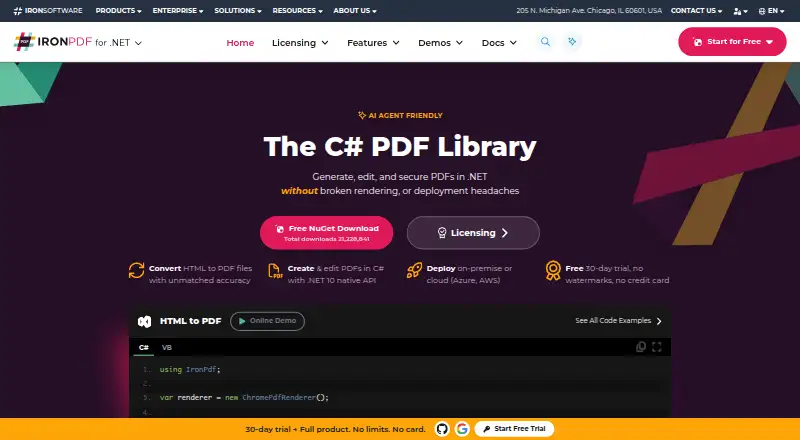
IronPDF is a commercial developer SDK for creating, converting, editing, organizing, signing, and securing PDF documents in .NET applications. It is aimed at teams building web, desktop, console, cloud, and server-side applications in C#, F#, VB.NET, or .NET, with additional language coverage for Java, Node.js, and Python. The SDK supports Windows, Linux, and macOS, plus containerized and remote-engine deployments.
Pricing is built around perpetual licenses rather than a free production tier. Lite costs $999 one-time and covers 1 developer, 1 location, and 1 project, with 1 year of support and product updates included. Plus costs $1499 for up to 3 developers, locations, and projects. Professional costs $2399 for up to 10 developers, locations, and projects. Unlimited costs $4799 and removes those quantity limits. Each plan includes 1 year of support and product updates, and a 30-day trial is available. The pricing structure suits teams that prefer a perpetual license, but the starting cost makes it a considered purchase for smaller projects.
Its feature coverage extends well beyond basic PDF rendering. Teams can generate PDFs with text, images, shapes, headers, footers, and page numbers; convert Office documents and web content; extract or redact text and images; add annotations, stamps, watermarks, and drawings; and merge, split, copy, or delete pages. Forms, digital signatures, HSM signing, trusted timestamps, password protection, permissions, sanitization, PDF/A, and PDF/UA support add options for document workflows with stricter controls. IronPDF is a strong fit for commercial .NET applications needing several PDF operations in one SDK. Teams seeking a free production option or a lower entry price should consider alternatives.
Your product? Our editors can test IronPDF in depth and publish a review, labelled as paid · from $149/mo →
IronPDF pricing
All 4 IronPDF plans and prices →
IronPDF fact sheet
| Free plan | No |
|---|---|
| Paid from | $999 one-time |
| PDF operations | Creation, rendering, HTML and document conversion, editing, extraction, annotation, forms, organization, signing, security, and standards compliance |
| Supported platforms | Windows, Linux, macOS, Docker, Azure, AWS, and remote container deployments |
| Language coverage | C#, F#, VB.NET, .NET, Java, Node.js, and Python |
| Deployment model | Hybrid |
| Annotation tools | Yes |
| Commercial license | Yes |
| Free trial | 30 days · no card needed |
| Money-back guarantee | 30 days |
| Deployment | Cloud, Self-hosted |
| Platforms | Windows, macOS, Linux |
| Support | Email, Live chat, Phone, Docs |
| Built for | Solo, Small business, Mid-market, Enterprise (editorial estimate) |
| Integrations | 4 integrations: Azure, AWS, Docker, NuGet |
| Pricing | 30-day trial (source) |
| Website | ironpdf.com |
| Facts checked | 20 Sep 2026 |
IronPDF integrations
IronPDF lists 4 integrations on its own site.
- Azure
- AWS
- Docker
- NuGet
Alternatives to IronPDF
- Foxit PDF SDKA broad commercial PDF SDK for teams building document-heavy applications across major platforms.9.3
- Nutrient SDKA broad cross-platform PDF SDK with a useful free viewer tier and quote-based commercial licensing.8.9
- Adobe PDF Library SDKA native PDF SDK for enterprise applications that need broad document processing capabilities.8.8


See all IronPDF alternatives →
Used IronPDF? Be the first to review it
The editor score above is our own research. What this page doesn't have yet is a reader's view — what you used IronPDF for, what worked and what didn't. No stars are seeded and no review is paid for; an editor reads every one before it appears.
Write a reviewTwo minutes · verified accounts only · read by an editor before it appears
Featured on iTechGuides

IronPDF is listed in our PDF SDKs directory. Add the badge to your site — it links back to this page.
<a href="https://www.itechguides.com/products/ironpdf/"><img src="https://www.itechguides.com/best/badge/ironpdf.svg" alt="Featured on iTechGuides" width="230" height="46"></a>
Reviewed by iTechGuides Editors · Editorial team · Updated Oct 2026
Advertiser disclosure: iTechGuides is reader-supported. Vendors can pay for top positions in our rankings and for a place on other products' pages, and we may earn a commission when you click some links. Bought places stand at the number bought; this page and our disclosure say so. Paying vendors may get a fuller, more detailed review from our editors, and that review can change their score. How we rank.
Last updated · How we research and update