
IRIS Invigilation
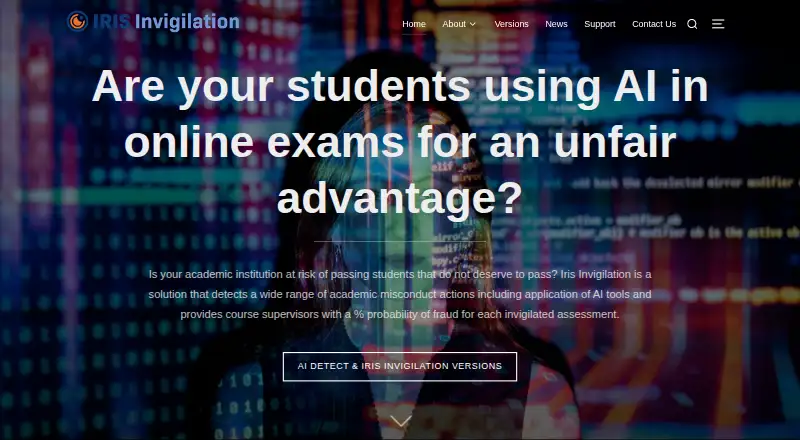
IRIS Invigilation: Automates identity checks and exam monitoring for institutions using Moodle. Ranked #19 of 22 in Exam Proctoring Software by our editors (7.2/10); pricing: Pricing on request; best for moodle users wanting automated invigilation.
At a glance
- Editor score7.2 / 10
- PricingPricing on request
- Best forMoodle users wanting automated invigilation
- Identity verificationYes
- Facts checked20 Sep 2026
Where it wins
- Automated facial and photo-ID verification supports identity checks.
- Captures webcam, microphone and screen activity during exams.
- Machine-learning flags and post-exam reports support institutional review.
Where it doesn't
- Pricing requires contact with the vendor and institution details.
- Assessments require a Windows or Mac desktop or laptop.
- Mobile devices, tablets, iPads and phones are not supported for exams.
Our verdict on IRIS Invigilation
IRIS Invigilation is online exam-proctoring software for educational institutions and assessment providers. It is aimed at lower, medium and higher education exams, tests and quizzes, particularly where institutions want automated identity verification and post-exam review. The software uses a browser extension with Chrome or Microsoft Edge on Windows and Mac computers. During an assessment, it can capture webcam video, microphone audio, screen activity and identity evidence, while facial, eye-movement and multiple-person detection contribute to integrity analysis.
Its strongest fit is an institution already working with Moodle or another learning management system. Moodle is the named integration, and the product includes an LMS integration capability for connecting assessments with institutional workflows. The monitoring scope is broad for an automated tool: facial recognition and photo-ID checks are combined with webcam and audio recording, successive screenshots or screen recording, and machine-learning analysis. Potentially suspicious behaviour is flagged for later review rather than presented as a live invigilation workflow. A post-exam dashboard provides full and summary reports for reviewing assessment activity.
Pricing is handled through contact with the vendor, with institution and student-volume details used to provide pricing and options. Operationally, the desktop requirement is important: students need a Windows or Mac desktop or laptop, and mobile devices, tablets, iPads and phones cannot be used to take assessments. IRIS Invigilation suits institutions seeking automated monitoring, identity checks and reporting within a Moodle-centered process. It is less suitable for mobile-first assessment delivery or requirements centered on live proctoring.
Your product? Our editors can test IRIS Invigilation in depth and publish a review, labelled as paid · from $149/mo →
IRIS Invigilation pricing
IRIS Invigilation fact sheet
| Free plan | Not verified |
|---|---|
| Paid from | Not verified |
| Identity verification | Yes |
| Live proctoring | No |
| Browser lockdown | Not verified |
| Screen recording | Yes |
| Webcam monitoring | Yes |
| LMS integrations | Yes |
| Mobile support | No |
| Deployment | Cloud, Browser extension |
| Platforms | Web, Windows, macOS, Chrome extension |
| Support | Email, Docs |
| Built for | Small business, Mid-market, Enterprise (editorial estimate) |
| Integrations | 1 integrations: Moodle |
| Pricing | Pricing on request (source) |
| Website | irisinvigilation.com |
| Facts checked | 20 Sep 2026 |
IRIS Invigilation integrations
IRIS Invigilation lists 1 integrations on its own site.
- Moodle
Alternatives to IRIS Invigilation
- ProctorioBroad exam security coverage with a free plan and major LMS integrations.9.4
- ThinkExamA broad proctoring suite with a free starting plan and LMS integrations.9.3
- ProctortrackA broad proctoring suite with biometric checks, live oversight, lockdown, and usage-based pricing.9.2



See all IRIS Invigilation alternatives →
Used IRIS Invigilation? Be the first to review it
The editor score above is our own research. What this page doesn't have yet is a reader's view — what you used IRIS Invigilation for, what worked and what didn't. No stars are seeded and no review is paid for; an editor reads every one before it appears.
Write a reviewTwo minutes · verified accounts only · read by an editor before it appears
Featured on iTechGuides

IRIS Invigilation is listed in our Exam Proctoring Software directory. Add the badge to your site — it links back to this page.
<a href="https://www.itechguides.com/products/iris-invigilation/"><img src="https://www.itechguides.com/best/badge/iris-invigilation.svg" alt="Featured on iTechGuides" width="230" height="46"></a>
Reviewed by iTechGuides Editors · Editorial team · Updated Oct 2026
Advertiser disclosure: iTechGuides is reader-supported. Vendors can pay for top positions in our rankings and for a place on other products' pages, and we may earn a commission when you click some links. Bought places stand at the number bought; this page and our disclosure say so. Paying vendors may get a fuller, more detailed review from our editors, and that review can change their score. How we rank.
Last updated · How we research and update