Inkpad
Inkpad: A focused iOS vector drawing app with strong export, typography, and cloud-file support. Ranked #39 of 51 in Vector Graphics Software by our editors (4.8/10); pricing: 30-day trial; best for iPad and iPhone vector drawing.
At a glance
- Editor score4.8 / 10
- Pricing30-day trial
- Best foriPad and iPhone vector drawing
- Free planNo
- SVG exportYes
- Founded2011
- Facts checked20 Sep 2026
Where it wins
- Boolean paths, masks, groups, layers, and text-on-path tools
- SVG, PDF, PNG, and JPEG import and export
- Apple Pencil and six cloud-storage integrations
Where it doesn't
- Works on iOS rather than browser or desktop platforms
- Paid subscriptions are required for the full feature set
- Monthly and yearly plans both unlock all features without tier variation
Our verdict on Inkpad
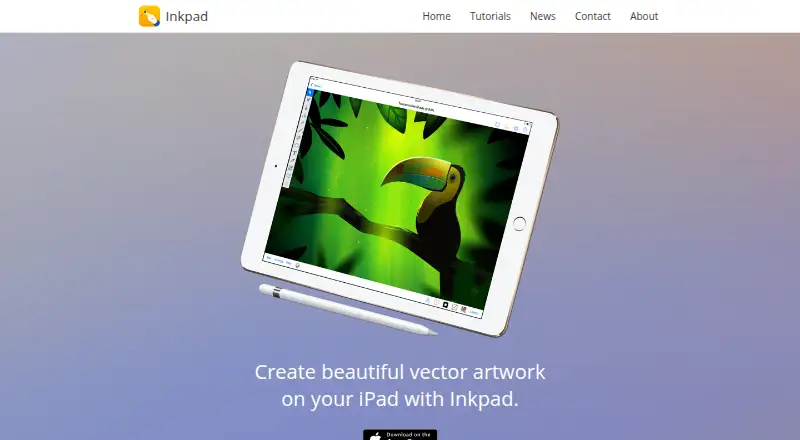
Inkpad is a vector drawing and illustration app for iOS, aimed primarily at iPad-based illustrators, designers, hobbyists, and other creators. Its toolset covers Bezier pen and freehand drawing, shapes, anchors, scaling, rotation, selection, layers, gradients, masks, groups, compound paths, and Boolean path operations. Apple Pencil support makes it suited to direct drawing, while text-on-path tools, imported fonts, and text effects extend its use into lettering and graphic design.
Pricing is organized around two subscription plans: Inkpad Monthly and Inkpad Yearly. The published plans show the same core benefit for both—unlocking all features—so the main choice is billing cadence rather than feature level. The website describes a 30-day free trial, and the App Store presents the app as free with paid subscriptions. This structure suits creators who want the complete toolset on iOS, but it offers less flexibility for buyers seeking a permanent free plan or distinct paid tiers.
Inkpad’s strongest practical advantage is its file and export coverage. Users can import and export SVG artwork, and export designs as PDF, PNG, or JPEG. File exchange works through Apple Files, Dropbox, iCloud Drive, Google Drive, Microsoft OneDrive, and Box, giving iOS-based workflows several storage options. The trade-off is platform scope: Inkpad does not provide browser or desktop coverage. Choose it for mobile vector illustration, Apple Pencil input, typography, and portable file access; choose an alternative if your workflow depends on desktop software, browser editing, or broader platform support.
Your product? Our editors can test Inkpad in depth and publish a review, labelled as paid · from $99/mo →
Inkpad pricing
All 2 Inkpad plans and prices →
Inkpad fact sheet
| Free plan | No |
|---|---|
| Paid from | Not verified |
| SVG export | Yes |
| Browser app | No |
| Desktop app | No |
| Real-time collaboration | Not verified |
| PDF export | Yes |
| Animation tools | Not verified |
| Maximum artboards | Not verified |
| Free trial | 30 days |
| Deployment | Mobile |
| Platforms | iOS |
| Support | Email, Docs |
| Built for | Solo, Small business (editorial estimate) |
| Integrations | 6 integrations: Apple Files, Dropbox, iCloud Drive, Google Drive, Microsoft OneDrive, Box |
| Pricing | 30-day trial (source) |
| Website | inkpad.art |
| Facts checked | 20 Sep 2026 |
Inkpad integrations
Inkpad lists 6 integrations on its own site.
- Apple Files
- Dropbox
- iCloud Drive
- Google Drive
- Microsoft OneDrive
- Box
Alternatives to Inkpad
- Adobe IllustratorA deep vector design suite for teams that need advanced artwork and typography tools.9.4
- AffinityA broad free desktop suite for designers who need vector, pixel and layout tools together.9.2
- InkscapeA capable no-cost SVG editor for designers who want desktop flexibility.9.0



Used Inkpad? Be the first to review it
The editor score above is our own research. What this page doesn't have yet is a reader's view — what you used Inkpad for, what worked and what didn't. No stars are seeded and no review is paid for; an editor reads every one before it appears.
Write a reviewTwo minutes · verified accounts only · read by an editor before it appears
Featured on iTechGuides

Inkpad is listed in our Vector Graphics Software directory. Add the badge to your site — it links back to this page.
<a href="https://www.itechguides.com/products/inkpad/"><img src="https://www.itechguides.com/best/badge/inkpad.svg" alt="Featured on iTechGuides" width="230" height="46"></a>
Guides on vector graphics software
- Top 5 Best Vector Graphics Software in 2022: A Use-Case-Based GuideAug 2026
- Top 6 Vector Graphics Software in 2026Aug 2026
Reviewed by iTechGuides Editors · Editorial team · Updated Oct 2026
Advertiser disclosure: iTechGuides is reader-supported. Vendors can pay for top positions in our rankings and for a place on other products' pages, and we may earn a commission when you click some links. How we rank.
Last updated · How we research and update