Infognition Video Enhancer
Infognition Video Enhancer: A Windows upscaler with extensive filter pipelines, batch processing, and local codec support. Ranked #18 of 40 in Video Upscaling Software by our editors (7.0/10); pricing: Free plan · 30-day trial; best for windows users needing classic filter pipelines.
At a glance
- Editor score7.0 / 10
- PricingFree plan · 30-day trial
- Best forWindows users needing classic filter pipelines
- Free planYes
- Paid fromFree
- Facts checked20 Sep 2026
Where it wins
- Motion-search Super Resolution with user-defined output dimensions
- More than 220 VirtualDub filters plus stabilization and sharpening
- Batch processing, command-line use, and live filter previews
Where it doesn't
- Windows-only desktop application
- Uses installed codecs for AVI and MP4 output
- Latest listed product updates are from 2017
Our verdict on Infognition Video Enhancer
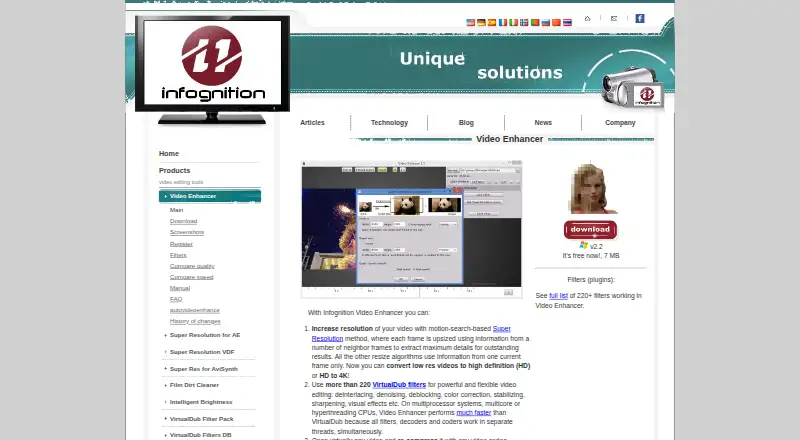
Infognition Video Enhancer is a Windows desktop application for increasing video resolution with a motion-search-based Super Resolution method. It is aimed at users who want local processing for standard-definition to HD or HD to 4K conversion, filtering, and codec-based export rather than cloud processing. Output dimensions can be specified by the user, and the application supports AVI and MP4 output through installed codecs. Its feature set suits video work that benefits from configurable processing rather than a narrow, one-click workflow.
The standout strength is the combination of upscaling and filter control. More than 220 VirtualDub filters are supported, alongside deinterlacing, denoising, deblocking, color correction, stabilization, and sharpening. Live previews and filter pipelines help users inspect and arrange processing steps, while batch processing handles multiple video files. Command-line access adds another route for repeatable workflows. This breadth makes the product a practical fit for users maintaining classic filter-based pipelines or applying several restoration and enhancement steps in one desktop application.
Platform fit is the main consideration. Infognition Video Enhancer runs on Windows and supports installed DirectShow, DMO, and Video for Windows codecs, so its workflow depends on the local desktop and codec environment. The vendor states that the software is free now, while the manual describes a 30-day try-before-you-buy model. The latest listed product updates are from 2017, and the manual covers Windows XP through Windows 10, making current compatibility uncertain. Choose it for Windows-based local upscaling, batch conversion, and detailed filter control; choose another option if you need broader platform coverage, a cloud workflow, or a more current software release.
Your product? Our editors can test Infognition Video Enhancer in depth and publish a review, labelled as paid · from $149/mo →
Infognition Video Enhancer pricing
Infognition Video Enhancer fact sheet
| Free plan | Yes |
|---|---|
| Paid from | Free |
| Max output resolution | Not verified |
| Max upscale factor | Not verified |
| AI enhancement | Not verified |
| Frame interpolation | Not verified |
| Batch processing | Yes |
| Processing mode | Desktop |
| Supported platforms | Windows |
| Free trial | 30 days |
| Deployment | Desktop |
| Platforms | Windows |
| Support | Docs |
| Built for | Solo, Small business (editorial estimate) |
| Pricing | Free plan · 30-day trial |
| Website | infognition.com |
| Facts checked | 20 Sep 2026 |
Alternatives to Infognition Video Enhancer
- Topaz VideoA broad AI toolkit for editors working with low-quality, legacy, or demanding video.8.9
- HitPaw VikPeaA broad AI video toolkit with 8K output and a free preview, but a high monthly entry price.8.8
- AVCLabs Video Enhancer AIA capable local video restoration suite for Windows and macOS, without a free plan.8.6


See all Infognition Video Enhancer alternatives →
Used Infognition Video Enhancer? Be the first to review it
The editor score above is our own research. What this page doesn't have yet is a reader's view — what you used Infognition Video Enhancer for, what worked and what didn't. No stars are seeded and no review is paid for; an editor reads every one before it appears.
Write a reviewTwo minutes · verified accounts only · read by an editor before it appears
Featured on iTechGuides

Infognition Video Enhancer is listed in our Video Upscaling Software directory. Add the badge to your site — it links back to this page.
<a href="https://www.itechguides.com/products/infognition-video-enhancer/"><img src="https://www.itechguides.com/best/badge/infognition-video-enhancer.svg" alt="Featured on iTechGuides" width="230" height="46"></a>
Reviewed by iTechGuides Editors · Editorial team · Updated Oct 2026
Advertiser disclosure: iTechGuides is reader-supported. Vendors can pay for top positions in our rankings and for a place on other products' pages, and we may earn a commission when you click some links. Bought places stand at the number bought; this page and our disclosure say so. Paying vendors may get a fuller, more detailed review from our editors, and that review can change their score. How we rank.
Last updated · How we research and update