
Hyvector
Hyvector: A free browser editor for focused SVG drawing, cleanup, and path work. Ranked #45 of 51 in Vector Graphics Software by our editors (4.2/10); pricing: Free plan; best for basic free browser SVG editing.
At a glance
- Editor score4.2 / 10
- PricingFree plan
- Best forBasic free browser SVG editing
- Free planYes
- Paid fromFree
- SVG exportYes
- Facts checked20 Sep 2026
Where it wins
- Free browser-based editing with no installation required
- Includes node, Bézier, brush, pencil, shape, and transform tools
- Supports bidirectional text shaping and text-to-outline conversion
Where it doesn't
- Focused primarily on SVG editing rather than broad design workflows
- Web-only access does not provide a desktop application option
- No integrations are included in the documented product scope
Our verdict on Hyvector
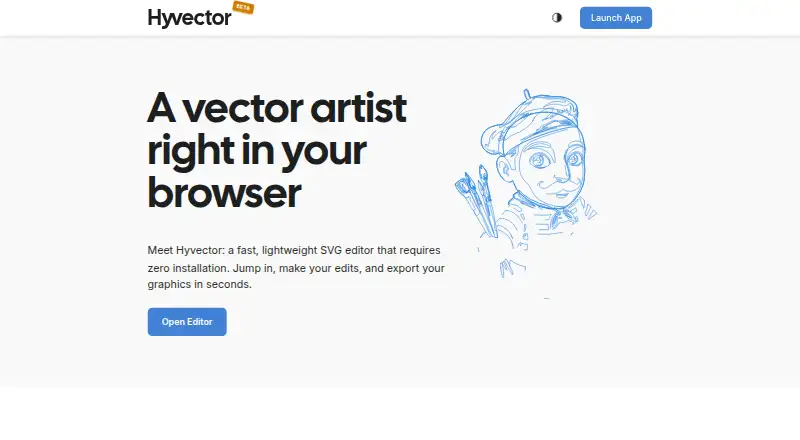
Hyvector is a free, browser-based SVG and vector graphics editor from INCORS GmbH. It is designed for people who need to create or modify vector artwork without installing desktop software, including users adjusting icons, drafting logos, or cleaning up SVG paths. The editor runs locally in the browser and requires no account for basic use, making it suited to focused SVG work rather than a broad, account-centered design environment.
The product’s main strength is the range of core drawing and editing tools available in the browser. Users can select and edit nodes, draw with Bézier, brush, and pencil tools, create parametric shapes, and scale, rotate, or skew paths. A drag-and-drop element tree supports object organization, while text conversion to outlines helps prepare typography as editable vector shapes. Complex-script and bidirectional text shaping add useful typography support for multilingual vector work. SVG export is included in the published product specifications, matching Hyvector’s focused format and workflow.
Hyvector is a strong fit for users who want a free, lightweight way to handle basic SVG creation and cleanup in a browser. Its narrow focus can be an advantage when the task is icon adjustment, logo drafting, path editing, or simple vector composition. It is less suitable for teams or designers looking for a wider platform ecosystem, integrations, or a broader set of design workflows. Buyers who prioritize direct browser access and core SVG tools should find the scope appropriate; those seeking a more expansive vector graphics environment should consider alternatives with wider workflow coverage.
Your product? Our editors can test Hyvector in depth and publish a review, labelled as paid · from $149/mo →
Hyvector pricing
Hyvector fact sheet
| Free plan | Yes |
|---|---|
| Paid from | Free |
| SVG export | Yes |
| Browser app | Yes |
| Desktop app | Not verified |
| Real-time collaboration | Not verified |
| PDF export | Not verified |
| Animation tools | Not verified |
| Maximum artboards | Not verified |
| Deployment | Cloud |
| Platforms | Web |
| Pricing | Free plan |
| Website | hyvector.com |
| Facts checked | 20 Sep 2026 |
Alternatives to Hyvector
- Adobe IllustratorA deep vector design suite for teams that need advanced artwork and typography tools.9.4
- AffinityA broad free desktop suite for designers who need vector, pixel and layout tools together.9.2
- InkscapeA capable no-cost SVG editor for designers who want desktop flexibility.9.0



See all Hyvector alternatives →
Used Hyvector? Be the first to review it
The editor score above is our own research. What this page doesn't have yet is a reader's view — what you used Hyvector for, what worked and what didn't. No stars are seeded and no review is paid for; an editor reads every one before it appears.
Write a reviewTwo minutes · verified accounts only · read by an editor before it appears
Featured on iTechGuides

Hyvector is listed in our Vector Graphics Software directory. Add the badge to your site — it links back to this page.
<a href="https://www.itechguides.com/products/hyvector/"><img src="https://www.itechguides.com/best/badge/hyvector.svg" alt="Featured on iTechGuides" width="230" height="46"></a>
Reviewed by iTechGuides Editors · Editorial team · Updated Oct 2026
Advertiser disclosure: iTechGuides is reader-supported. Vendors can pay for top positions in our rankings and for a place on other products' pages, and we may earn a commission when you click some links. Bought places stand at the number bought; this page and our disclosure say so. Paying vendors may get a fuller, more detailed review from our editors, and that review can change their score. How we rank.
Last updated · How we research and update