HP ZCentral Remote Boost
HP ZCentral Remote Boost: A remote workstation access layer for graphics-heavy photo workflows, not a scanning application. Ranked #29 of 30 in Photo Scanning Software by our editors (6.0/10); pricing: Pricing on request · 30-day trial; best for remote access to scanning workstations.
At a glance
- Editor score6.0 / 10
- PricingPricing on request · 30-day trial
- Best forRemote access to scanning workstations
- Free planNo
- Facts checked20 Sep 2026
Where it wins
- Responsive, high-resolution sharing for workstation-class graphics
- Supports Windows, Linux, and macOS receiver environments
- Includes encrypted transmission, collaboration, USB, clipboard, and pen input
Where it doesn't
- Does not perform photo scanning itself
- Licensing is sold through HP resellers
- Requires contact with sales for subscription purchasing
Our verdict on HP ZCentral Remote Boost
HP ZCentral Remote Boost provides remote access to HP Z workstation performance for graphics-intensive professional work. In a photo-scanning workflow, it can connect users to scanning workstations and their applications from supported receiver devices, but it is not the software that scans, organizes, or edits photos. Its intended audience includes professional teams working across engineering, design, visualization, media, development, and data-intensive environments. HP has rebranded the product as HP Z Remote Graphics Software (RGS), while continuing to provide a current RGS product and download path.
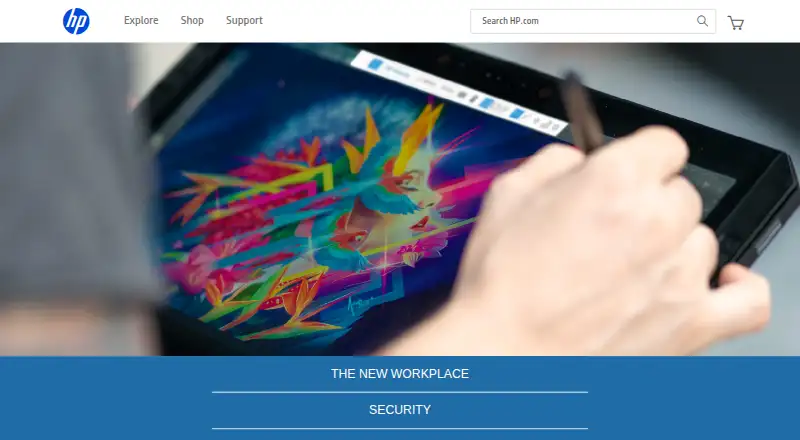
Platform support is a central strength. Receiver support covers Windows, Linux, and macOS, while sender support covers Windows and Linux. The software transmits workstation pixels with encrypted pixel-only transmission and provides responsive, high-resolution screen sharing. Real-time collaboration sessions support shared work, while remote USB, clipboard, pen, and tablet input help users interact with connected hardware and creative applications. File transfer is also listed as supported, making the product suited to workflows where the workstation remains the primary computing environment.
The product is a better fit for organizations that already rely on HP Z workstations and need remote access than for buyers seeking a complete photo-scanning application. It does not provide scanning features itself, and its licensing requires a subscription purchased through an HP reseller. The listed options are the HP RGS 1-year subscription and HP RGS 3-year subscription, both with concurrent-session licensing. Choose it when remote workstation access, high-resolution graphics, and collaboration are the priority; choose a dedicated scanning product when scanning functionality is the main requirement.
Your product? Our editors can test HP ZCentral Remote Boost in depth and publish a review, labelled as paid · from $149/mo →
HP ZCentral Remote Boost pricing
All 2 HP ZCentral Remote Boost plans and prices →
HP ZCentral Remote Boost fact sheet
| Free plan | No |
|---|---|
| Paid from | Not verified |
| Auto-crop | Not verified |
| Deskew correction | Not verified |
| Auto enhancement | Not verified |
| Photo organization | Not verified |
| OCR support | Not verified |
| Export formats | Not verified |
| Supported platforms | Windows, Linux, macOS |
| Free trial | 30 days |
| Deployment | Desktop, Self-hosted |
| Platforms | Windows, macOS, Linux |
| Support | Live chat, Phone, Community |
| Built for | Mid-market, Enterprise (editorial estimate) |
| Pricing | Pricing on request · 30-day trial (source) |
| Website | enable.hp.com |
| Facts checked | 20 Sep 2026 |
Alternatives to HP ZCentral Remote Boost
- Epson FastFotoA capable batch-scanning bundle for large home photo archives, with a high upfront cost.9.4
- Photo Scan by PhotomyneA capable phone-based scanner for turning printed photos into organized digital albums.9.2
- NostalgiaA family-photo archive with phone scanning, AI restoration, and genealogy integrations.9.0


See all HP ZCentral Remote Boost alternatives →
Also Ranked In
HP ZCentral Remote Boost is ranked in 2 of our directories.
Used HP ZCentral Remote Boost? Be the first to review it
The editor score above is our own research. What this page doesn't have yet is a reader's view — what you used HP ZCentral Remote Boost for, what worked and what didn't. No stars are seeded and no review is paid for; an editor reads every one before it appears.
Write a reviewTwo minutes · verified accounts only · read by an editor before it appears
Featured on iTechGuides

HP ZCentral Remote Boost is listed in our Photo Scanning Software directory. Add the badge to your site — it links back to this page.
<a href="https://www.itechguides.com/products/hp-zcentral-remote-boost/"><img src="https://www.itechguides.com/best/badge/hp-zcentral-remote-boost.svg" alt="Featured on iTechGuides" width="230" height="46"></a>
Reviewed by iTechGuides Editors · Editorial team · Updated Oct 2026
Advertiser disclosure: iTechGuides is reader-supported. Vendors can pay for top positions in our rankings and for a place on other products' pages, and we may earn a commission when you click some links. Bought places stand at the number bought; this page and our disclosure say so. Paying vendors may get a fuller, more detailed review from our editors, and that review can change their score. How we rank.
Last updated · How we research and update