
Honeycam
Honeycam: A detailed Windows GIF editor with recording, conversion, and a permanent paid license. Ranked #5 of 33 in GIF Maker Software by our editors (8.8/10); pricing: Free plan; best for mature Windows GIF production and batch conversion.
At a glance
- Editor score8.8 / 10
- PricingFree plan
- Best forMature Windows GIF production and batch conversion
- Free planYes
- Paid from$39/device one-time
- Supported platformsWindows 10, 11 (64-bit)
- Facts checked23 Sep 2026
Where it wins
- Detailed frame editing, filters, overlays, collages, and resizing
- Exports GIF, WebP, APNG, WebM, MP4, and AVIF
- Batch conversion with estimated output file-size previews
Where it doesn't
- Windows-only software for Windows 10 and 11 64-bit
- Free Edition recordings are limited to 10 seconds and watermarked
- Professional Edition license is limited to one PC
Our verdict on Honeycam
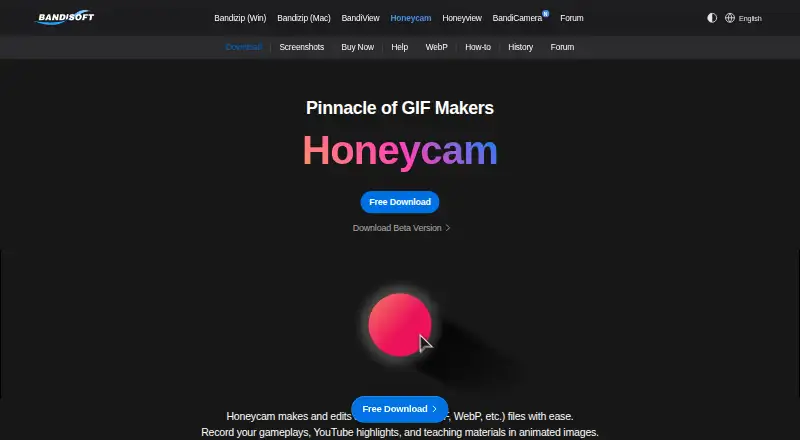
Honeycam is Windows software for recording screen areas or full screens and creating or editing animated GIF, WebP, APNG, and video files. It suits users making gameplay clips, instructional materials, blog animations, product showcases, stickers, and emojis. Video and image import support extends it beyond screen capture, while frame trimming, deletion, reordering, speed adjustment, cropping, resizing, text, stickers, speech bubbles, filters, and collages cover a broad production workflow.
The free and paid editions are clearly separated. Free Edition recordings are limited to 10 seconds and add a textual watermark to output files. Professional Edition costs $39 as a one-time purchase, includes a 1-PC license and permanent license, removes the watermark, and removes recording-time limitations. The published maximum-recording-time help page states up to 1 hour, or 3,600 seconds. That structure makes Honeycam suitable for occasional exploration at no cost, while the paid edition targets users who need longer recordings and clean exports without recurring payments.
Honeycam stands out through the depth of its editing and conversion feature set rather than a narrow GIF-only focus. Users can apply blur, mosaic, color curves, and chromakey filters, animate images and text, preview estimated output file size, and batch-convert multiple files. Output options include GIF, WebP, APNG, WebM, MP4, and AVIF, with transparency-capable formats among the choices. Pick Honeycam if you work on Windows and want recording, frame editing, effects, and format conversion in one application. Choose another product if you need a non-Windows platform or a multi-PC license.
Your product? Our editors can test Honeycam in depth and publish a review, labelled as paid · from $149/mo →
Honeycam pricing
All 2 Honeycam plans and prices →
Honeycam fact sheet
| Free plan | Yes |
|---|---|
| Paid from | $39/device one-time |
| Video import | Yes |
| Screen recording | Yes |
| Watermark-free export | Yes |
| Transparent GIF export | Not verified |
| Maximum file size | Not verified |
| Maximum GIF duration | Not verified |
| Supported platforms | Windows 10, 11 (64-bit) |
| Money-back guarantee | 7 days |
| Deployment | Desktop |
| Platforms | Windows |
| Support | Email, Docs |
| Built for | Solo, Small business (editorial estimate) |
| Pricing | Free plan (source) |
| Website | en.bandisoft.com |
| Facts checked | 23 Sep 2026 |
Alternatives to Honeycam
- EzgifA free, watermark-free browser toolkit covering GIF creation, editing, conversion, and optimization.9.4
- GGIFFA deep free browser editor for animated visuals, with no screen-recording workflow.9.2
- ImgPlayA versatile mobile GIF editor with broad media imports, exports, and sharing options.9.1

See all Honeycam alternatives →
Honeycam vs the competition
- Honeycam vs Ezgif
- Honeycam vs GGIFF
- Honeycam vs ImgPlay
- Honeycam vs FlexClip
- Honeycam vs GIF Editor
- Honeycam vs ScreenToGif

Compare Honeycam with any tool side by side →
Used Honeycam? Be the first to review it
The editor score above is our own research. What this page doesn't have yet is a reader's view — what you used Honeycam for, what worked and what didn't. No stars are seeded and no review is paid for; an editor reads every one before it appears.
Write a reviewTwo minutes · verified accounts only · read by an editor before it appears
Featured on iTechGuides

Honeycam is listed in our GIF Maker Software directory. Add the badge to your site — it links back to this page.
<a href="https://www.itechguides.com/products/honeycam/"><img src="https://www.itechguides.com/best/badge/honeycam.svg" alt="Featured on iTechGuides" width="230" height="46"></a>
Reviewed by iTechGuides Editors · Editorial team · Updated Oct 2026
Advertiser disclosure: iTechGuides is reader-supported. Vendors can pay for top positions in our rankings and for a place on other products' pages, and we may earn a commission when you click some links. Bought places stand at the number bought; this page and our disclosure say so. Paying vendors may get a fuller, more detailed review from our editors, and that review can change their score. How we rank.
Last updated · How we research and update