
HitPaw Image Enhancement API
HitPaw Image Enhancement API: A flexible image-upscaling API with broad model coverage and usage-based pricing. Ranked #63 of 99 in Image Upscaling Software by our editors (6.0/10); pricing: Free plan; best for production image-upscaling APIs.
At a glance
- Editor score6.0 / 10
- PricingFree plan
- Best forProduction image-upscaling APIs
- Free planYes
- Paid from$0.01/unit usage-based
- Upscaling methodAi
- Facts checked22 Sep 2026
Where it wins
- Generative and standard models support upscaling up to 8x
- Face recovery, sharpening, denoising, EXIF, and DPI controls
- Asynchronous jobs and pre-signed uploads suit cloud workflows
Where it doesn't
- API-only, with no standalone desktop or web editing interface
- Per-image pricing varies widely across seven paid model tiers
- Support is limited to documentation channels
Our verdict on HitPaw Image Enhancement API
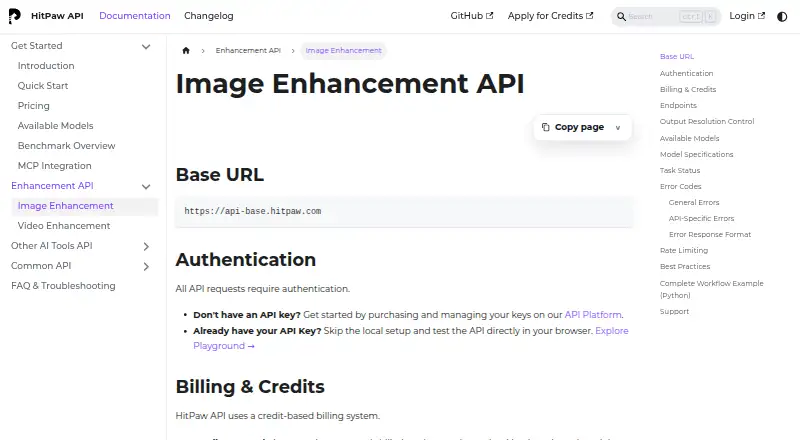
HitPaw Image Enhancement API provides programmatic image super-resolution and restoration for developers, SaaS products, creative platforms, and AI tools. It accepts image URLs and supports BMP, JPEG, JPG, PNG, JFIF, TGA, TIFF, WebP, and HEIF inputs. Standard models offer 2x and 4x enhancement, while generative models can reach 8x. The API also covers face recovery, sharpening, denoising, asynchronous processing, API-key authentication over HTTPS, and cloud deployment. It is designed for teams integrating enhancement into another product rather than for individual users editing images in a standalone application.
Pricing follows a freemium, credit-based model. The Free Plan includes 5,000 credits and access to all AI models for testing. Paid standard-model tiers are charged per image: Base HD costs $0.01, Ultra HD $0.02, Extreme HD $0.03, Cinema $0.07, Large Format L1 $0.14, Large Format L2 $0.24, and Poster $0.48. This structure gives teams a low-cost entry point for routine processing while allowing higher-priced tiers for larger output requirements. The number of model-specific tiers also means buyers should map image volume and quality needs before estimating spend.
Its integration features are the main reason to choose it. Asynchronous job submission and task-status polling support workflows that do not require immediate responses, while pre-signed uploads help handle source files. EXIF preservation and DPI settings add useful control for eligible models. The trade-off is focus: the product is API-only, support is provided through documentation, and batch processing is not established as a listed capability. Choose it when your application needs several enhancement models and metadata controls; choose an alternative when you need a ready-to-use editor, broader support channels, or a confirmed batch workflow.
Your product? Our editors can test HitPaw Image Enhancement API in depth and publish a review, labelled as paid · from $149/mo →
HitPaw Image Enhancement API pricing
All 12 HitPaw Image Enhancement API plans and prices →
HitPaw Image Enhancement API fact sheet
| Free plan | Yes |
|---|---|
| Paid from | $0.01/unit usage-based |
| Upscaling method | Ai |
| Maximum scale | 8x |
| Batch processing | Not verified |
| API access | Yes |
| Desktop app | Not verified |
| Input formats | bmp, jpeg, jpg, png, jfif, tga, tiff, webp, heif |
| Deployment | Cloud |
| Support | Docs |
| Built for | Mid-market, Enterprise (editorial estimate) |
| Pricing | Free plan (source) |
| Website | developer.hitpaw.com |
| Facts checked | 22 Sep 2026 |
Alternatives to HitPaw Image Enhancement API
- Real-ESRGANA flexible open-source upscaler for local image, anime, and video workflows.9.4
- NextGenUpA capable local upscaler with broad enhancement tools and no subscription.9.3
- UpscaylA flexible upscaler with free local processing and credit-based cloud plans.9.1


See all HitPaw Image Enhancement API alternatives →
Used HitPaw Image Enhancement API? Be the first to review it
The editor score above is our own research. What this page doesn't have yet is a reader's view — what you used HitPaw Image Enhancement API for, what worked and what didn't. No stars are seeded and no review is paid for; an editor reads every one before it appears.
Write a reviewTwo minutes · verified accounts only · read by an editor before it appears
Featured on iTechGuides

HitPaw Image Enhancement API is listed in our Image Upscaling Software directory. Add the badge to your site — it links back to this page.
<a href="https://www.itechguides.com/products/hitpaw-image-enhancement-api/"><img src="https://www.itechguides.com/best/badge/hitpaw-image-enhancement-api.svg" alt="Featured on iTechGuides" width="230" height="46"></a>
Reviewed by iTechGuides Editors · Editorial team · Updated Oct 2026
Advertiser disclosure: iTechGuides is reader-supported. Vendors can pay for top positions in our rankings and for a place on other products' pages, and we may earn a commission when you click some links. Bought places stand at the number bought; this page and our disclosure say so. Paying vendors may get a fuller, more detailed review from our editors, and that review can change their score. How we rank.
Last updated · How we research and update