
Hāpara Highlights
Hāpara Highlights: A focused classroom monitoring tool for schools built around Google Workspace and browsers. Ranked #13 of 26 in Classroom Management Software by our editors (7.4/10); pricing: Pricing on request; best for google-centered browser classrooms.
At a glance
- Editor score7.4 / 10
- PricingPricing on request
- Best forGoogle-centered browser classrooms
- Free planNo
- Activity monitoringYes
- Founded2011 · Raleigh, North Carolina, United States
- Facts checked20 Sep 2026
Where it wins
- Live screen and browser activity monitoring across major school platforms
- Focus sessions, tab blocking, screen pausing, and messaging support intervention
- Deep Google Classroom, Drive, and Workspace for Education integration
Where it doesn't
- Pricing requires a personalized school quote
- No free plan is available
- Does not provide verified device-control coverage
Our verdict on Hāpara Highlights
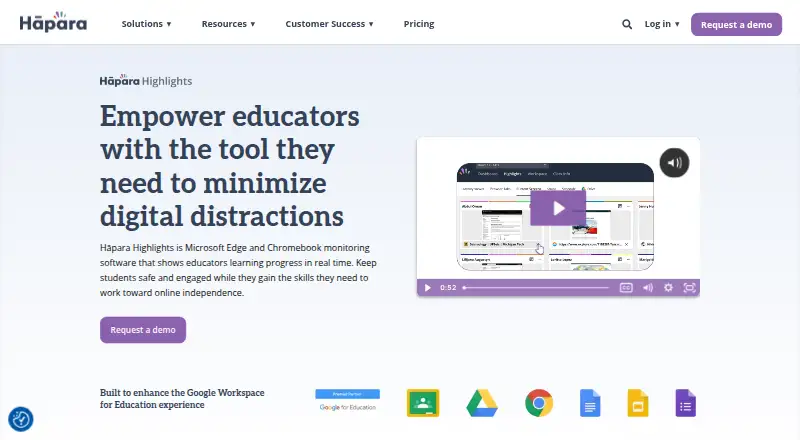
Hāpara Highlights is browser-based classroom management software for K–12 educators who need visibility into student activity during online lessons. Teachers can view current screens and browser tabs, guide browsing with focus or filter sessions, share links, send announcements and messages, pause or freeze screens, and access Google Drive files. It supports managed Google Chrome and Microsoft Edge extensions on Chromebooks, Windows laptops, and MacBooks, making it suited to schools that organize learning through browsers and Google Workspace for Education or Microsoft 365 accounts.
Its strongest fit is the Google-centered classroom ecosystem. Integrations include Google Workspace for Education, Google Classroom, and Google Drive, alongside Microsoft 365. Teachers can share links with classes, groups, or individuals and search Google Drive access from the product. These connections make Hāpara Highlights more useful for schools already operating lessons and accounts through Google's education tools. Browsing records and screenshots also extend its value beyond live supervision by giving educators a record of browser activity.
The product focuses on browser activity rather than whole-device administration. It includes monitoring, web filtering, behavior tracking, tab and website blocking, screen pausing, and browsing records, but device controls are not part of its stated coverage. Pricing uses a contact-sales model, with a personalized school quote rather than a published per-user monthly price. Schools seeking browser visibility, guided browsing, and classroom communication should consider Hāpara Highlights; schools that need device-control features or a self-serve free plan should look for a different classroom management approach.
Your product? Our editors can test Hāpara Highlights in depth and publish a review, labelled as paid · from $149/mo →
Hāpara Highlights pricing
Hāpara Highlights fact sheet
| Free plan | No |
|---|---|
| Paid from | Not verified |
| Activity monitoring | Yes |
| Live screen view | Yes |
| Web filtering | Yes |
| Device controls | No |
| Behavior tracking | Yes |
| Supported platforms | Chromebook, Windows, macOS, Google Chrome, Microsoft Edge |
| Student limit | Not verified |
| Deployment | Cloud, Desktop, Browser extension |
| Platforms | Web, Windows, macOS, Chrome extension |
| Integrations | 4 integrations: Google Workspace for Education, Google Classroom, Google Drive, Microsoft 365 |
| Pricing | Pricing on request (source) |
| Website | hapara.com |
| Facts checked | 20 Sep 2026 |
Hāpara Highlights integrations
Hāpara Highlights lists 4 integrations on its own site.
- Google Workspace for Education
- Google Classroom
- Google Drive
- Microsoft 365
Alternatives to Hāpara Highlights
- Apple ClassroomA free Apple classroom app for screen viewing, device controls, and content sharing.9.2
- ClassDojoA free, behavior-focused classroom platform with messaging, portfolios, and family engagement.9.0
- VeyonA capable free classroom management core for Windows and Linux computer labs.8.8



See all Hāpara Highlights alternatives →
Used Hāpara Highlights? Be the first to review it
The editor score above is our own research. What this page doesn't have yet is a reader's view — what you used Hāpara Highlights for, what worked and what didn't. No stars are seeded and no review is paid for; an editor reads every one before it appears.
Write a reviewTwo minutes · verified accounts only · read by an editor before it appears
Featured on iTechGuides

Hāpara Highlights is listed in our Classroom Management Software directory. Add the badge to your site — it links back to this page.
<a href="https://www.itechguides.com/products/h-para-highlights/"><img src="https://www.itechguides.com/best/badge/h-para-highlights.svg" alt="Featured on iTechGuides" width="230" height="46"></a>
Reviewed by iTechGuides Editors · Editorial team · Updated Oct 2026
Advertiser disclosure: iTechGuides is reader-supported. Vendors can pay for top positions in our rankings and for a place on other products' pages, and we may earn a commission when you click some links. Bought places stand at the number bought; this page and our disclosure say so. Paying vendors may get a fuller, more detailed review from our editors, and that review can change their score. How we rank.
Last updated · How we research and update