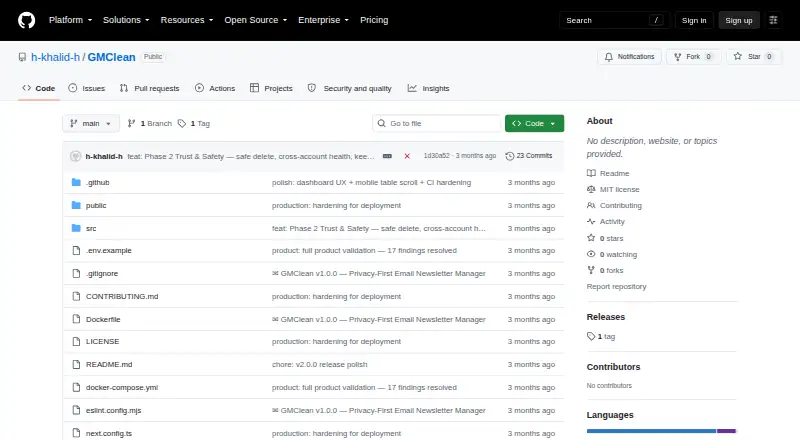
GMClean
GMClean: A privacy-focused IMAP cleanup tool with local scanning and practical bulk actions. Ranked #17 of 31 in Email Cleanup Software by our editors (6.4/10); pricing: Open source; best for privacy-conscious multi-account IMAP cleanup.
At a glance
- Editor score6.4 / 10
- PricingOpen source
- Best forPrivacy-conscious multi-account IMAP cleanup
- Paid fromFree
- Facts checked20 Sep 2026
Where it wins
- Scans headers without downloading email bodies
- Supports up to 10 Gmail, Outlook, or custom IMAP mailboxes
- Combines unsubscribe, bulk delete, insights, and CSV export
Where it doesn't
- Bulk deletion is batched at 500 messages
- Self-hosted deployment requires managing the application environment
- Gemini classification is optional rather than part of every workflow
Our verdict on GMClean
GMClean is an open-source, self-hosted email cleanup tool for people managing multiple Gmail, Outlook, or custom IMAP mailboxes. It scans message headers, identifies senders and newsletters, and organizes cleanup around unsubscribe actions, bulk deletion, sender insights, inbox health scoring, and CSV export. The product supports up to 10 mailboxes and scans across multiple IMAP folders, making it suited to privacy-conscious users who want account-level visibility without downloading email bodies.
Its strongest distinction is the local handling model. GMClean stores results in browser IndexedDB, while its published description says email bodies are not downloaded. That gives the product a focused approach for users who want to inspect subscriptions and sender activity without sending message content into a separate service. Optional Google Gemini classification can help classify ambiguous messages, while headers-only scanning remains the core workflow. Users can also export subscription and scanned-email information as CSV for further review.
For cleanup, GMClean provides one-click and bulk unsubscribe actions, plus bulk deletion by sender. Deletion is batched at 500 messages, so larger cleanups are structured around those batches rather than a single unlimited action. Gmail, Outlook, and custom IMAP support broadens its fit beyond one provider, and Docker deployment plus app-password authentication support a self-hosted operating model. Choose GMClean if local storage, multi-account IMAP support, and sender-focused cleanup matter most. Choose another tool if you need a managed service or workflows centered on automatic cleanup rules, archive actions, or duplicate detection.
Your product? Our editors can test GMClean in depth and publish a review, labelled as paid · from $149/mo →
GMClean pricing
GMClean fact sheet
| Free plan | Not verified |
|---|---|
| Paid from | Free |
| Bulk delete and archive | Not verified |
| Unsubscribe tools | Yes |
| Supported email providers | Gmail, Outlook, and custom IMAP servers |
| Bulk action limit | 500 messages/action |
| Automatic cleanup rules | Not verified |
| Duplicate detection | Not verified |
| Deployment | Self-hosted |
| Platforms | Web |
| Support | Docs |
| Built for | Solo, Small business (editorial estimate) |
| Pricing | Open source |
| Website | github.com |
| Facts checked | 20 Sep 2026 |
Alternatives to GMClean
- Clean EmailA broad mailbox cleanup service with bulk actions, unsubscribe tools, and automated rules.8.9
- Unroll.MeA free subscription manager for blocking senders and consolidating recurring email.7.9
- MailstromA mature web inbox manager for bulk cleanup, rules, unsubscribe, and multi-account control.7.9



See all GMClean alternatives →
Used GMClean? Be the first to review it
The editor score above is our own research. What this page doesn't have yet is a reader's view — what you used GMClean for, what worked and what didn't. No stars are seeded and no review is paid for; an editor reads every one before it appears.
Write a reviewTwo minutes · verified accounts only · read by an editor before it appears
Featured on iTechGuides

GMClean is listed in our Email Cleanup Software directory. Add the badge to your site — it links back to this page.
<a href="https://www.itechguides.com/products/gmclean/"><img src="https://www.itechguides.com/best/badge/gmclean.svg" alt="Featured on iTechGuides" width="230" height="46"></a>
Reviewed by iTechGuides Editors · Editorial team · Updated Oct 2026
Advertiser disclosure: iTechGuides is reader-supported. Vendors can pay for top positions in our rankings and for a place on other products' pages, and we may earn a commission when you click some links. Bought places stand at the number bought; this page and our disclosure say so. Paying vendors may get a fuller, more detailed review from our editors, and that review can change their score. How we rank.
Last updated · How we research and update