Gifsicle
Gifsicle: A free, open-source GIF utility for frame control, optimization, and scripted workflows. Ranked #21 of 33 in GIF Maker Software by our editors (7.2/10); pricing: Free plan; best for command-line GIF optimization and frame work.
At a glance
- Editor score7.2 / 10
- PricingFree plan
- Best forCommand-line GIF optimization and frame work
- Free planYes
- Paid fromFree
- Supported platformsWindows, macOS, Linux
- Facts checked23 Sep 2026
Where it wins
- Free and open source under GPL Version 2 licensing
- Detailed frame, timing, looping, palette, and transparency controls
- Runs on Linux, macOS, and Windows with batch capabilities
Where it doesn't
- Command-line workflow is not suited to visual editing
- Not positioned as a video-to-GIF editor
- Requires comfort with terminal-based processing
Our verdict on Gifsicle
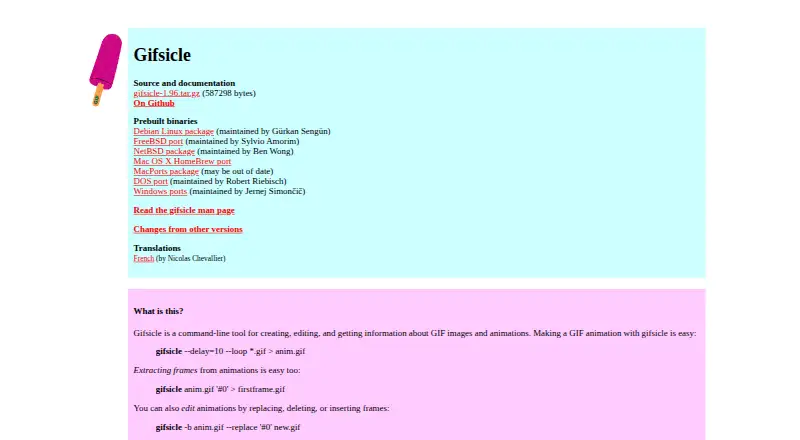
Gifsicle is a command-line utility for creating, editing, inspecting, and optimizing GIF images and animations. It is aimed at users who need precise control over animation frames, timing, looping, transparency, palettes, and file size, particularly when GIF processing needs to fit into scripts or batch workflows. It can combine multiple GIF inputs, extract frames, modify animations, transform images, and print detailed file information. The package also includes gifview, a lightweight GIF viewer, and gifdiff, a utility for visually comparing GIFs.
Its strongest area is frame-level control. Gifsicle can replace, delete, insert, and append frames; control delays and disposal methods; optimize animations by storing only changed frame regions; and resize, crop, flip, rotate, or reposition frames. Palette changes, dithering, lossy compression, transparency, and interlacing controls give it additional scope for reducing GIF size and refining output. Batch mode supports in-place editing, making it a practical fit for repeatable terminal operations across Linux, macOS, and Windows.
Gifsicle is free and open source under GPL Version 2 licensing, with source code and documentation available. Its focus is narrower than a visual media-creation workflow: it is a GIF utility rather than a visual video-to-GIF editor. Choose it when frame manipulation, inspection, optimization, or scripted processing matters more than a graphical timeline. Users seeking an interface centered on visual editing or video conversion should consider a different type of tool.
Your product? Our editors can test Gifsicle in depth and publish a review, labelled as paid · from $149/mo →
Gifsicle pricing
Gifsicle fact sheet
| Free plan | Yes |
|---|---|
| Paid from | Free |
| Video import | No |
| Screen recording | No |
| Watermark-free export | Yes |
| Transparent GIF export | Yes |
| Maximum file size | Not verified |
| Maximum GIF duration | Not verified |
| Supported platforms | Windows, macOS, Linux |
| Deployment | Self-hosted |
| Platforms | Windows, macOS, Linux |
| Support | Community |
| Built for | Solo, Small business (editorial estimate) |
| Pricing | Free plan |
| Website | lcdf.org |
| Facts checked | 23 Sep 2026 |
Alternatives to Gifsicle
- EzgifA free, watermark-free browser toolkit covering GIF creation, editing, conversion, and optimization.9.4
- GGIFFA deep free browser editor for animated visuals, with no screen-recording workflow.9.2
- ImgPlayA versatile mobile GIF editor with broad media imports, exports, and sharing options.9.1

See all Gifsicle alternatives →
Used Gifsicle? Be the first to review it
The editor score above is our own research. What this page doesn't have yet is a reader's view — what you used Gifsicle for, what worked and what didn't. No stars are seeded and no review is paid for; an editor reads every one before it appears.
Write a reviewTwo minutes · verified accounts only · read by an editor before it appears
Featured on iTechGuides

Gifsicle is listed in our GIF Maker Software directory. Add the badge to your site — it links back to this page.
<a href="https://www.itechguides.com/products/gifsicle/"><img src="https://www.itechguides.com/best/badge/gifsicle.svg" alt="Featured on iTechGuides" width="230" height="46"></a>
Reviewed by iTechGuides Editors · Editorial team · Updated Oct 2026
Advertiser disclosure: iTechGuides is reader-supported. Vendors can pay for top positions in our rankings and for a place on other products' pages, and we may earn a commission when you click some links. Bought places stand at the number bought; this page and our disclosure say so. Paying vendors may get a fuller, more detailed review from our editors, and that review can change their score. How we rank.
Last updated · How we research and update