
Gifox
Gifox: A focused Mac GIF maker with strong capture and editing controls at a one-time Pro price. Ranked #16 of 33 in GIF Maker Software by our editors (7.7/10); pricing: Free plan; best for mac users recording polished screen GIFs.
At a glance
- Editor score7.7 / 10
- PricingFree plan
- Best forMac users recording polished screen GIFs
- Free planYes
- Supported platformsmacOS
- Facts checked23 Sep 2026
Where it wins
- Area and window capture modes support focused screen recordings.
- Timeline-style editing handles trimming, cropping, splitting, and rearrangement.
- Pro removes the watermark for a one-time $14.99 per-license purchase.
Where it doesn't
- The app is available only on macOS.
- Basic limits screen recordings to 10 seconds.
- Basic exports include a watermark until you upgrade to Pro.
Our verdict on Gifox
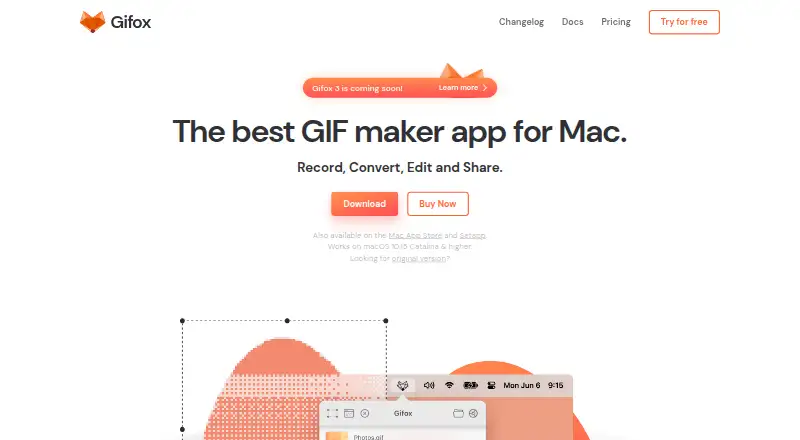
Gifox is a macOS status-bar application for creating animated GIFs from screen recordings, imported videos, GIFs, and image sequences. It is aimed at Mac users who need to capture a specific area or window, refine the result, and export a shareable animation without using a broader video editor. Capture settings include the mouse cursor, mouse and keyboard interactions, window shadow, and desktop background, giving users control over how screen activity appears in the final file.
The free Gifox Basic plan includes 10-second screen recording, a watermark on exports, unlimited file conversion, and editing tools for cropping, trimming, splitting, and cloning. Gifox Pro costs $14.99 USD per license and adds unlimited screen recording, a removable watermark, all Basic features, and a one-time purchase model. The paid tier is a straightforward fit for users who need longer recordings or clean exports without an ongoing subscription. Buyers who only create short, watermarked clips can stay with Basic.
Gifox also covers more than direct screen capture. It can import video, GIF, and image-sequence files, then edit them through trimming, cutting, cropping, duplication, and track rearrangement. GIF export controls include playback, colors, resizing, and dithering. Dropbox, Google Drive, and Imgur integrations support sharing workflows, while export is available to GIF and other supported formats. The main boundary is platform coverage: teams working across Windows or other operating systems should choose a different tool. For Mac users focused on screen-based GIF creation, especially those who value window capture and detailed export control, Gifox is a compact option with a clear upgrade path.
Your product? Our editors can test Gifox in depth and publish a review, labelled as paid · from $149/mo →
Gifox pricing
All 2 Gifox plans and prices →
Gifox fact sheet
| Free plan | Yes |
|---|---|
| Paid from | Not verified |
| Video import | Yes |
| Screen recording | Yes |
| Watermark-free export | Yes |
| Transparent GIF export | Not verified |
| Maximum file size | Not verified |
| Maximum GIF duration | Not verified |
| Supported platforms | macOS |
| Money-back guarantee | 60 days |
| Deployment | Desktop |
| Platforms | macOS |
| Support | Email, Docs |
| Built for | Solo, Small business (editorial estimate) |
| Integrations | 3 integrations: Dropbox, Google Drive, Imgur See all → |
| Pricing | Free plan (source) |
| Website | gifox.app |
| Facts checked | 23 Sep 2026 |
Gifox integrations
Gifox lists 3 integrations on its own site.
- Dropbox
- Google Drive
- Imgur
Alternatives to Gifox
- EzgifA free, watermark-free browser toolkit covering GIF creation, editing, conversion, and optimization.9.4
- GGIFFA deep free browser editor for animated visuals, with no screen-recording workflow.9.2
- ImgPlayA versatile mobile GIF editor with broad media imports, exports, and sharing options.9.1

Also Ranked In
Gifox is ranked in 2 of our directories.
Used Gifox? Be the first to review it
The editor score above is our own research. What this page doesn't have yet is a reader's view — what you used Gifox for, what worked and what didn't. No stars are seeded and no review is paid for; an editor reads every one before it appears.
Write a reviewTwo minutes · verified accounts only · read by an editor before it appears
Featured on iTechGuides

Gifox is listed in our GIF Maker Software directory. Add the badge to your site — it links back to this page.
<a href="https://www.itechguides.com/products/gifox/"><img src="https://www.itechguides.com/best/badge/gifox.svg" alt="Featured on iTechGuides" width="230" height="46"></a>
Reviewed by iTechGuides Editors · Editorial team · Updated Oct 2026
Advertiser disclosure: iTechGuides is reader-supported. Vendors can pay for top positions in our rankings and for a place on other products' pages, and we may earn a commission when you click some links. Bought places stand at the number bought; this page and our disclosure say so. Paying vendors may get a fuller, more detailed review from our editors, and that review can change their score. How we rank.
Last updated · How we research and update