
GifLoop
GifLoop: A low-cost iPhone and iPad GIF editor with unusually broad export controls. Ranked #13 of 33 in GIF Maker Software by our editors (8.0/10); pricing: Free plan; best for low-cost iPhone GIF editing.
At a glance
- Editor score8.0 / 10
- PricingFree plan
- Best forLow-cost iPhone GIF editing
- Free planYes
- Paid from$1.99 one-time
- Supported platformsiPhone, iPad (iOS)
- Facts checked23 Sep 2026
Where it wins
- One-time $1.99 Pro upgrade adds advanced editing tools
- Supports seven loop modes, per-frame timing, and audio
- Exports GIF, MP4, MOV, Live Photo, and frame-strip files
Where it doesn't
- Available as an iOS app rather than a broader multi-platform tool
- Free projects are limited to 15 frames
- Integrations are not part of its product offering
Our verdict on GifLoop
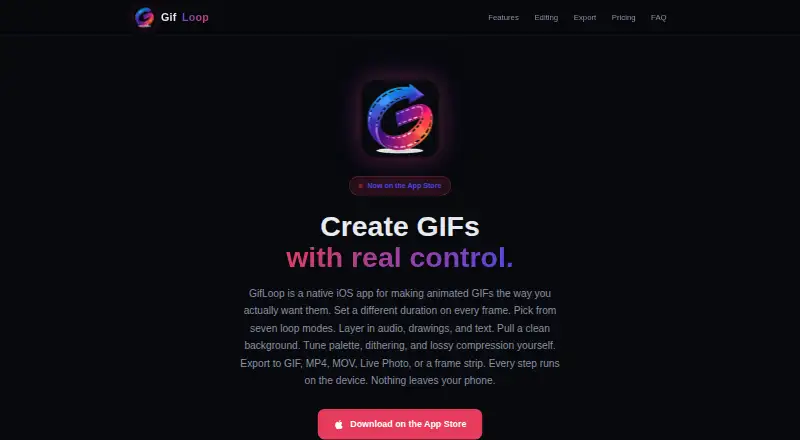
GifLoop is a native iOS app for creating and editing animated GIFs on iPhone and iPad. It imports photos, video frames, and existing GIFs, then organizes them on a drag-and-drop timeline. The app is suited to creators who want detailed GIF editing on Apple devices, including frame timing, loop behavior, text, drawing, audio, transparency, and background removal without a recurring subscription.
Pricing is straightforward. The Free plan costs $0 forever and supports up to 15 frames per project, two loop modes, universal frame timing, cropping, basic filters, and GIF or MP4 export. GifLoop Pro costs $1.99 as a one-time upgrade. It raises the project limit to 50 frames and adds all seven loop modes, per-frame timing, audio soundtracks, glitch and jitter effects, text, drawing, and background removal. The paid tier is a particularly low-cost way to access the app's deeper editing controls, while the free tier covers shorter, simpler animations.
Its strongest fit is the iOS ecosystem. GifLoop processes and renders on the device, offers Apple Pencil drawing, and supports exports to GIF, MP4, MOV, Live Photo, and frame-strip files. Additional controls cover GIF palette, dithering, compression, and size targets, while onion skinning helps with frame-by-frame work. The trade-off is platform scope: the product is identified as an iOS app, and broader integrations are not part of the offering. Choose GifLoop for affordable, feature-rich GIF editing on iPhone or iPad; choose an alternative if cross-platform access or connected workflows matter more than native Apple editing.
Your product? Our editors can test GifLoop in depth and publish a review, labelled as paid · from $149/mo →
GifLoop pricing
All 2 GifLoop plans and prices →
GifLoop fact sheet
| Free plan | Yes |
|---|---|
| Paid from | $1.99 one-time |
| Video import | Yes |
| Screen recording | No |
| Watermark-free export | Yes |
| Transparent GIF export | Yes |
| Maximum file size | Not verified |
| Maximum GIF duration | Not verified |
| Supported platforms | iPhone, iPad (iOS) |
| Deployment | Mobile |
| Platforms | iOS |
| Support | |
| Built for | Solo (editorial estimate) |
| Pricing | Free plan (source) |
| Website | gifloop.app |
| Facts checked | 23 Sep 2026 |
Alternatives to GifLoop
- EzgifA free, watermark-free browser toolkit covering GIF creation, editing, conversion, and optimization.9.4
- GGIFFA deep free browser editor for animated visuals, with no screen-recording workflow.9.2
- ImgPlayA versatile mobile GIF editor with broad media imports, exports, and sharing options.9.1

See all GifLoop alternatives →
Used GifLoop? Be the first to review it
The editor score above is our own research. What this page doesn't have yet is a reader's view — what you used GifLoop for, what worked and what didn't. No stars are seeded and no review is paid for; an editor reads every one before it appears.
Write a reviewTwo minutes · verified accounts only · read by an editor before it appears
Featured on iTechGuides

GifLoop is listed in our GIF Maker Software directory. Add the badge to your site — it links back to this page.
<a href="https://www.itechguides.com/products/gifloop/"><img src="https://www.itechguides.com/best/badge/gifloop.svg" alt="Featured on iTechGuides" width="230" height="46"></a>
Reviewed by iTechGuides Editors · Editorial team · Updated Oct 2026
Advertiser disclosure: iTechGuides is reader-supported. Vendors can pay for top positions in our rankings and for a place on other products' pages, and we may earn a commission when you click some links. Bought places stand at the number bought; this page and our disclosure say so. Paying vendors may get a fuller, more detailed review from our editors, and that review can change their score. How we rank.
Last updated · How we research and update