
Gifcurry
Gifcurry: A focused, free tool for turning videos and GIFs into edited animations. Ranked #14 of 33 in GIF Maker Software by our editors (7.9/10); pricing: Free plan; best for open-source video-to-GIF editing.
At a glance
- Editor score7.9 / 10
- PricingFree plan
- Best forOpen-source video-to-GIF editing
- Free planYes
- Paid fromFree
- Supported platformsLinux, macOS; Windows is untested
- Facts checked23 Sep 2026
Where it wins
- Imports videos and GIFs for trimming, cropping, and seeking
- Offers timed text, SRT subtitles, and detailed text styling
- Provides both graphical and command-line interfaces
Where it doesn't
- No screen recording feature
- Supports Linux and macOS only
- Narrower editing scope than broader video editors
Our verdict on Gifcurry
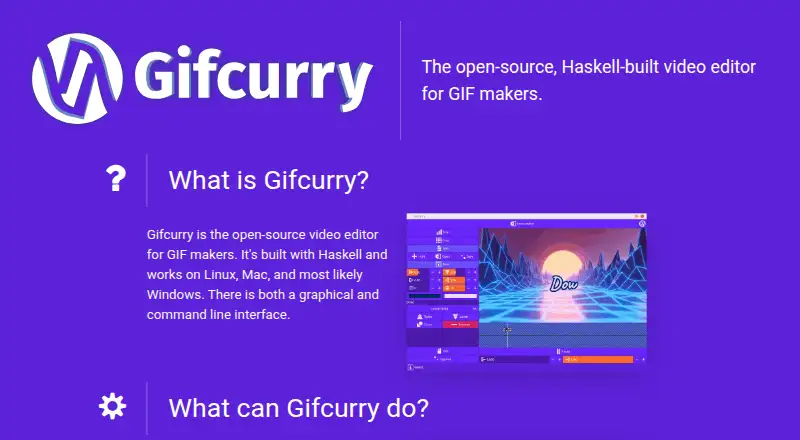
Gifcurry is an open-source desktop editor for creating GIFs and short video clips from local media. It suits users who want a free, locally processed workflow for importing videos or GIFs, selecting a segment, shaping the frame, adding text or subtitles, and exporting the result as a GIF or video. Linux and macOS are the explicitly supported platforms, and the software offers both graphical and command-line interfaces for different working styles.
Its editing controls cover the core steps of video-to-GIF creation without stopping at simple trimming. Users can seek through source media, crop from each edge, adjust output dimensions and frame rate, and control GIF color count and dithering. Timed text overlays support font, size, color, position, outline, and rotation settings, while SRT subtitle import adds a practical option for captioned clips. These controls make Gifcurry a fit for users who need more output and overlay control than a basic converter provides.
The main trade-off is focus. Gifcurry does not include screen recording, and its feature set is centered on preparing existing video or GIF files rather than serving as a broad video production suite. That makes it a sensible choice for open-source users who work on Linux or macOS and want a no-cost desktop or command-line tool for short animated exports. Users who need to capture their screen or handle a wider range of video editing tasks should choose a product built around those workflows instead.
Your product? Our editors can test Gifcurry in depth and publish a review, labelled as paid · from $149/mo →
Gifcurry pricing
Gifcurry fact sheet
| Free plan | Yes |
|---|---|
| Paid from | Free |
| Video import | Yes |
| Screen recording | No |
| Watermark-free export | Not verified |
| Transparent GIF export | Not verified |
| Maximum file size | Not verified |
| Maximum GIF duration | Not verified |
| Supported platforms | Linux, macOS; Windows is untested |
| Deployment | Desktop |
| Platforms | Linux, macOS, Windows |
| Support | Community |
| Built for | Solo (editorial estimate) |
| Pricing | Free plan |
| Website | lettier.github.io |
| Facts checked | 23 Sep 2026 |
Alternatives to Gifcurry
- EzgifA free, watermark-free browser toolkit covering GIF creation, editing, conversion, and optimization.9.4
- GGIFFA deep free browser editor for animated visuals, with no screen-recording workflow.9.2
- ImgPlayA versatile mobile GIF editor with broad media imports, exports, and sharing options.9.1



See all Gifcurry alternatives →
Used Gifcurry? Be the first to review it
The editor score above is our own research. What this page doesn't have yet is a reader's view — what you used Gifcurry for, what worked and what didn't. No stars are seeded and no review is paid for; an editor reads every one before it appears.
Write a reviewTwo minutes · verified accounts only · read by an editor before it appears
Featured on iTechGuides

Gifcurry is listed in our GIF Maker Software directory. Add the badge to your site — it links back to this page.
<a href="https://www.itechguides.com/products/gifcurry/"><img src="https://www.itechguides.com/best/badge/gifcurry.svg" alt="Featured on iTechGuides" width="230" height="46"></a>
Reviewed by iTechGuides Editors · Editorial team · Updated Oct 2026
Advertiser disclosure: iTechGuides is reader-supported. Vendors can pay for top positions in our rankings and for a place on other products' pages, and we may earn a commission when you click some links. Bought places stand at the number bought; this page and our disclosure say so. Paying vendors may get a fuller, more detailed review from our editors, and that review can change their score. How we rank.
Last updated · How we research and update