
Gickr
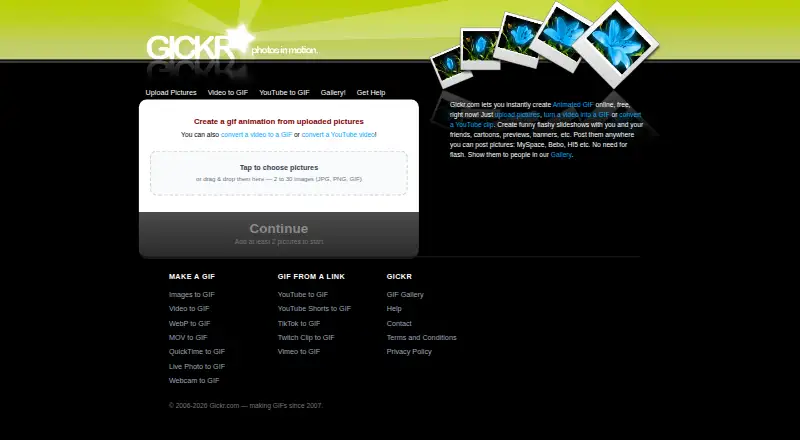
Gickr: A free web GIF maker with image, video, link, and camera inputs. Ranked #23 of 33 in GIF Maker Software by our editors (7.0/10); pricing: Free plan; best for free web GIF creation from images or video.
At a glance
- Editor score7.0 / 10
- PricingFree plan
- Best forFree web GIF creation from images or video
- Free planYes
- Paid fromFree
- Supported platformsweb
- Founded2007
- Facts checked22 Sep 2026
Where it wins
- Creates GIFs from images, videos, supported links, or camera clips
- Includes video trimming, speed controls, image ordering, and size options
- Provides downloads, a GIF gallery, and shareable result links
Where it doesn't
- Generated GIFs include a small Gickr badge
- Web access is the only listed platform
- No AI features or open-source distribution
Our verdict on Gickr
Gickr is a free, browser-based GIF creation service for people who want to turn images, video files, supported video links, or short camera recordings into animated GIFs. It works on the web, requires no account, and accepts 2–30 uploaded JPG, PNG, or GIF images. Video imports include MP4, MOV, WebM, AVI, and MKV, giving it a broader input range than an image-only GIF maker. It is suited to casual creators, social content workflows, and anyone who wants to create a GIF without installing desktop software.
The main strength is input flexibility combined with practical editing controls. Users can trim video clips before creating a GIF, adjust image frame speed, reverse image order, and choose output sizes from 240 px to 640 px. Supported YouTube and other video links can be converted into GIFs, while browser-based webcam or phone-camera recording adds a direct capture option. These tools keep Gickr focused on quick conversion rather than advanced animation editing, which suits straightforward GIF creation but may not meet needs for more detailed compositing or effects.
Gickr’s pricing is simple: the service is free, with no paid tiers described. Generated GIFs can be downloaded or shared through links, and the GIF gallery provides another way to access results. The main trade-off is branding: generated GIFs include a small Gickr badge. Choose Gickr if free web access, varied media inputs, and basic controls matter most. Choose another tool if removing that badge or working beyond browser-based creation is essential.
Your product? Our editors can test Gickr in depth and publish a review, labelled as paid · from $149/mo →
Gickr pricing
Gickr fact sheet
| Free plan | Yes |
|---|---|
| Paid from | Free |
| Video import | Yes |
| Screen recording | Not verified |
| Watermark-free export | No |
| Transparent GIF export | Not verified |
| Maximum file size | Not verified |
| Maximum GIF duration | Not verified |
| Supported platforms | web |
| Deployment | Cloud, Browser extension |
| Platforms | Web |
| Support | Email, Docs |
| Built for | Solo, Small business (editorial estimate) |
| Pricing | Free plan |
| Website | gickr.com |
| Facts checked | 22 Sep 2026 |
Alternatives to Gickr
- EzgifA free, watermark-free browser toolkit covering GIF creation, editing, conversion, and optimization.9.4
- GGIFFA deep free browser editor for animated visuals, with no screen-recording workflow.9.2
- ImgPlayA versatile mobile GIF editor with broad media imports, exports, and sharing options.9.1

Used Gickr? Be the first to review it
The editor score above is our own research. What this page doesn't have yet is a reader's view — what you used Gickr for, what worked and what didn't. No stars are seeded and no review is paid for; an editor reads every one before it appears.
Write a reviewTwo minutes · verified accounts only · read by an editor before it appears
Featured on iTechGuides

Gickr is listed in our GIF Maker Software directory. Add the badge to your site — it links back to this page.
<a href="https://www.itechguides.com/products/gickr/"><img src="https://www.itechguides.com/best/badge/gickr.svg" alt="Featured on iTechGuides" width="230" height="46"></a>
Reviewed by iTechGuides Editors · Editorial team · Updated Oct 2026
Advertiser disclosure: iTechGuides is reader-supported. Vendors can pay for top positions in our rankings and for a place on other products' pages, and we may earn a commission when you click some links. Bought places stand at the number bought; this page and our disclosure say so. Paying vendors may get a fuller, more detailed review from our editors, and that review can change their score. How we rank.
Last updated · How we research and update