GConvert
GConvert: A focused Windows toolkit for icon extraction, creation, editing, and batch export. Ranked #29 of 36 in Image Converter Software by our editors (5.7/10); pricing: 15-day trial; best for icon extraction and batch icon creation.
At a glance
- Editor score5.7 / 10
- Pricing15-day trial
- Best forIcon extraction and batch icon creation
- Free planNo
- Paid from$25 one-time
- Batch conversionYes
- Facts checked22 Sep 2026
Where it wins
- Extracts icons from executables, libraries, archives, and resource files
- Batch exports selected icons and creates icons from multiple image files
- Supports resizing, color conversion, transparency, and icon library management
Where it doesn't
- Windows-only desktop software
- No free plan
- Single license is a $25 one-time purchase rather than a free option
Our verdict on GConvert
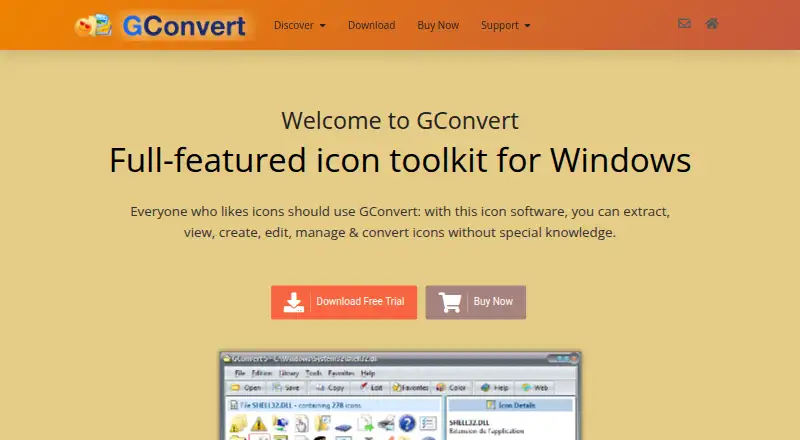
GConvert is a Windows desktop toolkit for extracting, creating, editing, organizing, and converting icons. It is aimed at people working with application, document, website, and project graphics who need to inspect icon resources, turn images into icons, or prepare multiple files in batches. The software works with executable files, libraries, archives, icon resources, and common image formats, while also supporting Macintosh ICNS and RSRC resources.
The pricing structure is direct: the Single license costs $25 USD as a one-time purchase. The published plan includes full-featured software without a time restriction, access to all functions, future minor upgrades, and priority technical support by email and forum. A 15-day trial provides a way to evaluate the desktop workflow before purchasing. There is no free plan, so occasional users looking for a permanently free converter may prefer another option.
GConvert’s main strength is its depth around icon-focused work rather than general image conversion. It can extract icons from EXE, DLL, ICL, ICO, ICNS, RSRC, CUR, and ZIP files; create icons from BMP, PNG, PSD, JPG, GIF, CUR, and ICNS images; and convert icons to ICO, BMP, PNG, PSD, GIF, and JPEG. Batch export and batch creation support repeated tasks, while resizing, color conversion, alpha channels, transparency, and Windows Vista and XP icon formats address detailed preparation needs. Its ability to create and manage ICL, DLL, and ZIP icon libraries also suits organized collections. Choose GConvert for icon resource work and batch icon production on Windows; choose an alternative if you need cross-platform software or a broader, general-purpose image converter.
Your product? Our editors can test GConvert in depth and publish a review, labelled as paid · from $149/mo →
GConvert pricing
All 1 GConvert plans and prices →
GConvert fact sheet
| Free plan | No |
|---|---|
| Paid from | $25 one-time |
| Batch conversion | Yes |
| Image resizing | Yes |
| Color mode conversion | Yes |
| API access | Not verified |
| Desktop application | Yes |
| Web application | Not verified |
| Supported formats | Not verified |
| Free trial | 15 days |
| Deployment | Desktop |
| Platforms | Windows |
| Support | Email, Tickets, Community, Docs |
| Built for | Solo, Small business (editorial estimate) |
| Pricing | 15-day trial (source) |
| Website | gdgsoft.com |
| Facts checked | 22 Sep 2026 |
Alternatives to GConvert
- XnConvertA broad local converter for automated batch workflows, with free noncommercial use.9.4
- ImageMagickA highly capable command-line converter for developers building automated image pipelines.9.2
- GraphicsMagickA capable free converter for scripted, multi-file image workflows.8.9


See all GConvert alternatives →
Used GConvert? Be the first to review it
The editor score above is our own research. What this page doesn't have yet is a reader's view — what you used GConvert for, what worked and what didn't. No stars are seeded and no review is paid for; an editor reads every one before it appears.
Write a reviewTwo minutes · verified accounts only · read by an editor before it appears
Featured on iTechGuides

GConvert is listed in our Image Converter Software directory. Add the badge to your site — it links back to this page.
<a href="https://www.itechguides.com/products/gconvert/"><img src="https://www.itechguides.com/best/badge/gconvert.svg" alt="Featured on iTechGuides" width="230" height="46"></a>
Reviewed by iTechGuides Editors · Editorial team · Updated Oct 2026
Advertiser disclosure: iTechGuides is reader-supported. Vendors can pay for top positions in our rankings and for a place on other products' pages, and we may earn a commission when you click some links. Bought places stand at the number bought; this page and our disclosure say so. Paying vendors may get a fuller, more detailed review from our editors, and that review can change their score. How we rank.
Last updated · How we research and update