
GanttTool
GanttTool: A capable free Gantt editor with AI assistance, exports, and no-account access. Ranked #42 of 46 in Gantt Chart Software by our editors (5.2/10); pricing: Free plan; best for free users wanting AI-assisted Gantt editing.
At a glance
- Editor score5.2 / 10
- PricingFree plan
- Best forFree users wanting AI-assisted Gantt editing
- Free planYes
- Paid fromFree
- Task dependenciesYes
- Facts checked20 Sep 2026
Where it wins
- Free plan includes unlimited projects and no watermarks
- Natural-language AI editing works alongside visual Gantt editing
- Dependencies, milestones, resources, and multiple export formats
Where it doesn't
- No verified critical-path or baseline features
- No verified workload management support
- No verified integrations beyond browser-based access
Our verdict on GanttTool
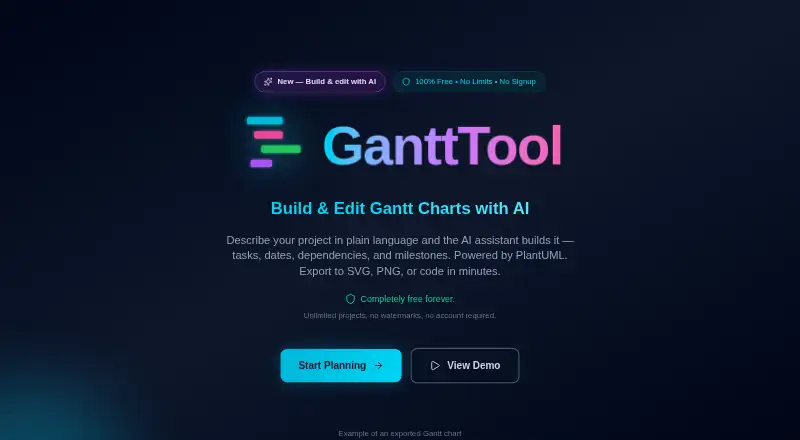
GanttTool is a web-based Gantt chart maker for planning tasks, dates, dependencies, milestones, project phases, and resource allocations. It suits individuals and teams working on software development, marketing campaigns, event planning, construction projects, and other timeline-based plans. The visual editor is backed by PlantUML, while task completion percentages, custom styling, and cycle detection support detailed schedule editing without requiring an account.
The Free plan costs 0 and includes unlimited projects, no watermarks, and no account required. Its feature set covers visual Gantt editing, task dependencies, milestones, resource allocation tracking, project phases, and completion percentages. Natural-language AI chart editing is a notable addition for users who want to modify a chart through plain-language instructions. Charts can be exported as SVG, PNG, PDF, or PlantUML code, while JSON import and export support project portability. Local browser auto-save provides a way to retain work in the browser, and custom colors, fonts, and styling offer presentation control.
GanttTool is most suitable for free users who need a focused browser tool for building and sharing timeline charts, especially when AI-assisted editing and flexible exports matter. Its scope is narrower for teams that require verified critical-path analysis, baseline tracking, workload management, or integrations with other platforms. Users seeking those capabilities should consider a Gantt product built around deeper project controls or a broader integration ecosystem instead. For straightforward planning with dependencies, milestones, resource allocation, and local saving, GanttTool keeps the entry point simple and avoids account setup.
Your product? Our editors can test GanttTool in depth and publish a review, labelled as paid · from $149/mo →
GanttTool pricing
All 1 GanttTool plans and prices →
GanttTool fact sheet
| Free plan | Yes |
|---|---|
| Paid from | Free |
| Task dependencies | Yes |
| Milestones | Yes |
| Critical path | Not verified |
| Baseline tracking | Not verified |
| Resource management | Yes |
| Workload view | Not verified |
| Deployment | Cloud |
| Platforms | Web |
| Built for | Solo, Small business (editorial estimate) |
| Pricing | Free plan (source) |
| Website | gantttool.com |
| Facts checked | 20 Sep 2026 |
Alternatives to GanttTool
- Oracle Primavera CloudA broad planning suite for capital programs that need scheduling, risk, resources, and portfolios.9.3
- Primavera P6 ProfessionalCPM scheduling and multi-project controls for teams that can work within a Windows desktop setup.9.2
- Autodesk Forma ScheduleConstruction scheduling with Gantt views, version comparisons, and weekly work plans.9.1



See all GanttTool alternatives →
Used GanttTool? Be the first to review it
The editor score above is our own research. What this page doesn't have yet is a reader's view — what you used GanttTool for, what worked and what didn't. No stars are seeded and no review is paid for; an editor reads every one before it appears.
Write a reviewTwo minutes · verified accounts only · read by an editor before it appears
Featured on iTechGuides

GanttTool is listed in our Gantt Chart Software directory. Add the badge to your site — it links back to this page.
<a href="https://www.itechguides.com/products/gantttool/"><img src="https://www.itechguides.com/best/badge/gantttool.svg" alt="Featured on iTechGuides" width="230" height="46"></a>
Reviewed by iTechGuides Editors · Editorial team · Updated Oct 2026
Advertiser disclosure: iTechGuides is reader-supported. Vendors can pay for top positions in our rankings and for a place on other products' pages, and we may earn a commission when you click some links. Bought places stand at the number bought; this page and our disclosure say so. Paying vendors may get a fuller, more detailed review from our editors, and that review can change their score. How we rank.
Last updated · How we research and update