
Gantter
Gantter: A collaborative web scheduler with deep planning controls and AI-assisted task generation. Ranked #19 of 46 in Gantt Chart Software by our editors (7.5/10); pricing: 7-day trial; best for collaborative web scheduling with AI assistance.
At a glance
- Editor score7.5 / 10
- Pricing7-day trial
- Best forCollaborative web scheduling with AI assistance
- Free planNo
- Task dependenciesYes
- Facts checked20 Sep 2026
Where it wins
- Dependencies, baselines, critical path, and hierarchical task linking
- Resource workloads, assignment, and auto-leveling support planning control
- Real-time editing with Google and Microsoft project ecosystem support
Where it doesn't
- No free plan for ongoing use
- Web-only access limits platform choice
- Pricing details require careful review before purchase
Our verdict on Gantter
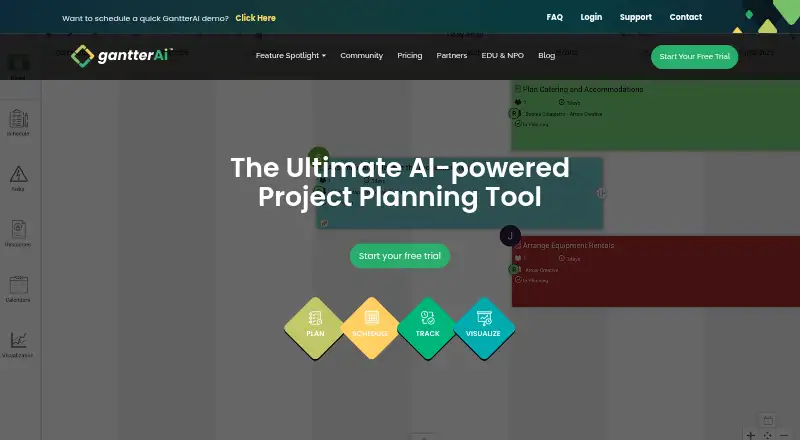
Gantter is a browser-based Gantt chart and project scheduling application for individuals and teams. It combines interactive Gantt charts with task dependencies, hierarchical task linking, milestones, schedule baselines, critical-path scheduling, and project reporting. Its collaborative plan boards support real-time multi-party editing, while resource assignment, workload tracking, and auto-leveling extend the product beyond basic timeline planning. Gantter is aimed at teams that want shared scheduling in a web environment, particularly those working with Google Workspace-oriented workflows.
The planning depth is a central strength. Gantter covers resource management, workload views, risk management, analytics dashboards, and baselines in the same scheduling environment. AI-assisted schedule and task generation, provided through the Brena planning assistant, adds a planning aid for teams that want help structuring schedules. Microsoft Project and Oracle Primavera P6 file support also gives the product a place in workflows that already involve established project-scheduling formats.
Its ecosystem fit is focused rather than broad: Google Drive, Google Calendar, Google Comments, and Google Hangouts are listed integrations, alongside Microsoft Project and Oracle Primavera P6 support. The product is web-only, so teams seeking a desktop-first or multi-platform application should look elsewhere. Gantter also has a paid model with a 7-day trial and no ongoing free plan, making it a better fit for organizations prepared to adopt a paid scheduling tool than for users seeking a free planning workspace. Choose it for collaborative, feature-rich web scheduling with AI assistance; consider an alternative if free access or broader platform coverage is essential.
Your product? Our editors can test Gantter in depth and publish a review, labelled as paid · from $149/mo →
Gantter pricing
All 1 Gantter plans and prices →
Gantter fact sheet
| Free plan | No |
|---|---|
| Paid from | Not verified |
| Task dependencies | Yes |
| Milestones | Yes |
| Critical path | Yes |
| Baseline tracking | Yes |
| Resource management | Yes |
| Workload view | Yes |
| Free trial | 7 days · no card needed |
| Deployment | Cloud |
| Platforms | Web |
| Support | Live chat · 24/7 |
| Built for | Solo, Small business, Mid-market (editorial estimate) |
| Integrations | 6 integrations: Google Drive, Google Calendar, Google Comments, Google Hangouts, Microsoft Project, Oracle Primavera P6 See all → |
| Pricing | 7-day trial (source) |
| Website | gantter.ai |
| Facts checked | 20 Sep 2026 |
Gantter integrations
Gantter lists 6 integrations on its own site.
- Google Drive
- Google Calendar
- Google Comments
- Google Hangouts
- Microsoft Project
- Oracle Primavera P6
See all Gantter integrations →
Alternatives to Gantter
- Oracle Primavera CloudA broad planning suite for capital programs that need scheduling, risk, resources, and portfolios.9.3
- Primavera P6 ProfessionalCPM scheduling and multi-project controls for teams that can work within a Windows desktop setup.9.2
- Autodesk Forma ScheduleConstruction scheduling with Gantt views, version comparisons, and weekly work plans.9.1



See all Gantter alternatives →
Also Ranked In
Gantter is ranked in 2 of our directories.
Used Gantter? Be the first to review it
The editor score above is our own research. What this page doesn't have yet is a reader's view — what you used Gantter for, what worked and what didn't. No stars are seeded and no review is paid for; an editor reads every one before it appears.
Write a reviewTwo minutes · verified accounts only · read by an editor before it appears
Featured on iTechGuides

Gantter is listed in our Gantt Chart Software directory. Add the badge to your site — it links back to this page.
<a href="https://www.itechguides.com/products/gantter/"><img src="https://www.itechguides.com/best/badge/gantter.svg" alt="Featured on iTechGuides" width="230" height="46"></a>
Reviewed by iTechGuides Editors · Editorial team · Updated Oct 2026
Advertiser disclosure: iTechGuides is reader-supported. Vendors can pay for top positions in our rankings and for a place on other products' pages, and we may earn a commission when you click some links. Bought places stand at the number bought; this page and our disclosure say so. Paying vendors may get a fuller, more detailed review from our editors, and that review can change their score. How we rank.
Last updated · How we research and update