Fulgur
Fulgur: A free, open-source desktop editor with focused tools for large files, logs, and CSVs. Ranked #33 of 82 in Text Editors by our editors (6.0/10); pricing: Free plan; best for users editing logs, CSVs, or files over 50 MB.
At a glance
- Editor score6.0 / 10
- PricingFree plan
- Best forUsers editing logs, CSVs, or files over 50 MB
- Free planYes
- Paid fromFree
- Multi-cursor editingYes
- Facts checked24 Sep 2026
Where it wins
- Large-file mode is designed for files above 50 MB.
- Live-follow logs and editable CSV table view target practical text workflows.
- SSH editing, Markdown preview, and multi-cursor editing extend its reach.
Where it doesn't
- It is a text editor, not a full IDE.
- Support is community-based.
- It is in active development.
Our verdict on Fulgur
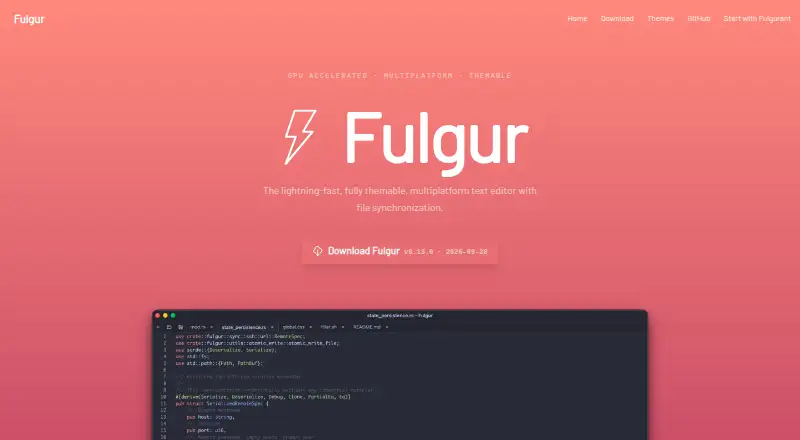
Fulgur is a native desktop text editor for people who want to work with text-based files without moving into a full IDE. It runs on Windows, macOS, and Linux, and its open-source, free model makes it a fit for solo users and small teams. The feature set spans syntax highlighting for 60+ languages, code folding, search, multiple cursors, and rectangular column selection. Its positioning is especially relevant to people handling logs, CSVs, or files above 50 MB, with dedicated live-follow, editable table, and large-file modes.
Rather than staying limited to source code, Fulgur adds a Markdown preview with a formatting toolbar and an editable CSV table view. Live-follow is aimed at watching logs as they change, while SSH remote file editing and an integrated file browser let users work with remote files from the editor. Those functions make it a more specialized option than a minimal text editor, while still keeping the scope narrower than a full IDE. There are no AI features listed, so buyers looking for AI-assisted editing should look elsewhere.
Fulgur is free and open source, and the published product description says users can optionally share files between devices through Fulgurant, an end-to-end encrypted sync server that they can self-host. Support is community-based, and the project is in active development. Choose Fulgur if its large-file handling, live log view, CSV editing, or SSH workflow matches your day-to-day work and you are comfortable with community support. If you need a full IDE or AI editing features, another tool is a better fit.
Your product? Our editors can test Fulgur in depth and publish a review, labelled as paid · from $149/mo →
Fulgur pricing
Fulgur fact sheet
| Free plan | Yes |
|---|---|
| Paid from | Free |
| Supported platforms | Windows, macOS, Linux |
| Multi-cursor editing | Yes |
| Macro recording | Not verified |
| Column editing | Yes |
| Large-file handling | Yes |
| Extension support | Not verified |
| Deployment | Desktop |
| Platforms | Windows, macOS, Linux |
| Support | Community |
| Built for | Solo, Small business (editorial estimate) |
| Pricing | Free plan |
| Website | fulgur.app |
| Facts checked | 24 Sep 2026 |
Alternatives to Fulgur
- Visual Studio CodeA free, open-source editor with broad development features across desktop and web.9.4
- NeovimA free, open-source editor for keyboard-driven workflows and deep customization.9.3
- GNU EmacsA mature, highly customizable editor for users who value breadth and control.9.2


Used Fulgur? Be the first to review it
The editor score above is our own research. What this page doesn't have yet is a reader's view — what you used Fulgur for, what worked and what didn't. No stars are seeded and no review is paid for; an editor reads every one before it appears.
Write a reviewTwo minutes · verified accounts only · read by an editor before it appears
Featured on iTechGuides

Fulgur is listed in our Text Editors directory. Add the badge to your site — it links back to this page.
<a href="https://www.itechguides.com/products/fulgur/"><img src="https://www.itechguides.com/best/badge/fulgur.svg" alt="Featured on iTechGuides" width="230" height="46"></a>
Reviewed by iTechGuides Editors · Editorial team · Updated Oct 2026
Advertiser disclosure: iTechGuides is reader-supported. Vendors can pay for top positions in our rankings and for a place on other products' pages, and we may earn a commission when you click some links. Bought places stand at the number bought; this page and our disclosure say so. Paying vendors may get a fuller, more detailed review from our editors, and that review can change their score. How we rank.
Last updated · How we research and update