
FUJIFILM X RAW STUDIO
FUJIFILM X RAW STUDIO: A free batch RAW converter for FUJIFILM workflows that require a connected camera. Ranked #37 of 37 in Batch Photo Processing Software by our editors (5.6/10); pricing: Free plan; best for FUJIFILM users needing camera-based RAW conversion.
At a glance
- Editor score5.6 / 10
- PricingFree plan
- Best forFUJIFILM users needing camera-based RAW conversion
- Free planYes
- Paid fromFree
- RAW processingYes
- Founded1934 · Tokyo, Japan
- Facts checked20 Sep 2026
Where it wins
- Uses a connected camera’s processor for camera-matched RAW conversion
- Converts multiple selected RAW files in batches
- Exports JPEG and supported-camera TIFF files
Where it doesn't
- Requires a compatible FUJIFILM camera connected over USB
- RAW files must come from the same camera model
- TIFF export is limited to supported camera models
Our verdict on FUJIFILM X RAW STUDIO
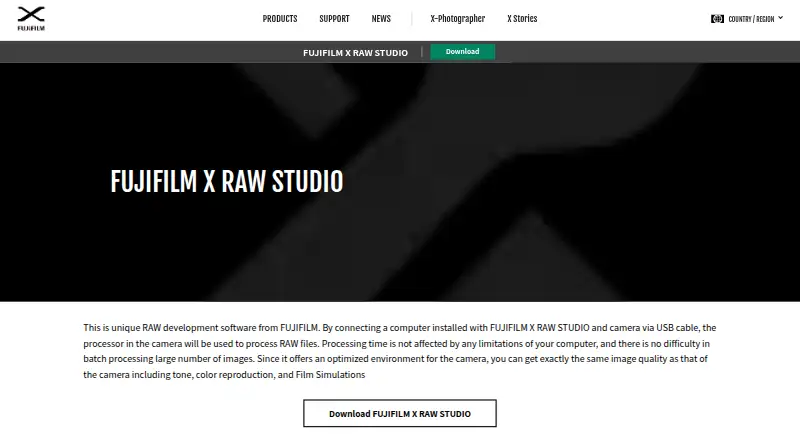
FUJIFILM X RAW STUDIO is free desktop RAW conversion software for photographers using compatible FUJIFILM X Series and GFX cameras. It connects to a camera over USB and uses the camera’s image processor to convert compatible RAW files. This makes it suited to photographers who want camera-specific tonality, color reproduction, noise reduction, and Film Simulation results within a desktop workflow. The software runs on Windows and macOS, with RAW conversion requiring a compatible connected camera and RAW files from that same camera model.
For batch work, the application supports selecting multiple RAW files for conversion and exporting the results as JPEG or, for supported camera models, TIFF. Users can adjust conversion settings through RAW previews, save conversion profiles with RAW files, and filter or sort thumbnails by file attributes. Preset-based batch automation is included, so the workflow is focused on repeating defined conversion choices across selected files rather than broad editing or general-purpose image management.
The main consideration is its camera-dependent workflow. It is a focused choice for FUJIFILM users who want their connected camera’s processing characteristics reflected in desktop RAW conversions, particularly when batch conversion and saved profiles matter. It is less suitable for photographers who need RAW conversion without connecting a camera, work across RAW files from different camera models in one process, or require TIFF export from cameras without support. For compatible FUJIFILM workflows, its free pricing and targeted feature set keep the process straightforward.
Your product? Our editors can test FUJIFILM X RAW STUDIO in depth and publish a review, labelled as paid · from $149/mo →
FUJIFILM X RAW STUDIO pricing
FUJIFILM X RAW STUDIO fact sheet
| Free plan | Yes |
|---|---|
| Paid from | Free |
| RAW processing | Yes |
| Bulk renaming | Not verified |
| Bulk resizing | Not verified |
| Output formats | JPEG, TIFF |
| Supported platforms | Windows, macOS |
| Watched folders | Not verified |
| Batch automation level | Preset-based |
| Deployment | Desktop |
| Platforms | Windows, macOS |
| Support | Docs |
| Built for | Solo, Small business (editorial estimate) |
| Pricing | Free plan |
| Website | fujifilm-x.com |
| Facts checked | 20 Sep 2026 |
Alternatives to FUJIFILM X RAW STUDIO
- XnConvertA low-cost desktop tool for automated, multi-format batch image processing.9.4
- ImageMagickA capable command-line toolkit for developers building automated image pipelines.9.2
- BatchPhotoA capable desktop batch processor for high-volume conversion and repeatable image workflows.9.0


See all FUJIFILM X RAW STUDIO alternatives →
Also Ranked In
FUJIFILM X RAW STUDIO is ranked in 4 of our directories.
Used FUJIFILM X RAW STUDIO? Be the first to review it
The editor score above is our own research. What this page doesn't have yet is a reader's view — what you used FUJIFILM X RAW STUDIO for, what worked and what didn't. No stars are seeded and no review is paid for; an editor reads every one before it appears.
Write a reviewTwo minutes · verified accounts only · read by an editor before it appears
Featured on iTechGuides

FUJIFILM X RAW STUDIO is listed in our Batch Photo Processing Software directory. Add the badge to your site — it links back to this page.
<a href="https://www.itechguides.com/products/fujifilm-x-raw-studio/"><img src="https://www.itechguides.com/best/badge/fujifilm-x-raw-studio.svg" alt="Featured on iTechGuides" width="230" height="46"></a>
Reviewed by iTechGuides Editors · Editorial team · Updated Oct 2026
Advertiser disclosure: iTechGuides is reader-supported. Vendors can pay for top positions in our rankings and for a place on other products' pages, and we may earn a commission when you click some links. Bought places stand at the number bought; this page and our disclosure say so. Paying vendors may get a fuller, more detailed review from our editors, and that review can change their score. How we rank.
Last updated · How we research and update