FreeScaler
FreeScaler: A free, local Mac upscaler with CoreML and custom model support. Ranked #56 of 99 in Image Upscaling Software by our editors (6.0/10); pricing: Free plan; best for mac users wanting private on-device upscaling.
At a glance
- Editor score6.0 / 10
- PricingFree plan
- Best forMac users wanting private on-device upscaling
- Free planYes
- Paid fromFree
- Upscaling methodAi
- Facts checked22 Sep 2026
Where it wins
- Processes images locally without remote uploads
- Includes RealESRGAN and RealESRGAN Anime models
- Supports custom CoreML models and comparison views
Where it doesn't
- Runs only on macOS
- The current release is beta
- Video upscaling is experimental and limited to .mov
Our verdict on FreeScaler
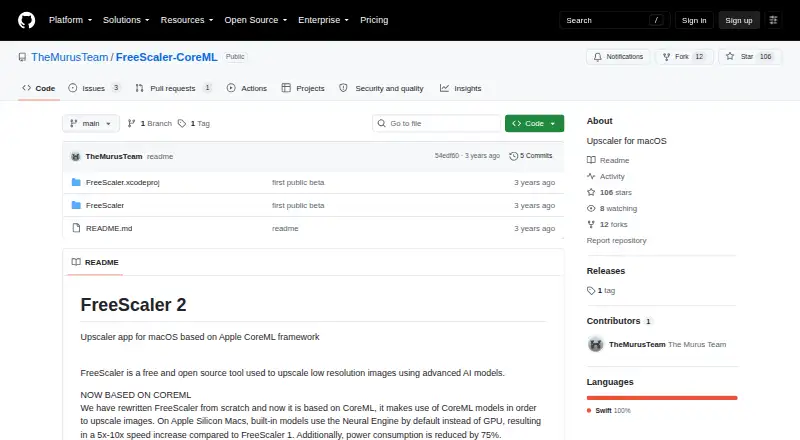
FreeScaler is a free, open-source macOS desktop application for enlarging low-resolution images with AI. It uses Apple’s CoreML framework and is designed for Mac users who want image processing to happen on their own device rather than through remote uploads. Native support for Apple Silicon and Intel Macs broadens its compatibility across Mac hardware, subject to the stated macOS, memory and GPU requirements.
The product’s strongest feature is its local CoreML workflow. Built-in RealESRGAN and RealESRGAN Anime models provide ready-to-use options, while custom CoreML model import gives users more control over the upscaling approach. An original-versus-upscaled comparison view helps evaluate the result within the desktop app. Because FreeScaler is open source and free, it suits users seeking a no-cost tool without a paid plan structure. Its local processing also fits image work where keeping files off remote servers matters.
FreeScaler is narrowly focused on the Mac desktop rather than broad platform coverage. Its experimental .mov video upscaling extends the app beyond still images, but that feature is less established than its image workflow. Users who need a Windows or cross-platform application, a more mature release, or a broader media-processing environment should choose an alternative. FreeScaler is a strong fit for Mac owners who value open-source software, CoreML model flexibility and on-device image upscaling, especially when still-image work is the priority.
Your product? Our editors can test FreeScaler in depth and publish a review, labelled as paid · from $149/mo →
FreeScaler pricing
FreeScaler fact sheet
| Free plan | Yes |
|---|---|
| Paid from | Free |
| Upscaling method | Ai |
| Maximum scale | Not verified |
| Batch processing | Not verified |
| API access | Not verified |
| Desktop app | Yes |
| Input formats | Not verified |
| Deployment | Desktop |
| Platforms | macOS |
| Built for | Solo (editorial estimate) |
| Pricing | Free plan |
| Website | github.com |
| Facts checked | 22 Sep 2026 |
Alternatives to FreeScaler
- Real-ESRGANA flexible open-source upscaler for local image, anime, and video workflows.9.4
- NextGenUpA capable local upscaler with broad enhancement tools and no subscription.9.3
- UpscaylA flexible upscaler with free local processing and credit-based cloud plans.9.1


See all FreeScaler alternatives →
Used FreeScaler? Be the first to review it
The editor score above is our own research. What this page doesn't have yet is a reader's view — what you used FreeScaler for, what worked and what didn't. No stars are seeded and no review is paid for; an editor reads every one before it appears.
Write a reviewTwo minutes · verified accounts only · read by an editor before it appears
Featured on iTechGuides

FreeScaler is listed in our Image Upscaling Software directory. Add the badge to your site — it links back to this page.
<a href="https://www.itechguides.com/products/freescaler/"><img src="https://www.itechguides.com/best/badge/freescaler.svg" alt="Featured on iTechGuides" width="230" height="46"></a>
Reviewed by iTechGuides Editors · Editorial team · Updated Oct 2026
Advertiser disclosure: iTechGuides is reader-supported. Vendors can pay for top positions in our rankings and for a place on other products' pages, and we may earn a commission when you click some links. Bought places stand at the number bought; this page and our disclosure say so. Paying vendors may get a fuller, more detailed review from our editors, and that review can change their score. How we rank.
Last updated · How we research and update