
Framevo
Framevo: A focused AI editor for screen recordings, with 1080p exports on paid plans. Ranked #127 of 153 in Video Editing Software by our editors (3.0/10); pricing: Free plan; best for AI-assisted screen-recording creators.
At a glance
- Editor score3.0 / 10
- PricingFree plan
- Best forAI-assisted screen-recording creators
- Free planYes
- Paid from$25/mo
- Facts checked22 Sep 2026
Where it wins
- AI cuts, speed-ups, zooms, and focus emphasis
- Editable timeline with retiming, resizing, and undo/redo
- Web and desktop apps with local editing and rendering
Where it doesn't
- Free exports are limited to 720p and include a watermark
- 1080p exports require a paid plan starting at $25 monthly
- Collaboration features and cloud-storage capacity are not specified
Our verdict on Framevo
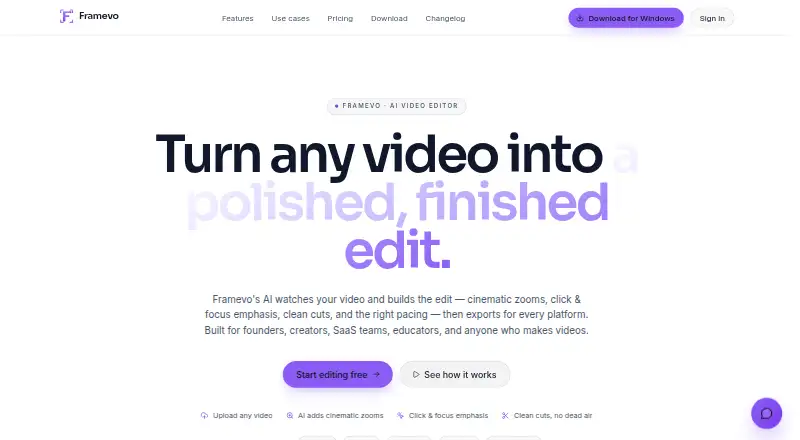
Framevo is an AI video editor for founders, creators, SaaS teams, educators, and other video makers. It works with browser recordings and uploaded videos, creating draft cuts, speed-ups, cinematic zooms, click highlighting, and focus adjustments. Users can edit the resulting timeline, reframe footage for wide, vertical, square, and portrait formats, and export MP4 files. The product is available on the web, Windows, macOS, and through an API, making it a practical fit for solo creators and small teams producing demos, tutorials, walkthroughs, and social clips.
The free plan provides browser export, basic AI edits, community presets, and a forever price of $0, but exports include a watermark and are limited to 720p. Pro costs $25 per month and adds 1080p MP4 exports, watermark removal, all AI effects, and brand/export presets. Creator costs $49 per month and adds all AI effects and presets plus a priority render queue. Neither paid plan requires a trial card. The pricing structure suits creators who want to validate an editing workflow for free before paying for cleaner, higher-resolution output.
Framevo’s strongest distinction is the combination of automated editing and manual control. AI-generated cuts and speed-ups provide a starting point, while the editable timeline supports retiming, resizing, duplication, deletion, and undo/redo. Browser recording, video upload, canvas reframing, and local desktop rendering cover a focused screen-video workflow without limiting editing to a browser. Choose Framevo if your work centers on instructional or product footage and you value AI assistance with reviewable edits. A different editor may be more appropriate if your priority is a broader production workflow, mobile editing, or collaboration tools.
Your product? Our editors can test Framevo in depth and publish a review, labelled as paid · from $149/mo →
Framevo pricing
All 3 Framevo plans and prices →
Framevo fact sheet
| Free plan | Yes |
|---|---|
| Paid from | $25/mo |
| Desktop app | Yes |
| Web app | Yes |
| Mobile app | Not verified |
| 4K export | Not verified |
| Team collaboration | Not verified |
| Included cloud storage | Not verified |
| Deployment | Cloud, Desktop, Browser extension |
| Platforms | Web, Windows, macOS |
| Support | Email, Docs |
| Built for | Solo, Small business, Mid-market (editorial estimate) |
| Integrations | 4 integrations: Google Gemini, Firebase Authentication, Google Cloud, Lemon Squeezy |
| Pricing | Free plan (source) |
| Website | framevo.app |
| Facts checked | 22 Sep 2026 |
Framevo integrations
Framevo lists 4 integrations on its own site.
- Google Gemini
- Firebase Authentication
- Google Cloud
- Lemon Squeezy
Alternatives to Framevo
- DaVinci ResolveA deep free editor with professional post-production tools across desktop and iPad.9.3
- Avid Media ComposerA deep editing suite with collaborative workflows, AI search, and a free entry option.9.2
- Final Cut ProA full-featured editor for Apple users who want desktop and iPad workflows.9.1


See all Framevo alternatives →
Used Framevo? Be the first to review it
The editor score above is our own research. What this page doesn't have yet is a reader's view — what you used Framevo for, what worked and what didn't. No stars are seeded and no review is paid for; an editor reads every one before it appears.
Write a reviewTwo minutes · verified accounts only · read by an editor before it appears
Featured on iTechGuides

Framevo is listed in our Video Editing Software directory. Add the badge to your site — it links back to this page.
<a href="https://www.itechguides.com/products/framevo/"><img src="https://www.itechguides.com/best/badge/framevo.svg" alt="Featured on iTechGuides" width="230" height="46"></a>
Reviewed by iTechGuides Editors · Editorial team · Updated Oct 2026
Advertiser disclosure: iTechGuides is reader-supported. Vendors can pay for top positions in our rankings and for a place on other products' pages, and we may earn a commission when you click some links. Bought places stand at the number bought; this page and our disclosure say so. Paying vendors may get a fuller, more detailed review from our editors, and that review can change their score. How we rank.
Last updated · How we research and update