Filmomat SmartConvert
Filmomat SmartConvert: A focused desktop converter for tethered film-frame processing on macOS and Windows. Ranked #25 of 30 in Photo Scanning Software by our editors (6.4/10); pricing: Paid; best for tethered film-frame processing.
At a glance
- Editor score6.4 / 10
- PricingPaid
- Best forTethered film-frame processing
- Free planNo
- Facts checked20 Sep 2026
Where it wins
- Automatically detects, crops, and tilt-corrects film frames
- Supports RAW and TIFF input with flexible white-balance controls
- Hot-folder import and batch settings support tethered workflows
Where it doesn't
- Focused on film negatives and slides rather than general photo scanning
- No free plan is offered
- Exports are limited to TIFF and JPG
Our verdict on Filmomat SmartConvert
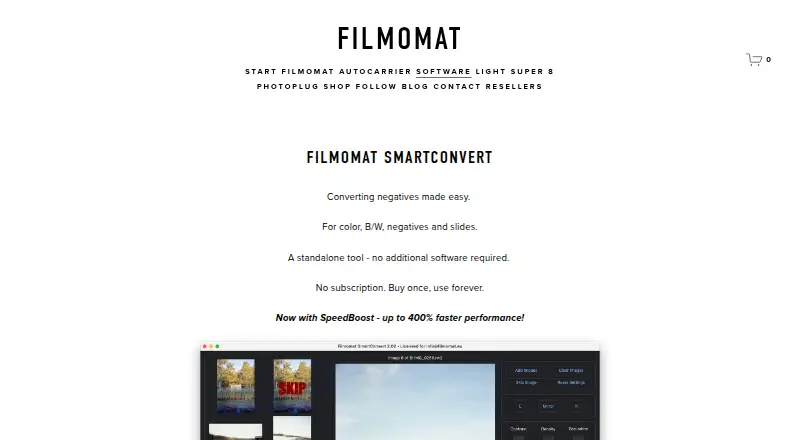
Filmomat SmartConvert is standalone desktop software for converting scanned color and black-and-white film negatives and slides into positive images. It is aimed at photographers and film-processing workflows that need automatic frame handling, image correction, and export from a desktop application. The software runs on macOS and Windows and is sold as a perpetual license for a single user, with use on up to four personal devices.
Its strongest fit is tethered film-frame processing. Automatic film-frame detection handles cropping and tilt correction, while hot-folder import supports workflows in which scans arrive in a designated folder. Processing includes common RAW files and TIFF images, with automatic, click-based, and manual white-balance controls. Flat-field correction addresses lens vignetting, and density, contrast, saturation, and grayscale controls provide further adjustment. Batch selection and copy-and-paste settings can help apply consistent changes across multiple images.
SmartConvert keeps its scope narrow. It is built around scanned film negatives and slides, so photographers looking for a broader photo-management or general image-editing application should consider a different type of software. The published license includes Windows and Mac versions, single-user access, and installation on up to four personal devices. Export supports TIFF and JPG, giving users both a high-quality TIFF option and a widely used JPG option. Choose SmartConvert when automatic frame detection, tethered importing, film-specific correction, and desktop processing matter more than a wider editing ecosystem or broader media support.
Your product? Our editors can test Filmomat SmartConvert in depth and publish a review, labelled as paid · from $149/mo →
Filmomat SmartConvert pricing
All 1 Filmomat SmartConvert plans and prices →
Filmomat SmartConvert fact sheet
| Free plan | No |
|---|---|
| Paid from | Not verified |
| Auto-crop | Yes |
| Deskew correction | Yes |
| Auto enhancement | Yes |
| Photo organization | Not verified |
| OCR support | Not verified |
| Export formats | TIFF, JPG |
| Supported platforms | macOS, Windows |
| Deployment | Desktop |
| Platforms | Windows, macOS |
| Support | |
| Built for | Solo, Small business (editorial estimate) |
| Pricing | Paid (source) |
| Website | filmomat.eu |
| Facts checked | 20 Sep 2026 |
Alternatives to Filmomat SmartConvert
- Epson FastFotoA capable batch-scanning bundle for large home photo archives, with a high upfront cost.9.4
- Photo Scan by PhotomyneA capable phone-based scanner for turning printed photos into organized digital albums.9.2
- NostalgiaA family-photo archive with phone scanning, AI restoration, and genealogy integrations.9.0

See all Filmomat SmartConvert alternatives →
Used Filmomat SmartConvert? Be the first to review it
The editor score above is our own research. What this page doesn't have yet is a reader's view — what you used Filmomat SmartConvert for, what worked and what didn't. No stars are seeded and no review is paid for; an editor reads every one before it appears.
Write a reviewTwo minutes · verified accounts only · read by an editor before it appears
Featured on iTechGuides

Filmomat SmartConvert is listed in our Photo Scanning Software directory. Add the badge to your site — it links back to this page.
<a href="https://www.itechguides.com/products/filmomat-smartconvert/"><img src="https://www.itechguides.com/best/badge/filmomat-smartconvert.svg" alt="Featured on iTechGuides" width="230" height="46"></a>
Reviewed by iTechGuides Editors · Editorial team · Updated Oct 2026
Advertiser disclosure: iTechGuides is reader-supported. Vendors can pay for top positions in our rankings and for a place on other products' pages, and we may earn a commission when you click some links. Bought places stand at the number bought; this page and our disclosure say so. Paying vendors may get a fuller, more detailed review from our editors, and that review can change their score. How we rank.
Last updated · How we research and update