
Faceware Studio
Faceware Studio: A focused facial tracking tool for live and prerecorded animation pipelines. Ranked #4 of 40 in Motion Tracking Software by our editors (8.6/10); pricing: 30-day trial; best for facial performance capture pipelines.
At a glance
- Editor score8.6 / 10
- Pricing30-day trial
- Best forFacial performance capture pipelines
- Free planNo
- Paid from$239/seat/yr
- Facts checked20 Sep 2026
Where it wins
- Tracks faces from live cameras or prerecorded media
- Streams data to Unreal Engine, Unity, and MotionBuilder
- Includes calibration, actor tuning, and realtime motion effects
Where it doesn't
- Runs on Windows PC only
- Requires a paid annual seat after the 30-day trial
- Focused on facial tracking rather than broader motion capture
Our verdict on Faceware Studio
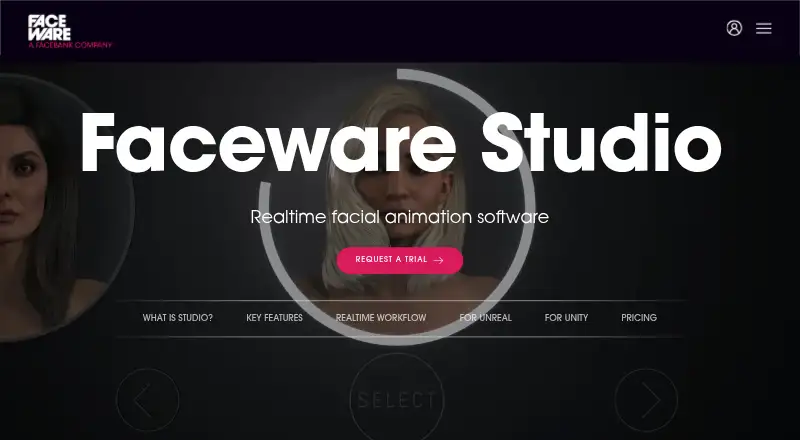
Faceware Studio is desktop software for tracking facial movement from live cameras or prerecorded media and generating facial animation in real time. It is suited to animators, virtual production teams, interactive experiences, and content creators who need facial performance capture rather than a broad motion tracking suite. Input options include stationary cameras, webcams, phone video, and professional headcams, giving teams several ways to provide facial footage.
The published plans show two annual, per-seat options. Faceware Studio (Indie) costs $239 per seat per year, while Faceware Studio costs $2,340 per seat per year. A 30-day free trial is available, and there is no free plan. The pricing structure gives smaller users access to a lower-priced tier, while the full plan is described as realtime facial tracking and animation software. Buyers should compare the plan terms directly with their production requirements before committing to annual billing.
Platform and pipeline fit are central strengths. Faceware Studio includes single-click neutral-pose calibration, actor-specific animation tuning, Motion Effects for modifying realtime data streams, TCP/IP streaming, and Python-based custom effects per control. It also integrates with Unreal Engine Live Link, Unity Live Client, and Autodesk MotionBuilder Live Client. The Windows-only requirement narrows deployment options, and the product’s emphasis on facial performance makes it a better choice for facial capture workflows than for teams seeking a wider motion tracking system. Choose it when facial animation and supported engine integrations are the priority; consider an alternative when cross-platform operation or broader capture coverage matters more.
Your product? Our editors can test Faceware Studio in depth and publish a review, labelled as paid · from $149/mo →
Faceware Studio pricing
All 2 Faceware Studio plans and prices →
Faceware Studio fact sheet
| Free plan | No |
|---|---|
| Paid from | $239/seat/yr |
| Point tracking | Not verified |
| Planar tracking | Not verified |
| Object tracking | Not verified |
| 3D camera tracking | Not verified |
| Mask tracking | Not verified |
| Keyframe editing | Not verified |
| Supported platforms | Windows PC |
| Free trial | 30 days |
| Deployment | Desktop |
| Platforms | Windows |
| Support | Email, Docs |
| Built for | Solo, Small business, Mid-market, Enterprise (editorial estimate) |
| Integrations | 3 integrations: Unreal Engine, Unity, Autodesk MotionBuilder |
| Pricing | 30-day trial (source) |
| Website | facewaretech.com |
| Facts checked | 20 Sep 2026 |
Faceware Studio integrations
Faceware Studio lists 3 integrations on its own site.
- Unreal Engine
- Unity
- Autodesk MotionBuilder
Alternatives to Faceware Studio
- Mocha ProA broad professional tracking suite for compositors, editors, and VFX teams.9.3
- Autodesk Flow StudioA broad browser-based toolkit for turning live-action footage into editable 3D scenes.9.1
- Vizrt Object TrackerA capable broadcast tracker with strong detection and metadata output, but contact-sales pricing.8.8



See all Faceware Studio alternatives →
Faceware Studio vs the competition
- Faceware Studio vs Mocha Pro
- Faceware Studio vs Autodesk Flow Studio
- Faceware Studio vs Vizrt Object Tracker
- Faceware Studio vs Viz Virtual Studio
- Faceware Studio vs Rokoko Create
- Faceware Studio vs Aximmetry



Compare Faceware Studio with any tool side by side →
Also Ranked In
Faceware Studio is ranked in 5 of our directories.
Used Faceware Studio? Be the first to review it
The editor score above is our own research. What this page doesn't have yet is a reader's view — what you used Faceware Studio for, what worked and what didn't. No stars are seeded and no review is paid for; an editor reads every one before it appears.
Write a reviewTwo minutes · verified accounts only · read by an editor before it appears
Featured on iTechGuides

Faceware Studio is listed in our Motion Tracking Software directory. Add the badge to your site — it links back to this page.
<a href="https://www.itechguides.com/products/faceware-studio/"><img src="https://www.itechguides.com/best/badge/faceware-studio.svg" alt="Featured on iTechGuides" width="230" height="46"></a>
Reviewed by iTechGuides Editors · Editorial team · Updated Oct 2026
Advertiser disclosure: iTechGuides is reader-supported. Vendors can pay for top positions in our rankings and for a place on other products' pages, and we may earn a commission when you click some links. Bought places stand at the number bought; this page and our disclosure say so. Paying vendors may get a fuller, more detailed review from our editors, and that review can change their score. How we rank.
Last updated · How we research and update