EZDown
EZDown: A focused Windows yt-dlp front end with format selection, FFmpeg merging, and browser controls. Ranked #118 of 135 in Video Downloaders by our editors (3.0/10); pricing: Open source; best for windows users wanting a lightweight yt-dlp front end.
At a glance
- Editor score3.0 / 10
- PricingOpen source
- Best forWindows users wanting a lightweight yt-dlp front end
- Paid fromFree
- Facts checked21 Sep 2026
Where it wins
- Supports video and audio downloads from yt-dlp-supported websites
- Extracts available formats and resolutions before downloading
- Adds Chrome and Edge controls with background desktop operation
Where it doesn't
- Windows desktop packaging limits use to Windows installations
- The current extraction path disables playlist downloads
- The listed output format is MP4, with Chrome and Edge as browser integrations
Our verdict on EZDown
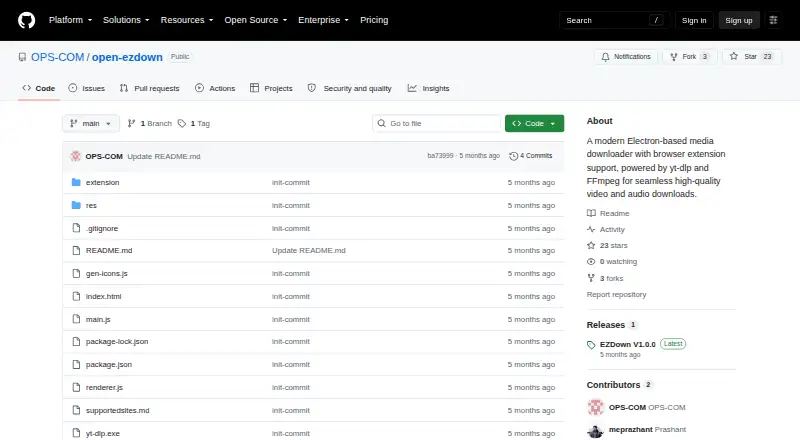
EZDown is an open-source Electron desktop application for downloading video and audio from websites supported by yt-dlp, including YouTube. It is aimed at Windows users who want a graphical front end rather than a command-line workflow. The application can inspect available media formats and resolutions, download separate audio or video streams, and merge them into MP4 files with FFmpeg. A Chrome and Edge extension can add download controls to supported streaming pages, while the desktop application can continue running in the background through system tray integration.
Setup is supported by an onboarding wizard for initial configuration. The desktop interface includes background execution, and its audio streaming backend uses dynamic port discovery. Together, these features make EZDown a practical fit for users who want browser-assisted downloading without giving up a dedicated desktop interface. Its ecosystem fit is focused: yt-dlp provides access to thousands of supported websites, while the browser layer is limited to Chrome and Edge. The current packaging configuration targets Windows desktop installations.
EZDown is strongest as a lightweight downloader focused on individual video or audio files, format selection, and MP4 merging. Its current extraction behavior passes yt-dlp's --no-playlist option, so it is not the right choice for playlist-oriented workflows. The listed output format is MP4, and the product is better suited to users who value a narrow, graphical yt-dlp workflow than to people seeking broader media-management features. Choose EZDown for Windows-based browser-assisted downloads; choose another tool if playlist handling, batch workflows, subtitle downloads, or broader output-format coverage are central requirements.
Your product? Our editors can test EZDown in depth and publish a review, labelled as paid · from $149/mo →
EZDown pricing
EZDown fact sheet
| Free plan | Not verified |
|---|---|
| Paid from | Free |
| Maximum video quality | Not verified |
| Supported sources | Thousands of websites supported by yt-dlp, including YouTube |
| Output formats | mp4 |
| Playlist downloads | No |
| Subtitle downloads | Not verified |
| Batch downloads | Not verified |
| Device platforms | Windows desktop; Chrome and Edge browsers |
| Deployment | Desktop, Browser extension |
| Platforms | Windows, Chrome extension |
| Built for | Solo, Small business (editorial estimate) |
| Pricing | Open source |
| Website | github.com |
| Facts checked | 21 Sep 2026 |
Alternatives to EZDown
- yt-dlpMaximum control for users comfortable with command-line downloading and automation.9.4
- EaseUS Video DownloaderA broad Windows and macOS downloader with playlists, livestreams, subtitles, and 8K support.9.2
- 4K Video Downloader+A broad desktop downloader with a free starter plan and a $60 Pro option.9.0


Used EZDown? Be the first to review it
The editor score above is our own research. What this page doesn't have yet is a reader's view — what you used EZDown for, what worked and what didn't. No stars are seeded and no review is paid for; an editor reads every one before it appears.
Write a reviewTwo minutes · verified accounts only · read by an editor before it appears
Featured on iTechGuides

EZDown is listed in our Video Downloaders directory. Add the badge to your site — it links back to this page.
<a href="https://www.itechguides.com/products/ezdown/"><img src="https://www.itechguides.com/best/badge/ezdown.svg" alt="Featured on iTechGuides" width="230" height="46"></a>
Reviewed by iTechGuides Editors · Editorial team · Updated Oct 2026
Advertiser disclosure: iTechGuides is reader-supported. Vendors can pay for top positions in our rankings and for a place on other products' pages, and we may earn a commission when you click some links. Bought places stand at the number bought; this page and our disclosure say so. Paying vendors may get a fuller, more detailed review from our editors, and that review can change their score. How we rank.
Last updated · How we research and update